

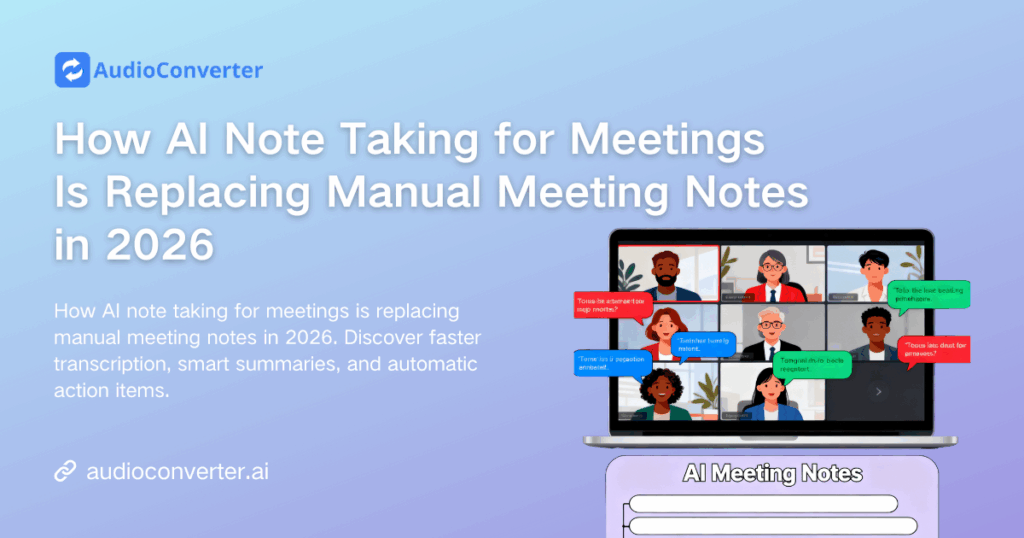
The era of frantic scribbling during video calls is over. In today's fast-paced remote and hybrid work environments, ai note taking for meetings is no longer a luxury—it's a necessity. With virtual calls becoming the norm, professionals spend countless hours typing and summarizing meeting minutes, often after the actual workday has ended.
AI note taking for meetings has evolved from a convenient add-on to an essential productivity weapon that's reshaping how modern teams capture, process, and act on meeting insights. AI-powered tools that automate meeting transcripts, extract insights, and generate actionable summaries are transforming how teams collaborate. This shift not only replaces manual meeting notes but also boosts productivity, clarity, and accountability across organizations.
In this deep dive, we'll explore why ai note taking for meetings is taking over traditional note-taking and review the top tools shaping this space—including Audio Converter AI's AI Meeting Note Taker and other standout solutions that make capturing meeting insights smarter and easier than ever.
Why AI Note Taking for Meetings Is the Future
1. Manual Notes Are Inefficient and Error-Prone
Here's the brutal truth: traditional note-taking during meetings is a productivity trap. You're either actively participating or documenting—rarely both effectively. This multitasking dilemma leads to missed points and incomplete summaries, especially in fast-moving conversations or when multiple voices speak at once.
Research shows professionals lose up to 40% of meeting content when manually recording notes. With ai note taking for meetings, all spoken content is captured, transcribed, and summarized automatically, eliminating human error and fatigue.
AI meeting notes solve this fundamental conflict. Modern meeting note taker AI tools work invisibly in the background, capturing every word while you stay fully engaged. The result? Zero missed insights, complete automatic meeting notes, and actual presence during critical discussions.
2. AI Tools Deliver More Than Transcripts
Modern ai meeting assistant platforms do more than convert audio to text. They can identify key points and action items automatically, detect speakers and summarize across agendas, sync meeting follow-ups with productivity workflows like Asana or Trello, generate summary documents or email drafts for instant distribution, and integrate seamlessly across Zoom, Teams, and Google Meet.
These features make ai note taking for meetings indispensable for teams that rely on clarity and follow-through. Unlike manual notes that sit static in notebooks, ai meeting transcription creates living documents that connect directly to your workflow.
What Makes AI Note Taking for Meetings a Game-Changer
Today’s AI note taking for meetings platforms go far beyond simple speech-to-text:
- Intelligent Context Recognition: Advanced AI note taking for meetings tools can identify discussion topics, separate agenda items, and distinguish between decisions made and ideas merely proposed.
- Instant Action Item Extraction: Top solutions automatically highlight commitments, deadlines, and task assignments, turning conversations into actionable notes and seamless meeting automation workflows.
- Speaker Intelligence: Modern AI note taking for meetings systems differentiate individual voices, accurately attributing comments even during overlapping conversations or cross-talk.
- Smart Summarization: Instead of just producing raw transcripts, leading AI note taking for meetings engines condense hour-long discussions into concise, 3–5 minute summaries that focus on what truly matters.
Top AI Note Taking for Meetings Tools in 2026
1. Audio Converter AI — Best for Flexible Recording and Multi-Language Support
Overview:
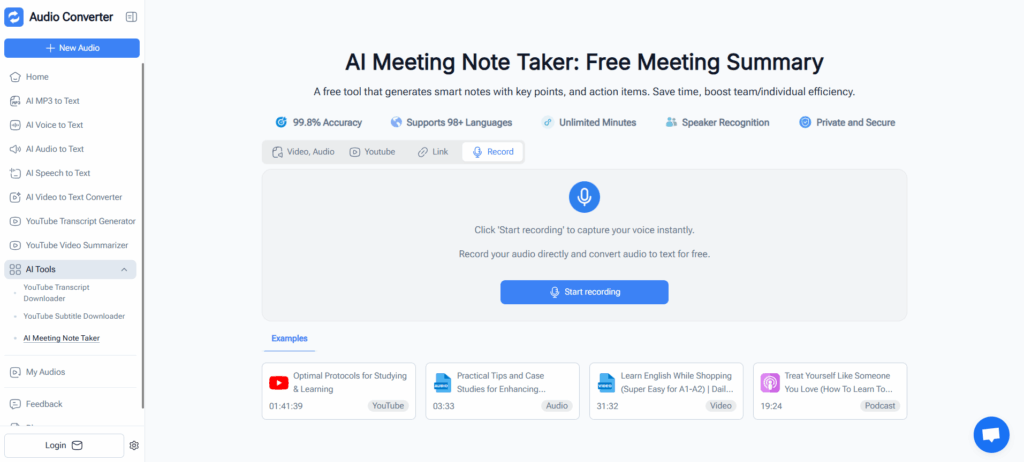
Audio Converter AI's AI Meeting Note Taker is designed to automate ai note taking for meetings with exceptional flexibility. Whether you record meetings online in real-time or upload audio files afterward, this ai note taking for meetings solution delivers accurate transcription, intelligent summarization, and fully editable outputs—all in a clean, intuitive interface.
Key Features:
- Flexible Recording Options: Record meetings directly online or upload audio files for transcription anytime
- Multi-Language Translation: Supports multiple languages with automatic translation capabilities for global teams
- Speaker Identification: Automatically detects and labels different speakers throughout the conversation
- Editable & Downloadable Transcripts: Full control to edit ai meeting notes and download in your preferred format
- Smart Summarization: Generates intelligent meeting summaries and extracts key action items automatically
Best For:
Teams and professionals who need a versatile ai note taking for meetings tool that handles both live recording and file uploads, with robust multi-language support and fully customizable automatic meeting notes.
2. Tactiq — Best for Quick Integration with Productivity Apps
Overview:
Tactiq is a popular ai note taking for meetings tool that connects with Google Meet, Zoom, and Microsoft Teams without requiring bots to join calls. It's known for simple setup and live note capture, making ai note taking for meetings accessible to everyone.
Key Features:
- Real-time transcriptions and automatic meeting notes generation
- Supports multiple languages for global teams
- Highlights key points and summaries
- Free tier available for limited use
Best For:
Teams using Chrome and web conferencing tools who want fast setup and straightforward, live meeting note taker AI functionality.
3. Otter.ai — Best for Detailed Transcription and Team Collaboration
Overview:
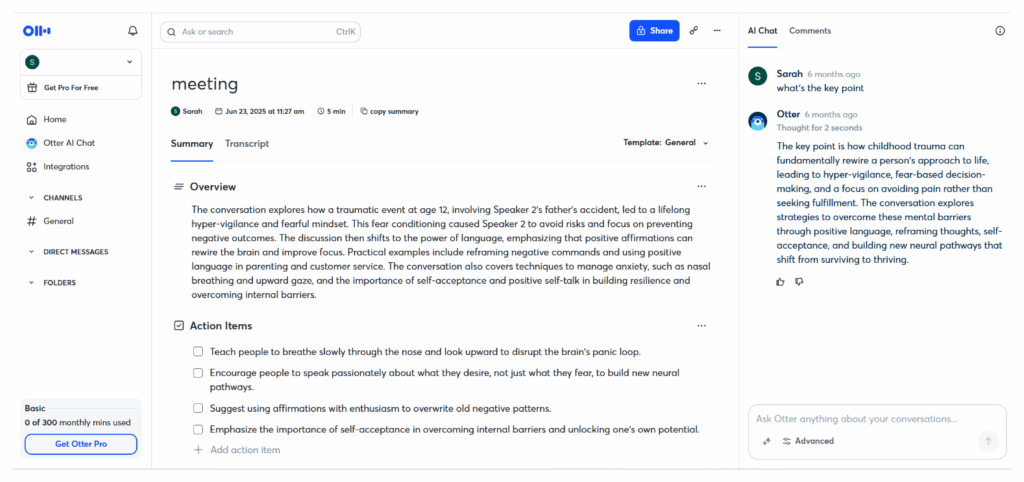
Otter provides highly accurate ai note taking for meetings with speaker detection and robust summaries. Its team-focused features let users share and collaborate on transcripts, making ai meeting notes a collaborative experience.
Key Features:
- Real-time ai meeting transcription and searchable notes
- Audio summaries with identified speakers
- Sync across devices and team accounts
- Dedicated AI chat to interact with meeting note taker AI content conversationally
Best For:
Teams that require collaborative review and editing of ai meeting notes after transcriptions are done.
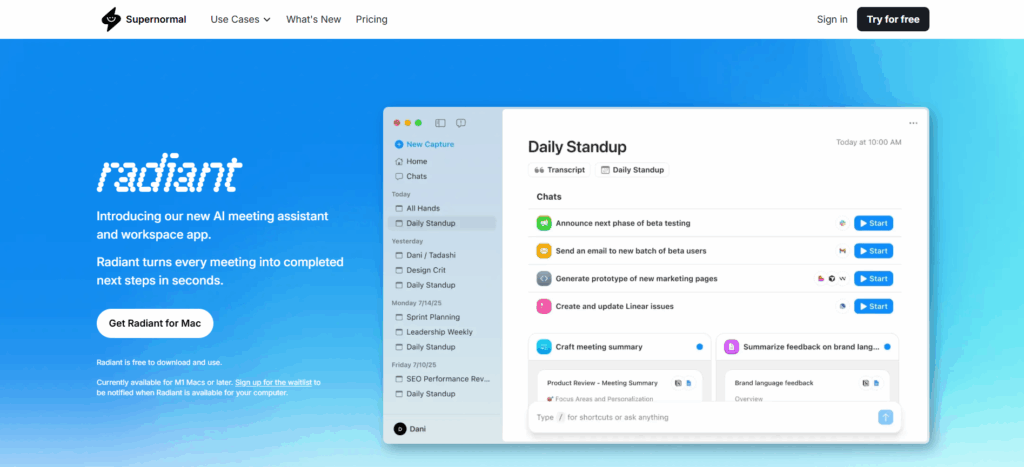
4. Supernormal — Best for Actionable Follow-Ups
Overview:
Supernormal stands out for delivering ai note taking for meetings with a focus on actionable items and team accountability. It generates context-aware insights and weekly digests based on your meetings, transforming ai note taking for meetings into strategic intelligence.
Key Features:
- Contextual ai meeting assistant that answers questions about conversations
- Automatic action-item generation from ai meeting notes
- Multilingual support
- Integrations with Slack, Salesforce, and other tools
Best For:
Teams seeking proactive insights and follow-up coordination with automated ai meeting summary generation.
5. Bluedot — Best for Background Recording and Custom Notes
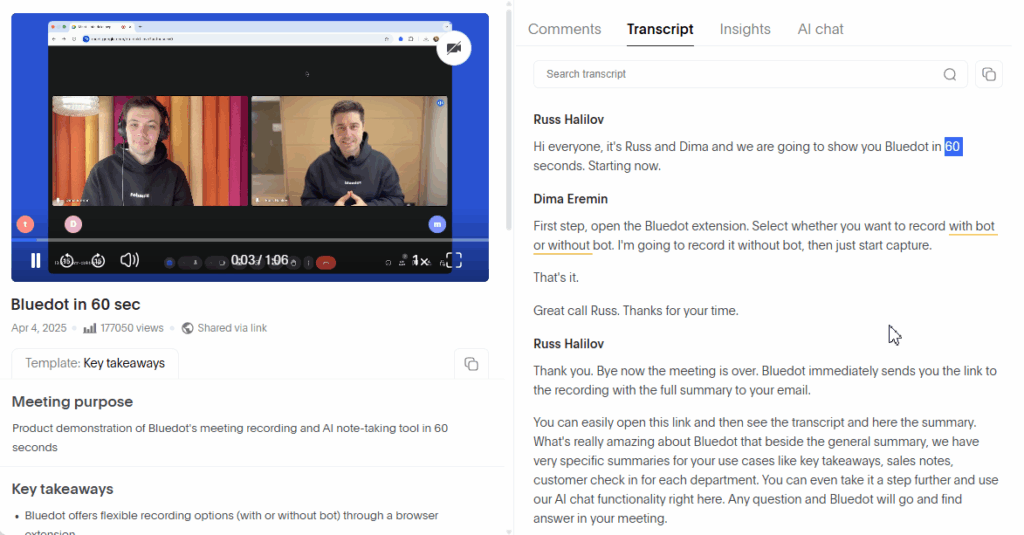
Overview:
Bluedot offers seamless ai note taking for meetings without bots. It records meetings in the background and generates notes, summaries, and CRM insights, providing discreet ai note taking for meetings capabilities.
Key Features:
- Background audio capture with no visible bot
- Custom template support for different meeting notes automation needs
- CRM and email drafting features
- Works with Zoom, Teams, Google Meet, and Webex
Best For:
Users who want accurate, uninterrupted recording and contextual insights tied to workflows with discreet automatic meeting notes capture.
6. Fellow — Best for Structured Team Meetings
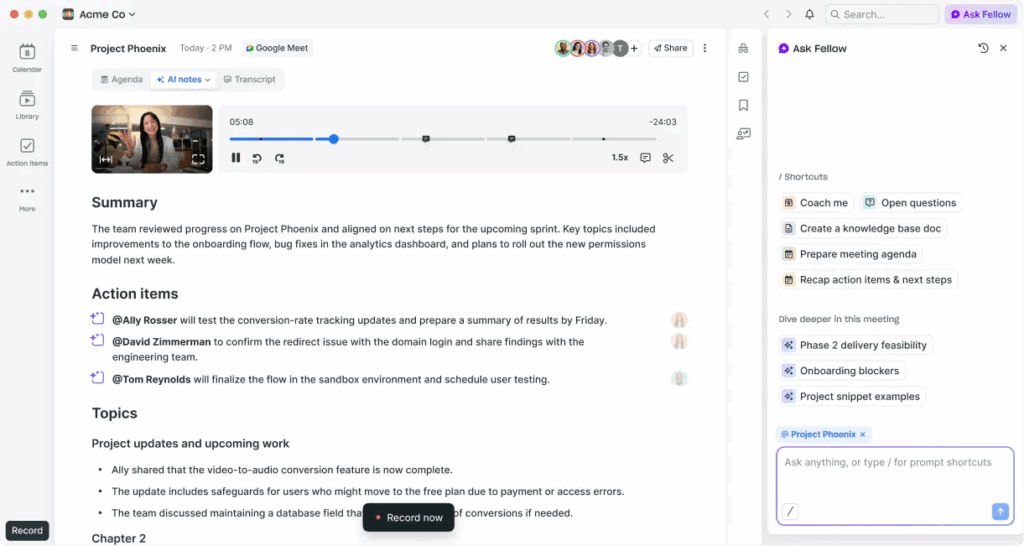
Overview:
Fellow uses ai note taking for meetings to tie together meeting agendas, notes, follow-ups, and action items into a collaborative workspace. This ai note taking for meetings platform emphasizes structure and consistency.
Key Features:
- Automated agenda suggestions for better ai meeting notes
- Centralized meeting context hub
- AI meeting summaries and action tracking
Best For:
Teams that emphasize structured planning and documentation across recurring meetings with integrated meeting notes automation.
7. Zoom AI Companion — Best Built-In Meeting Notes
Overview:
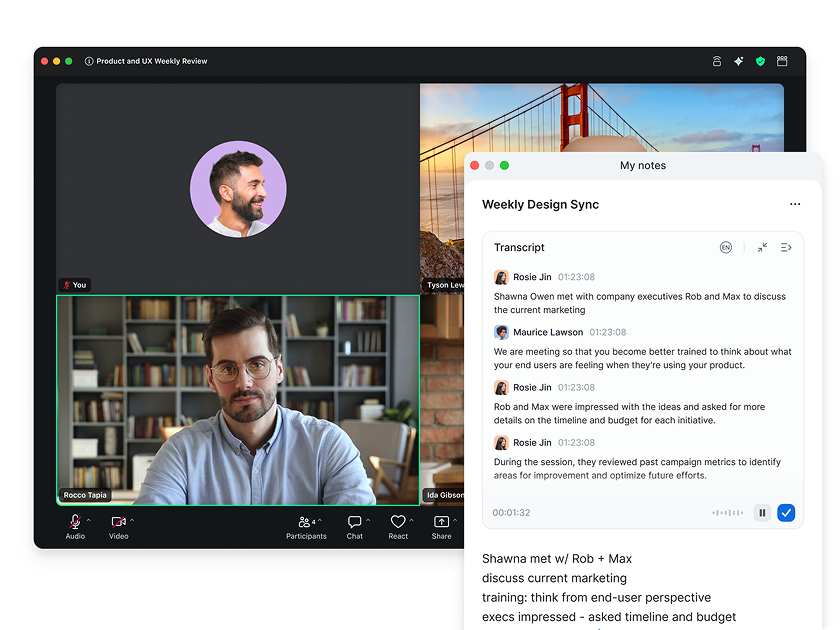
Zoom's AI meeting notes feature automatically transcribes discussions, generates summaries, and pulls action points during Zoom calls. While sometimes limited in precision compared to dedicated ai note taking for meetings tools, it's convenient for users already within the Zoom ecosystem.
Key Features:
- Real-time ai meeting transcription and summarization
- Integrated directly into Zoom meetings for seamless ai note taking for meetings
- Syncs with calendar and Docs
Best For:
Organizations heavily invested in Zoom who want built-in ai note taking for meetings without extra software.
How to Choose the Right AI Meeting Note Taking Tool
Choosing the right ai note taking for meetings solution depends on how your team runs meetings and processes information afterward. Different AI meeting note takers are designed for different workflows, so it’s important to focus on what matters most to you:
- Integration Requirements: Do you need AI note taking for meetings that works seamlessly with Zoom, Google Meet, Microsoft Teams, or multiple platforms?
- Collaboration & Sharing: Will teammates need shared access to AI meeting notes, transcripts, and summaries for follow-ups?
- Level of Automation: Are you looking for simple AI meeting transcription, or advanced AI note taking for meetings that generates summaries, highlights, and action items automatically?
- Privacy & Control: Is secure, bot-free AI note taking for meetings important for handling sensitive discussions?
For example, Audio Converter AI’s AI Meeting Note Taker is ideal for teams that need reliable ai note taking for meetings with structured transcripts, smart summaries, and clear action item extraction across workflows. In contrast, Tactiq focuses on fast setup and lightweight real-time AI meeting notes for users who want simplicity over deep automation.
Frequently Asked Questions About AI Note Taking for Meetings
Q1: Can AI replace manual meeting note taking entirely?
Yes — modern AI note taking for meetings tools can automatically capture audio, highlight key points, and generate actionable summaries. They significantly reduce the need for manual note taking, saving time and improving meeting efficiency.
Q2: Are AI note taking for meetings tools secure for sensitive discussions?
Most leading AI note taking for meetings solutions use encryption and secure data storage. For confidential meetings, always check the provider’s privacy policies and data handling practices.
Q3: Do AI note taking for meetings tools support multiple languages?
Yes — leading AI note taking for meetings tools, including Audio Converter AI’s Meeting Note Taker, support multilingual transcription and summary generation. This allows teams to capture and review meetings in different languages with high accuracy, making it ideal for global collaboration.
Q4: How can I make my meeting notes more accurate and actionable?
Using Audio Converter AI’s Meeting Note Taker, you can turn recorded meetings into precise, organized notes automatically. This AI note taking for meetings tool highlights key points, extracts action items, and provides summaries, helping teams save time and ensure nothing important is missed.
Conclusion
In 2026, AI note taking for meetings has become an essential tool for professionals and students alike. These intelligent tools save time by automatically capturing accurate transcripts, generating clear summaries, and highlighting key discussion points. Whether you need quick real-time transcription or a fully integrated meeting workflow assistant, solutions like Audio Converter AI’s AI Meeting Note Taker and other platform-specific tools such as Zoom AI Companion provide powerful ways to replace manual note taking and boost productivity.
By adopting an AI note taking for meetings solution, you no longer have to worry about missing critical details, spending hours editing notes, or losing track of action items — AI handles it all for you. This allows you to stay fully engaged in the conversation and focus on the work that follows, making meetings more effective and actionable than ever.