


Imagine this familiar scene: a creator finishes recording a 45-minute podcast, closes the microphone, and then faces a second, invisible task—turning that audio into usable text. Blog posts, captions, summaries, subtitles, SEO content. The recording is done, but the real work is just beginning.
In 2026, this workflow is finally changing.
The rise of the voice to text generator is reshaping how creators think about content production. What used to be a tedious, manual transcription process has become an automated, AI-driven bridge between spoken ideas and written assets. A modern voice to text generator doesn’t just convert voice to text; it turns raw audio into reusable content at scale.
For creators, streamers, educators, and professionals, understanding how voice to text generator technology works—and which tools are worth using—is now a competitive advantage.
This guide explores what creators need to know about voice to text generator tools in 2026, how they fit into real workflows, and which platforms are leading the next wave of AI-powered transcription.
Why Voice to Text Generator Tools Have Become Essential in 2026
Content creation has entered an era of "audio first." Podcasts, livestreams, video essays, voice notes, interviews, and online courses dominate digital platforms. Yet most content sharing and documentation still relies on text.
This is where a voice to text generator becomes indispensable.
A modern voice to text generator allows creators to convert voice to text instantly, transforming audio into blog posts, video subtitles, social captions, newsletters, and searchable archives. Instead of treating transcription as a chore, creators now see it as the foundation of content multiplication.
Key reasons creators rely on a voice to text generator:
- Faster content creation from a single audio recording
- Better discoverability through text-based content
- Improved accessibility via captions and transcripts for all audiences
- Save time and energy by eliminating hours of manual typing
- Capture ideas instantly with real-time transcription
In short, the voice to text generator is no longer a background tool—it is a core production engine.
What Defines a High-Quality Voice to Text Generator in 2026
Not every voice to text generator meets the demands of creators. In 2026, expectations are higher than ever.
Accuracy That Matches Human Transcription
A reliable voice to text generator must handle accents, speaking speed, and informal language without constant correction. High-quality AI models now approach human-level accuracy under normal audio conditions, with leading AI voice to text platforms achieving 95-99% accuracy rates.
Speed and Automation
Creators expect to convert voice to text in minutes, not hours. The best tools support automated processing, batch uploads, and even real-time voice to text converter functionality that works as you speak.
Creator-Friendly UX
An effective online voice to text generator should work directly in the browser, with no complex setup. Upload, transcribe, edit, export—simple and intuitive workflows keep creators focused on content rather than technical processes.
Advanced Transcription Features
Top voice to text generator tools now offer speaker separation, timestamps, long-file support, and export formats tailored to creators, not just enterprises. Features like speaker diarization and automated formatting transform raw transcripts into publication-ready content.
Free Access with Scalable Options
A strong free voice to text generator lowers the barrier for experimentation, while premium tiers support power users and teams who need unlimited transcription capacity and advanced features.
Best Voice to Text Generator Tools for Creators in 2026
Below is a curated list of popular and emerging voice to text generator tools, selected based on creator relevance, feature differentiation, and workflow value. Each tool is presented in a consistent format for easy comparison.
Audio Converter AI – AI-Powered Voice to Text for Long-Form Creators
Positioning: A free, browser-based voice to text generator built specifically for long recordings and content repurposing workflows.
What Makes It Different:
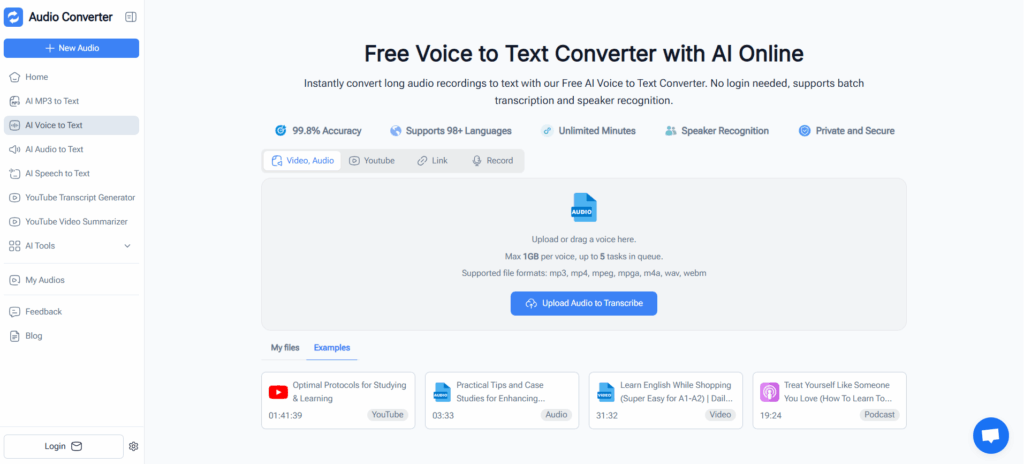
Audio Converter AI focuses on helping creators convert voice to text at scale without complicated software installations. Unlike lightweight dictation tools, this online voice to text generator supports long audio files (podcasts, interviews, lectures), batch uploads, automatic speaker recognition, and precise timestamps—features creators actually need for professional content production.
Key Capabilities:
- Free online voice to text generator with no mandatory sign-up
- Accurate AI voice to text conversion optimized for podcasts and interviews
- Automatic speaker identification and timestamped transcripts
- Online recording feature for capturing voice directly in the browser
- Designed specifically for repurposing audio into blogs, subtitles, show notes, and documentation
- Browser-based workflow with support for multiple audio formats
Best For: Podcasters, educators, YouTubers, content marketers, researchers, and anyone handling long-form audio content that needs to be transformed into multiple written formats.
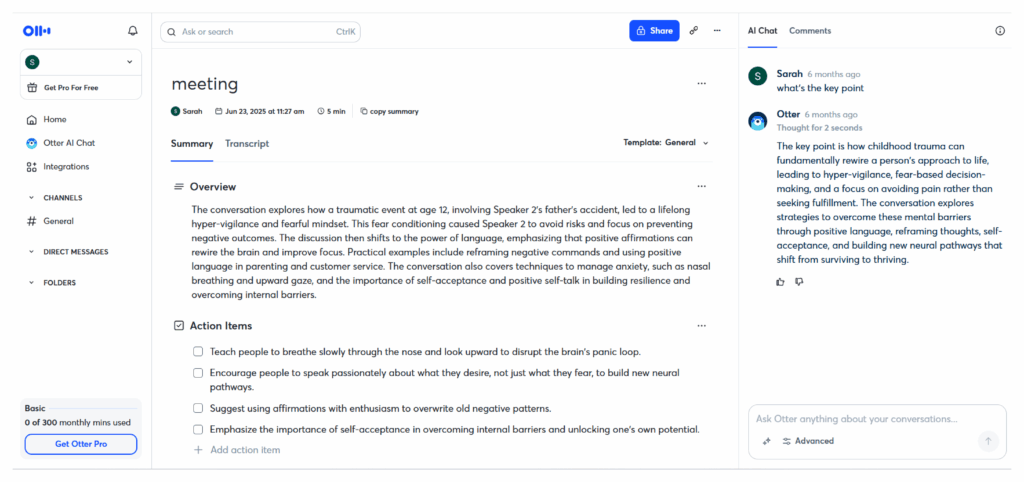
Otter.ai – Real-Time Voice to Text for Collaborative Meetings
Positioning: A real-time voice to text generator optimized for live meetings, team collaboration, and business communication.
What Makes It Different:
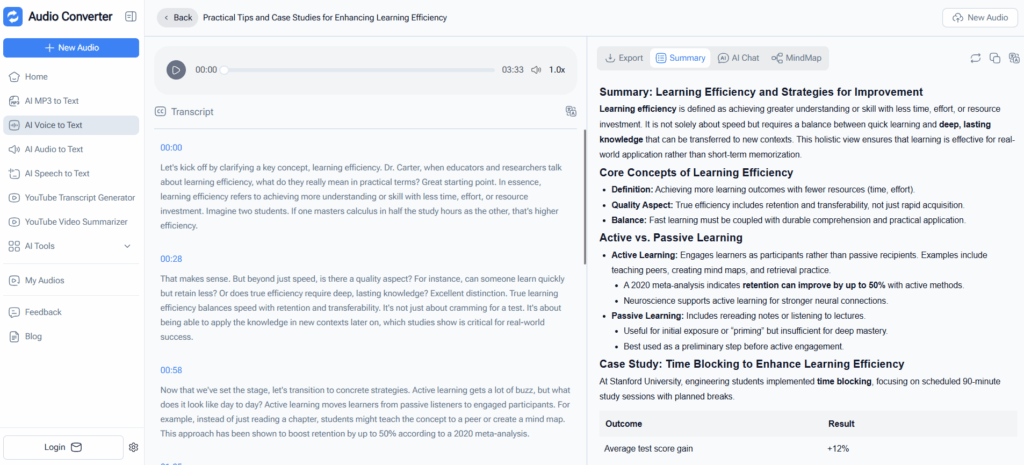
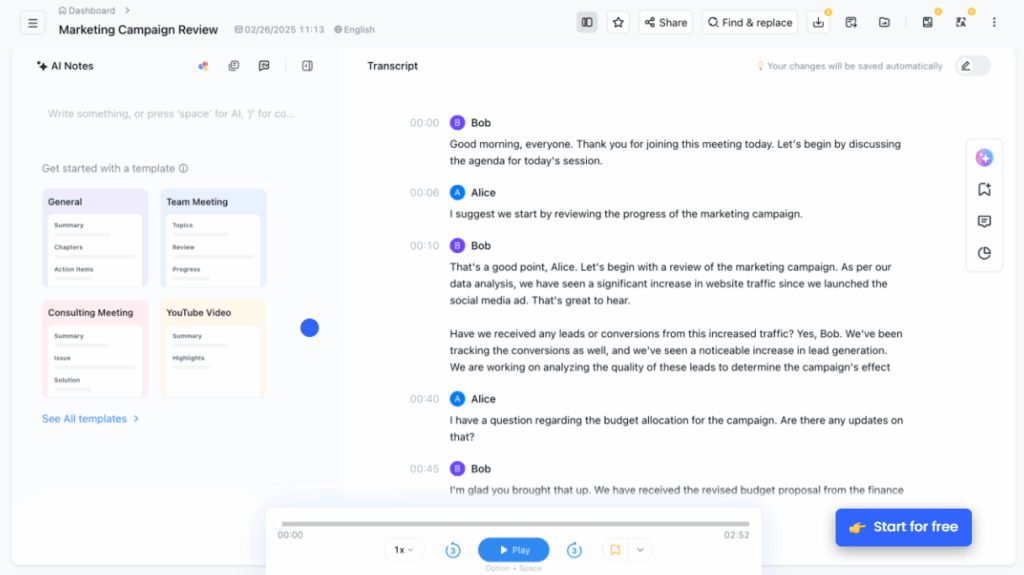
Otter.ai excels at live transcription with its meeting-first approach. This voice to text generator captures spoken conversations as they happen and organizes them into searchable, shareable documents with automatic speaker labeling and integration with major video conferencing platforms.
Key Capabilities:
- Real-time voice to text converter with live meeting transcription
- Automatic speaker labeling and identification
- Searchable meeting transcripts with keyword highlights
- Deep integration with Zoom, Google Meet, and Microsoft Teams
- Collaborative editing and team workspace features
Best For: Teams, business professionals, educators conducting virtual classes, interview-heavy creators, and anyone working in collaborative environments where meeting documentation is critical.
TurboScribe – High-Speed Voice to Text for Large File Processing
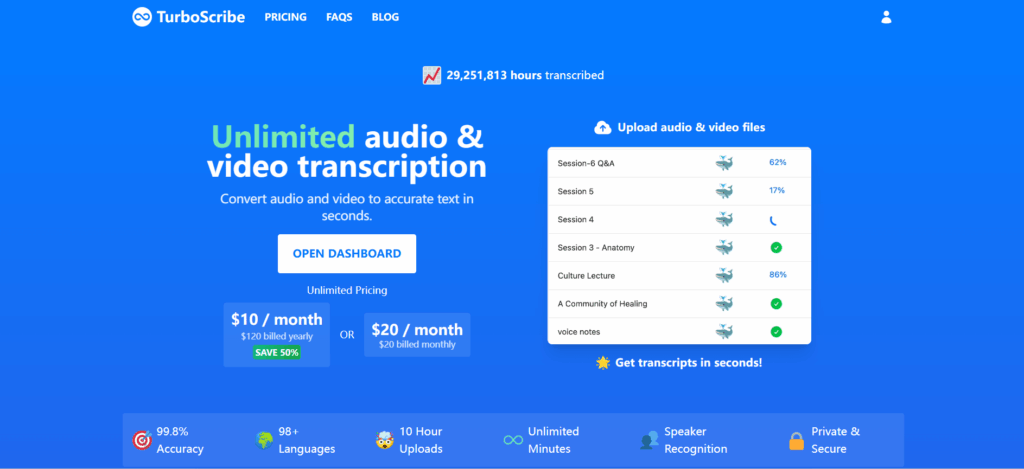
Positioning: A speed-focused voice to text generator powered by Whisper AI that handles large uploads efficiently with unlimited transcription options.
What Makes It Different:
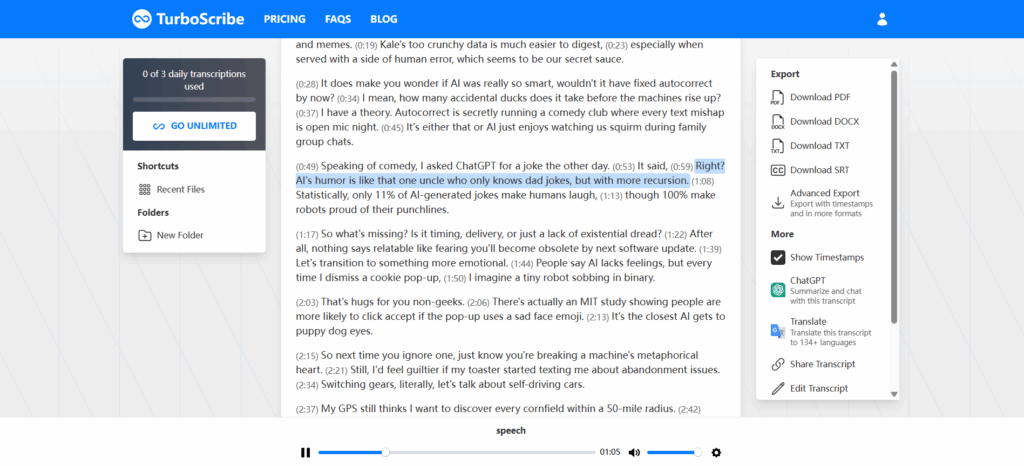
TurboScribe is popular among creators who want fast turnaround on large audio files without complex configuration. This voice to text generator uses OpenAI's Whisper technology to achieve near-99% accuracy while processing lengthy recordings at remarkable speed.
Key Capabilities:
- Fast AI transcription engine with 98+ language support
- Supports long audio and video files (up to 10 hours per file)
- Unlimited transcription on paid plans with flat-rate pricing
- Simple, minimal interface optimized for bulk processing
- Export-ready transcripts with speaker diarization and timestamps
Best For: Creators processing high volumes of recorded content, researchers with extensive interview libraries, and media professionals who need reliable batch transcription.
Notta – Multilingual Voice to Text with Global Reach
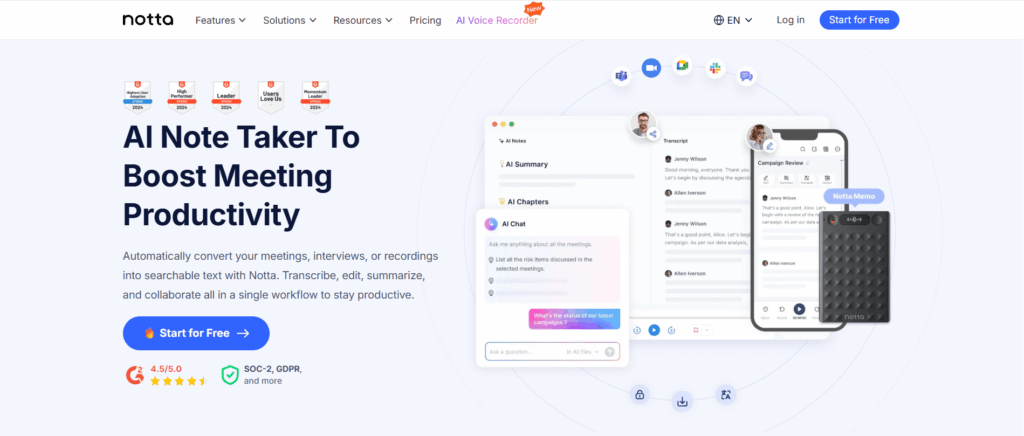
Positioning: A voice to text generator designed for creators and teams who work across languages and international markets.
What Makes It Different:
Notta goes beyond basic transcription by supporting multilingual workflows in 58+ languages with structured exports, making it invaluable for global content teams and multilingual creators who need accurate voice to text generator functionality across language barriers.
Key Capabilities:
- AI voice to text conversion in 58+ languages with high accuracy
- Clean exports for subtitles, documentation, and content repurposing
- Smart text structuring with automated formatting for reuse
- Web and mobile support for on-the-go transcription
- Real-time transcription with meeting platform integration
Best For: Multilingual creators, global content teams, international educators, video producers serving diverse audiences, and anyone creating content for multiple language markets.
Whisper-Based Open Tools – Customizable Voice to Text Solutions
Positioning: A growing ecosystem of tools built on OpenAI's Whisper model, offering flexibility, accuracy, and often open-source access.
What Makes It Different:
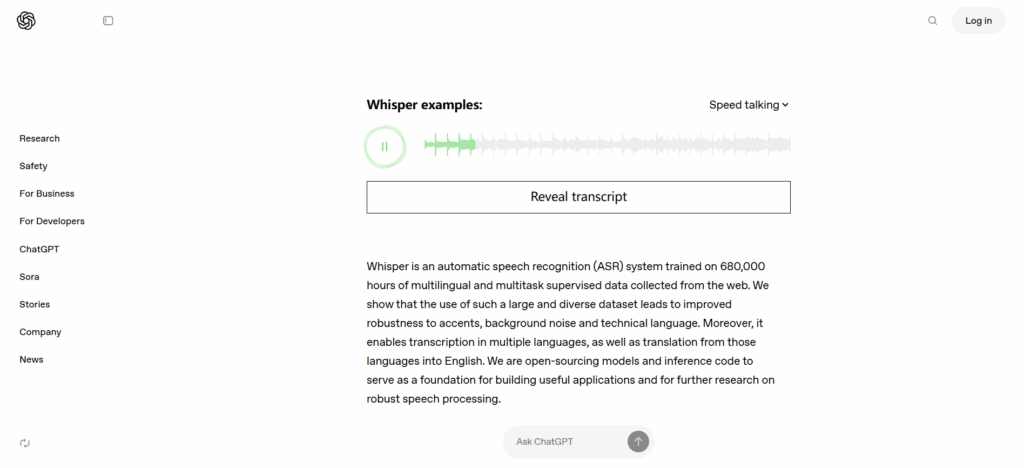
Instead of a single brand, Whisper powers many online voice to text generator platforms. These voice to text generator tools often prioritize accuracy, privacy, or customization, giving technically-minded users more control over their transcription workflows while maintaining high-quality results.
Key Capabilities:
- High transcription accuracy (95-99%) across challenging audio
- Strong support for diverse accents and noisy environments
- Language flexibility with 90+ languages supported
- Privacy-focused options with local processing capabilities
- Often free or open-source for custom integrations
Best For: Developers building custom solutions, privacy-conscious creators, technical users wanting maximum control, and organizations with specific compliance or data handling requirements.
How Creators Use a Voice to Text Generator in Real Workflows
A modern voice to text generator fits naturally into creator workflows, enabling efficient content multiplication:
- Record audio or video content – Create your primary content (podcast, video, interview, lecture)
- Upload files or use real-time voice to text – Submit recordings to your chosen voice to text converter or use live transcription during recording
- Review and edit the generated transcript – Most AI voice to text tools produce 95%+ accurate results that need minimal correction
- Repurpose text into multiple formats – Transform transcripts into blog posts, social media captions, video subtitles, email newsletters, or written articles
- Publish across platforms – Deploy your content ecosystem from a single recording session
This workflow turns a single 30-minute recording into 10+ content assets, all powered by one voice to text generator. Creators who master this process can multiply their content output 5-10x without proportionally increasing production time.
Frequently Asked Questions About Voice to Text Generator Tools
What is a voice to text generator?
A voice to text generator is an AI-powered tool that converts spoken audio into written text automatically.
Are voice to text generators accurate?
Yes. Modern AI voice to text models are highly accurate, especially with clear audio and standard speaking conditions.
Can I use a free voice to text generator?
Many platforms offer a free voice to text generator, including browser-based tools with no sign-up required.
Can these tools handle long audio files?
Advanced tools like Audio Converter AI and TurboScribe are specifically designed to convert voice to text for long recordings.
Do voice to text generators support multiple speakers?
Yes. Many tools now include speaker recognition and timestamps.
Conclusion
In 2026, the voice to text generator has become an essential tool for content creators. It transforms spoken words into searchable, editable text—multiplying your output without adding to your workload.
Whether you need a free online voice to text generator for quick experiments or a professional AI voice to text solution for serious production, the right choice reshapes your entire workflow. From Audio Converter AI's creator-focused features to specialized tools for meetings, multilingual content, or high-speed processing—each platform serves different needs.
Choose a voice to text generator that fits how you create. Start with a free option, test it with real content, and scale as you grow. Your voice is your most valuable creative asset—now you have the technology to make every word count.