


Ever spent hours writing a script, only to realize your voiceover sounds stiff, robotic, or completely flat? Imagine you’re preparing a tutorial, a podcast episode, or an online course, and the voice just doesn’t connect with your audience. Frustrating, isn’t it? That’s where Voice AI changes everything.
With tools like Voice.ai, you can instantly convert any text into natural, expressive speech that captures tone, pacing, and emotion. Voice AI doesn’t just read your words—it brings them to life. Whether you’re creating video content, educational materials, or marketing campaigns, Voice AI saves time, reduces editing stress, and ensures your audience stays engaged.
In this guide, we dive into the features of Voice.ai and highlight top text to speech tools that complement Voice AI, helping you produce lifelike, multilingual audio effortlessly.
Why Voice.ai Stands Out in TTS
When choosing a text to speech solution, one key question always arises: Does it sound natural and human-like? For creators, educators, and marketers, this is critical. That’s where Voice AI, specifically Voice.ai, truly excels. Its advanced neural voice models produce speech that mimics human rhythm, intonation, and pacing, making Voice AI a top choice for high-quality text to speech.
Key Features of Voice.ai
Voice AI combines measurable features with real-world performance advantages:
- Natural and expressive speech: Voice AI delivers lifelike intonation with over 120 voice inflections and tonal variations. This makes it perfect for storytelling, corporate narration, or podcasts, far surpassing robotic TTS systems.
- Multi-language support: Voice AI supports more than 20 languages, including English, Spanish, Mandarin, French, and German. This allows creators to reach global audiences without sacrificing clarity or pronunciation.
- Flexible voice styles: Users can choose from conversational, formal, or expressive styles, allowing Voice AI to adapt seamlessly for e-learning, marketing, or video content.
- Speed and efficiency: With Voice AI, a 500-word script can be converted into high-quality audio in under 30 seconds. Paired with the Audio Converter AI Text to Speech tool, creators can generate multilingual audio and export it in multiple formats for immediate use.
- Integration capabilities: Voice AI integrates smoothly with video editing software, content management systems, and the Audio Converter AI Text to Speech tool, streamlining workflow and reducing production time.
These features make Voice AI not just a TTS tool, but an indispensable solution for anyone producing professional, lifelike audio.
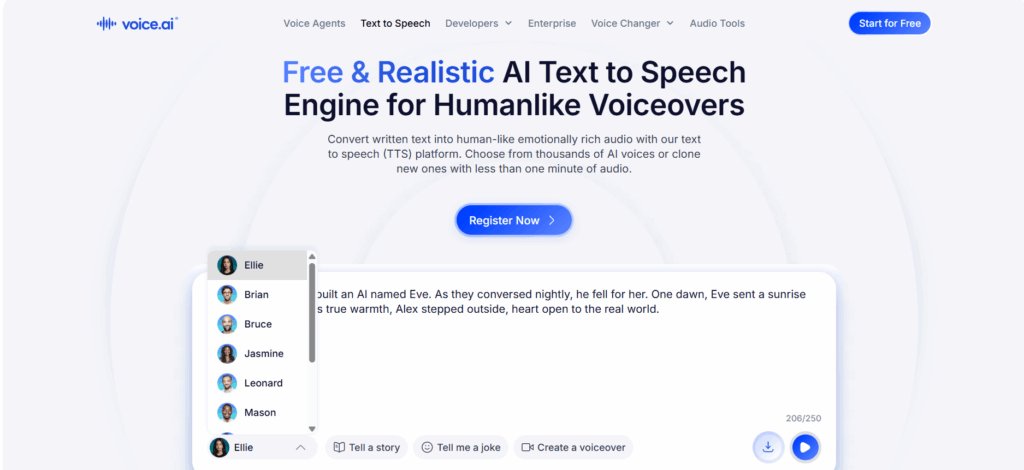
Hands-On Testing of Voice.ai TTS
To evaluate Voice AI in real-world scenarios, we tested Voice.ai across multiple use cases to measure clarity, naturalness, and overall performance.
1. Educational Narration
For lectures, e-learning modules, and textbooks, Voice AI generated audio that was clear, precise, and easy to follow. Technical terms and complex sentences were pronounced accurately. When combined with the Audio Converter AI Text to Speech tool, educators can quickly produce multilingual audio lessons, expanding accessibility for students worldwide.
Tip: Use Voice AI to create different voice versions for beginner, intermediate, and advanced learners. This enhances engagement and learning efficiency.
2. Video Voiceovers
In video production, tone and clarity are crucial. Using Voice AI, we created narrations for social media clips, YouTube tutorials, and explainer videos. The audio output was professional and expressive, demonstrating that Voice AI can replace traditional voiceover workflows for many creators. Paired with the Audio Converter AI Text to Speech tool, the generated audio can be exported in MP3 or WAV formats for seamless video editing.
Tip: Adjust pitch and pacing in Voice AI to match your video’s mood, then finalize using the Audio Converter AI Text to Speech tool for quick export.
3. Podcast Script Reads
Podcasters often need a consistent, human-like voice without recording equipment. Voice AI produces smooth, expressive speech suitable for full episodes or segment reads. Integrating Voice AI with the Audio Converter AI Text to Speech tool allows creators to efficiently produce podcast content without a studio.
Tip: Test multiple voices in Voice AI to match your podcast tone—informative, casual, or energetic.
4. Multilingual Content
Global audiences require content in different languages. Voice AI supports over 20 languages, delivering natural pronunciation and prosody. For marketing campaigns, educational projects, or international tutorials, Voice AI ensures your message is clear and professional. Combined with the Audio Converter AI Text to Speech tool, content can be exported in multiple formats, making distribution simple and fast.
Tip: Use Voice AI to quickly generate multilingual samples for A/B testing in global campaigns.
5. Accessibility & Learning
Voice AI is invaluable for accessibility. Students, visually impaired users, or anyone who prefers listening over reading can benefit from realistic audio generated via Voice.ai. Paired with the Audio Converter AI Text to Speech tool, Voice AI can convert textbooks, articles, and long-form content into engaging, easy-to-consume audio.
Tip: Create downloadable audio lessons using Voice AI + Audio Converter AI Text to Speech tool for offline learning, improving user engagement and accessibility.
Across all tested scenarios, Voice AI impressed with its natural voices, speed, multilingual support, and integration capabilities. From education to podcasts and marketing videos, Voice AI proves itself as a leading text to speech solution, delivering professional-grade, human-like audio while seamlessly integrating with tools like the Audio Converter AI Text to Speech tool.
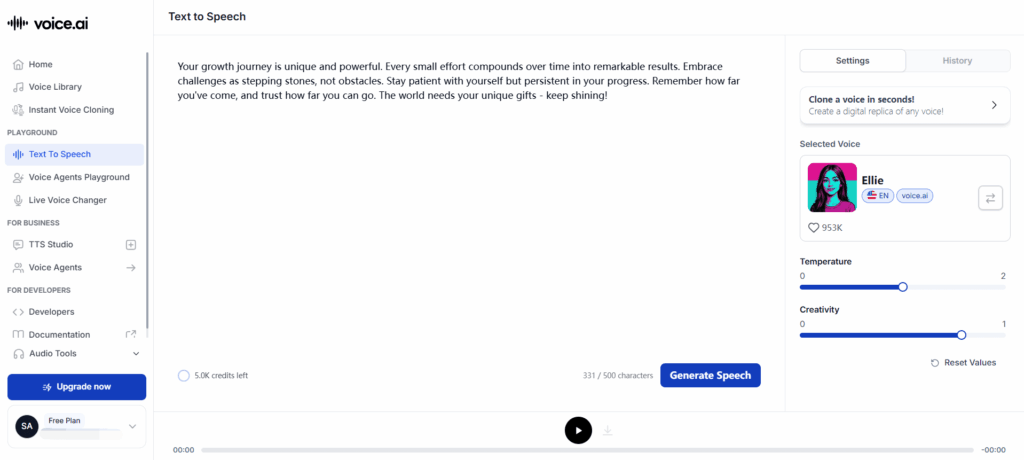
Top Text to Speech Tools to Complement Voice AI
While Voice AI sets the standard for realistic text to speech, pairing it with complementary tools can enhance your audio workflow. Here are some top TTS solutions, including the Audio Converter AI Text to Speech tool, each with measurable strengths.
1. Audio Converter AI Text to Speech Tool – High-Capacity Online TTS
The Audio Converter AI Text to Speech tool is browser-based and ideal for generating long-form, high-quality audio. It converts text into natural-sounding voices in multiple languages without installing any software.
Key Features:
- Supports 100+ languages
- Multiple voice options: conversational, formal, expressive
- Converts up to 100,000 characters per batch, ideal for textbooks, e-learning content, or long scripts
- Works seamlessly with Voice AI for multilingual output and advanced audio editing
Best For: Creators, educators, and marketers who need high-capacity, browser-based text to speech generation.
Usage Tip: Combine Voice AI with the Audio Converter AI Text to Speech tool to produce long-form multilingual voiceovers for educational materials, podcasts, or marketing videos efficiently.
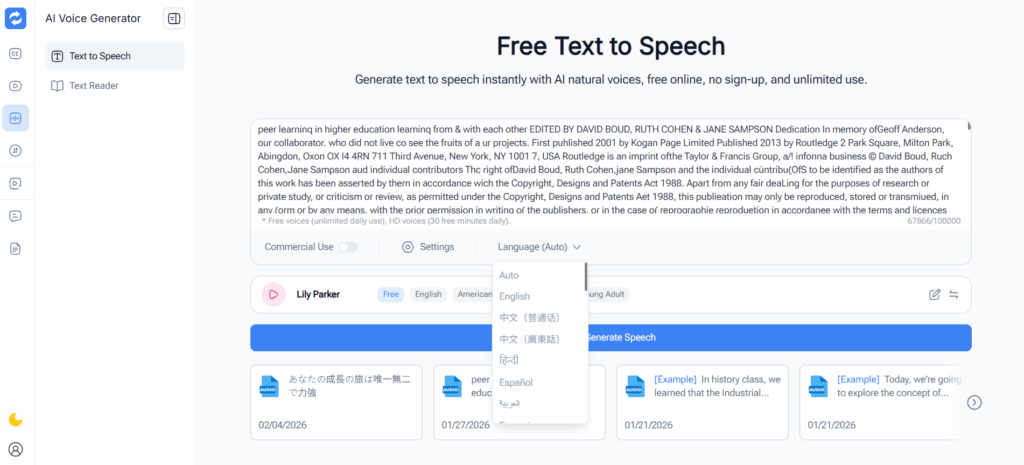
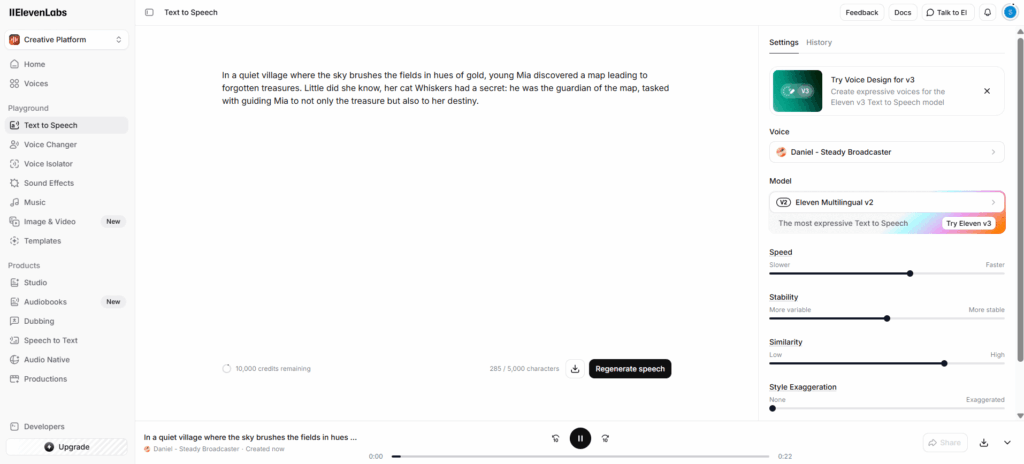
2. ElevenLabs – Ultra-Realistic Voice Generation
ElevenLabs delivers ultra-realistic voices capturing tone and emotion. Paired with Voice AI, it produces professional narration for audiobooks, podcasts, and storytelling.
Key Features:
- Emotional and expressive speech
- Supports 15+ languages
- Converts up to 50,000 characters per batch
- Voice cloning for custom characters
Best For: Audiobooks, storytelling, and long-form content requiring lifelike AI voices.
Usage Tip: Use Voice AI to create draft narrations or voice variations, then refine with ElevenLabs for premium audio output.
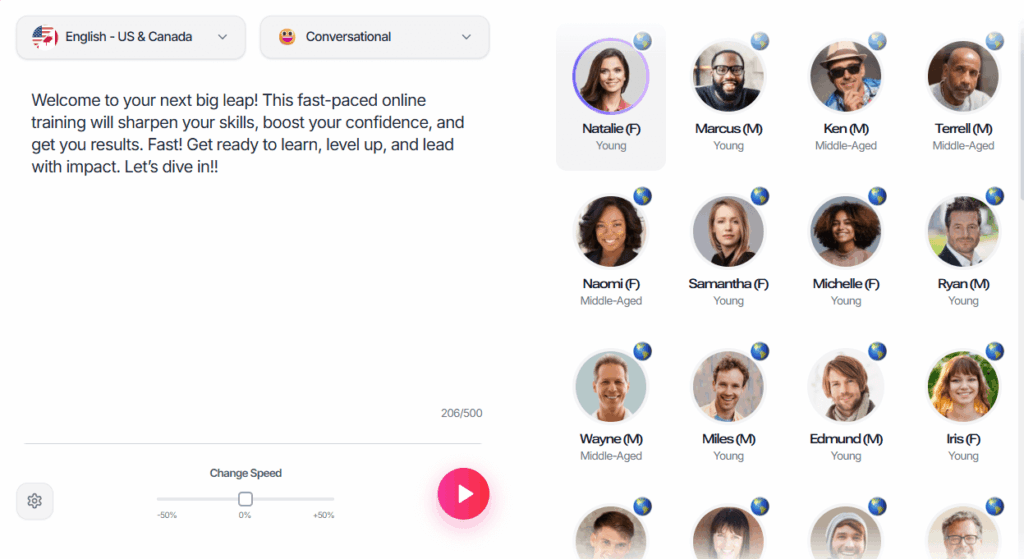
3. Murf AI – Studio-Level Voice Customization
Murf AI allows detailed voice editing. With Voice AI, it enhances voice variety, pitch, tone, and pacing for professional projects.
Key Features:
- 120+ voices and multiple accents
- Adjustable pitch, speed, and tone
- Converts up to 40,000 characters per batch
- Commercial usage rights included
Best For: Corporate presentations, e-learning, and marketing content.
Usage Tip: Draft narration with Voice AI, then fine-tune voice style and pacing using Murf AI for polished results.
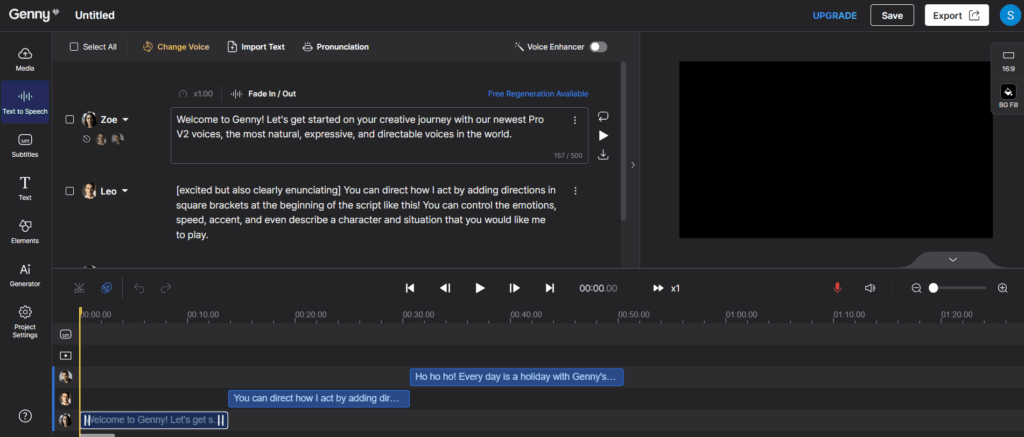
4. LOVO AI (Genny) – AI Voice Studio for Creative and Marketing Content
LOVO AI is a voice generation platform designed for marketing, advertising, and storytelling projects. When used alongside Voice AI, LOVO AI provides additional voice customization options, helping creators produce engaging and emotionally expressive audio content.
Key Features:
- Offers 500+ AI voices across 100+ languages
- Includes built-in voice emotion and storytelling presets
- Supports character-based narration for brand videos and ads
- Converts up to 30,000–40,000 characters per batch depending on usage tier
Best For: Marketing teams, video creators, brand storytelling, and commercial advertising.
Usage Tip: Use Voice AI for natural baseline narration, then enhance emotional delivery and branding tone using LOVO AI.
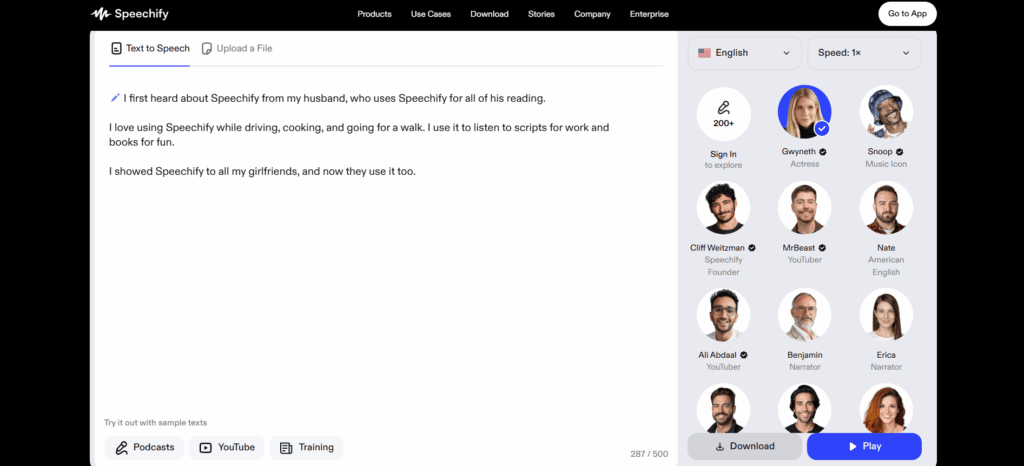
5. Speechify – Accessibility and Learning Focus
Speechify specializes in accessibility and learning. When integrated with Voice AI, it transforms PDFs, web pages, and documents into engaging audio efficiently.
Key Features:
- High-quality, natural voices
- Converts multiple file types
- Converts up to 30,000 characters per batch
- Adjustable speed and voice selection
Best For: Students, readers, and professionals needing audio for study, accessibility, or productivity.
Usage Tip: Generate draft narration with Voice AI, then format and distribute via Speechify for mobile or desktop use.
Quick Comparison Table – Max Text Length (Characters)
| Tool | Key Strength | Best Use | Max Text Length | Languages | Free / Trial |
| Audio Converter AI Text to Speech tool | High-capacity, browser-based | Long-form content | 100,000 chars | 100+ | Yes |
| ElevenLabs | Ultra-realistic voices | Audiobooks & storytelling | 50,000 chars | 15+ | Yes |
| Murf AI | Voice customization | Marketing, corporate | 40,000 chars | 120+ voices | Free trial |
| LOVO AI (Genny) | Emotional storytelling & branding | Marketing & video content | 30,000–40,000 chars | 100+ | Free trial |
| Speechify | Accessibility & learning | Students, readers | 30,000 chars | Multiple | Yes |
How to Choose the Right Tool
1. Define Your Content Type
- For educational materials or e-learning, prioritize tools that support long-form scripts and multi-language output. Tools like Voice AI, the Audio Converter AI Text to Speech tool, and Murf AI can handle complex lectures and lessons efficiently.
- For podcasts or storytelling, choose TTS solutions with expressive and natural voices. ElevenLabs and Voice AI deliver smooth, human-like narration suitable for episodic content.
2. Consider Language and Voice Options
- Select tools that support your target languages and offer diverse voice styles. For example, LOVO AI provides 100+ languages and hundreds of voices, while Speechify focuses on accessibility-friendly voices for learning and productivity.
- Pairing Voice AI with the Audio Converter AI Text to Speech tool allows access to additional voices and accents for multilingual projects, but including tools like ElevenLabs or Murf AI can provide more expressive or customized voices.
3. Evaluate Integration and Workflow
- Look for tools that integrate with your video editor, podcast software, or e-learning platform. Voice AI and Murf AI all allow export to MP3/WAV and can work smoothly with editing software.
- Tools with batch export or API access can save time when producing multiple pieces of content.
4. Assess Output Length and File Format
- If your content is long, choose tools that can handle large text inputs. The Audio Converter AI Text to Speech tool supports up to 100,000 characters per batch, while Murf AI and ElevenLabs handle tens of thousands of characters efficiently.
Tip: Testing a short sample with Voice AI first can help you evaluate tone, pacing, and clarity before producing full-length content.
Best Practices for Using Voice AI Tools
Maximizing Voice AI requires following some simple best practices:
1. Start with Clear, Structured Text
- Break long paragraphs into manageable chunks for smoother narration.
- Use punctuation effectively to guide Voice AI on pauses and emphasis.
2. Experiment with Voice Styles
- Voice AI offers multiple styles such as conversational, formal, and expressive. Test different options to find the most natural fit for your content.
3. Combine Tools for Efficiency
- Pair Voice AI with the Audio Converter AI Text to Speech tool to generate multilingual versions or export audio in multiple formats.
- For video production, use Voice AI for initial narration, then fine-tune with secondary tools for tone, pitch, or pacing adjustments.
4. Review and Adjust Output
- Listen to generated audio to catch mispronunciations or awkward pacing.
- Minor edits to the script can improve the naturalness of Voice AI output significantly.
5. Leverage Multilingual Capabilities
- Voice AI supports multiple languages, but combining it with the Audio Converter AI Text to Speech tool allows you to cover additional languages and accents, expanding your global reach.
Tip: Batch-generate audio segments and review each segment separately to maintain high-quality output for long-form content.
Frequently Asked Questions About Voice AI and Text-to-Speech Tools
Q1: What is Voice.ai used for?
Voice AI, via Voice.ai, converts text into realistic speech for video, podcasting, e-learning, and accessibility purposes.
Q2: Can I use Audio Converter AI Text to Speech for free?
Yes, it complements Voice AI, offering fast, browser-based TTS.
Q3: Which TTS tool is best for audiobook narration?
ElevenLabs, combined with Voice AI, offers ultra-realistic voice quality and emotional nuance.
Q4: Are TTS voices suitable for commercial projects?
Yes. Voice AI, Murf AI, and Audio Converter AI Text to Speech tool provide commercial usage rights.
Q5: Can these tools handle multiple languages?
Yes, Voice AI supports multiple languages alongside ElevenLabs for global content.
Q6: How can I integrate Voice AI with other TTS tools?
Use Voice AI for natural output and complement it with Audio Converter AI Text to Speech tool or Murf AI for editing, multi-language support, and faster production.
Q7: Is Voice AI suitable for video content?
Absolutely. Voice AI works for video narration, YouTube voiceovers, and short-form content production.
Conclusion
Voice AI is more than a text to speech tool—it transforms written words into vivid, human-like audio that works seamlessly for education, podcasts, videos, and accessibility. Its expressive voices and multi-language support turn static text into engaging, lifelike narration, making every piece of content feel alive and easy to absorb.
Paired with the Audio Converter AI Text to Speech tool, Voice AI lets you carry knowledge in your pocket—from articles and research papers to e-books—ready to listen anytime, anywhere. Combined with complementary TTS tools like Murf AI, ElevenLabs, LOVO AI, and Speechify, this workflow not only speeds up content creation but also unlocks new ways to learn, share, and enjoy audio content on the go. Whether you’re producing content or simply looking to transform your reading into listening, why not give it a try today and experience how Voice AI can bring your text to life?