


The right free audio to text converter depends on your recording, not a universal accuracy score. TurboScribe publishes a clear short-file allowance. Audio Converter AI offers file, link and recording inputs. NoteGPT is worth checking for larger uploads, Audioconvert.ai for documented export formats, and local Whisper for a self-managed setup. Video Transcriber AI is another browser option, but its published file-size limits need clarification.
Start with the audio to text converter if you want to inspect a browser workflow before choosing. Check the current allowance for your selected model before submitting a long recording.
How this comparison was checked
This audio to text converter comparison uses official pages checked on September 15, 2026, plus direct inspection of Audio Converter AI's upload, language and link interfaces. It is a documentation and interface review, not a six-tool transcription benchmark. We did not measure word error rates, processing times or end-to-end export reliability.
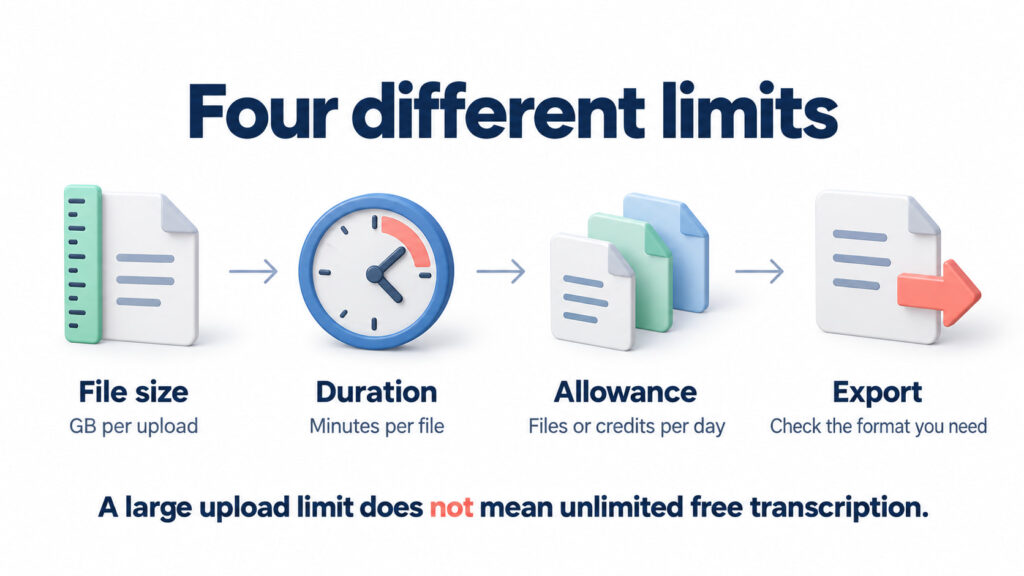
The practical question is whether an audio to text converter can accept your recording and deliver text you can verify. Compare file size, recording duration, daily allowance, speaker handling and usable output separately. A large upload limit does not establish unlimited free processing. A visible speaker switch does not establish correct speaker names.
Six options at a glance
| Option | Relevant allowance or constraint | Consider it for | Verify before committing |
| Audio Converter AI | Upload interface shows 3GB per file and up to five queued tasks; daily-credit banner is separate | Switching between files and public links | Model-specific credits and the export you need |
| TurboScribe | Free plan lists three files daily, 30 minutes per file, one upload at a time | Short recordings with an explicit allowance | Whether the recording fits one file's duration cap |
| NoteGPT | Official input page shows 5GB and up to 20 queued tasks | Checking a larger-file browser option | Free entitlement for the chosen processing mode |
| Audioconvert.ai | FAQ states 30 transcription minutes daily on the free plan | Checking document and subtitle export needs | Remaining minutes and plan-specific export access |
| Video Transcriber AI | Input page says 3GB; FAQ says 5GB | Comparing an alternative browser workflow | Resolve the conflicting cap before a large upload |
| OpenAI Whisper, local | Open-source software; processing depends on your installation and hardware | Self-managed transcription without a hosted uploader | Setup, model requirements and output workflow |
This audio to text converter table compares published conditions, not equivalent free entitlements. Queue capacity is not a daily allowance. Unknown export access is not evidence that an export is unavailable.
Which audio to text converter fits your recording?
TurboScribe audio to text converter: defined free allowance
TurboScribe's official pricing page lists three free files per day, a 30-minute limit per file and one upload at a time. Its Getting Started guide explains uploading a recording and selecting its language. This makes the audio to text converter a straightforward shortlist choice for recordings that fit those limits.
Do not multiply three files by 30 minutes and assume a single 90-minute file qualifies. Each file has its own cap. If preserving one continuous timeline matters, compare another allowance rather than splitting automatically. Check speaker labels and the downloaded result before relying on any audio to text converter for a complete podcast transcript.
Audio Converter AI: inspect files, language and links together
Audio Converter AI's audio to text converter displays Video / Audio, Link and Record inputs. The inspected upload area lists MP3, WAV, M4A and other formats, a 3GB limit per file and up to five queued tasks. Basic and Advanced controls sit alongside Source Language and Separate Speaker.
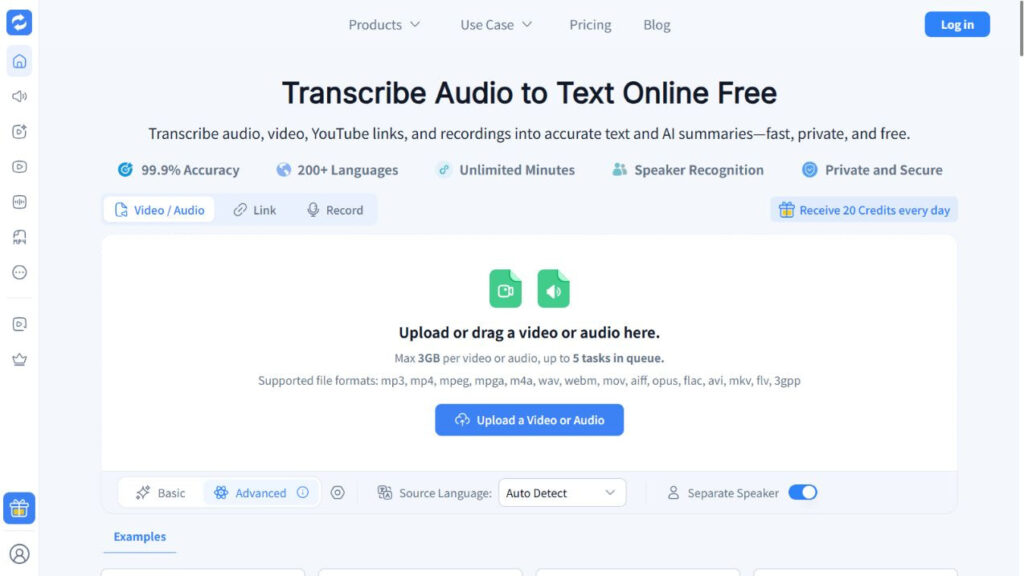
Open the audio to text converter, choose your input and inspect the selected model. The daily-credit banner is not a verified conversion between credits and minutes. Check the allowance shown for your account and task; this review does not promise unlimited Advanced processing.
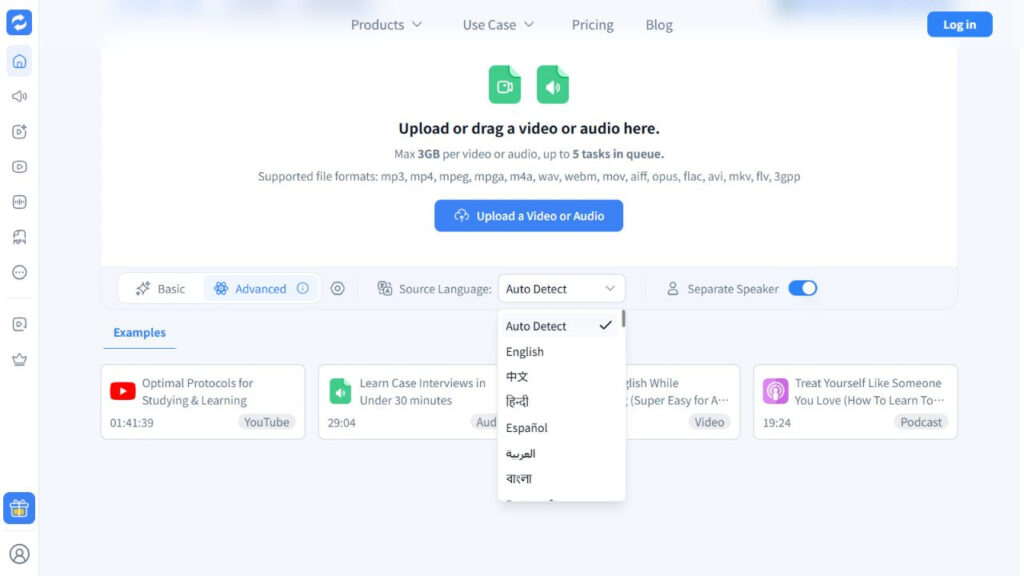
The language menu includes Auto Detect and named languages. Set the known source language when appropriate, and inspect speaker separation for interviews. These are observed controls, not a guarantee that an audio to text converter will identify every voice correctly.
NoteGPT audio to text converter: larger advertised uploads
NoteGPT's official audio to text converter page shows a 5GB input limit, up to 20 queued tasks, Basic and Premium modes, language detection and a Separate Speaker control. Consider it when your file exceeds a smaller uploader's displayed size cap.
Keep upload acceptance separate from free processing. Before choosing this audio to text converter for a long lecture, check the selected mode's entitlement and whether the resulting text can be downloaded as required. The published queue size does not prove that all queued jobs are free or run simultaneously.
Audio Convert AI audio to text converter: documented exports
Audioconvert.ai is a different product from Audio Converter AI at audioconverter.ai. Its FAQ states 30 free transcription minutes daily. Its documentation lists TXT, DOCX, PDF, SRT and VTT exports, making this audio to text converter worth examining when the destination format matters.
Confirm that your account can use the required format before processing a full recording. Published support is not a completed export test. Choose this audio to text converter only after checking the allowance and reopening a sample output; do not transfer its limits to the similarly named Audio Converter AI.
Video Transcriber AI audio to text converter: clarify the cap
Video Transcriber AI presents file, link and recording inputs with language and speaker controls. However, the checked input page says 3GB while its FAQ says 5GB. This audio to text converter therefore needs an additional limit check before a large-file upload.
Use the current upload interface as your immediate constraint, and ask support if the file falls between the two published numbers. Do not assume the larger figure applies. For this audio to text converter, consistent documentation would make the decision easier; the discrepancy is not evidence of poor transcription accuracy.
Local Whisper audio to text converter: self-managed setup
OpenAI's Whisper repository documents a Python package, an FFmpeg dependency and models with different memory requirements. A locally configured audio to text converter avoids a hosted upload workflow, but you manage installation, files and compute resources yourself.
Choose local Whisper when that setup responsibility is acceptable. Free software does not mean free hardware or instant processing. The repository explicitly notes that speed varies with hardware and language. Do not treat local Whisper as an audio to text converter with a verified graphical editor or built-in speaker-naming workflow in this comparison.
Public links need a separate check
An audio to text converter may accept a file while rejecting its sharing link. Audio Converter AI's Link tab explicitly requires publicly accessible links and provides a Get Transcript button. A private drive URL is not interchangeable with a public media URL.
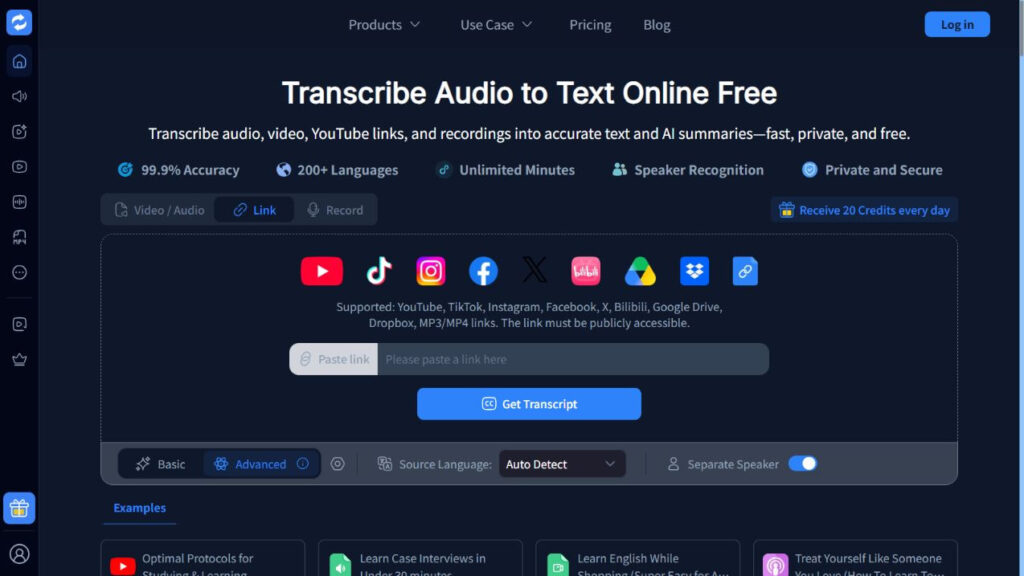
For a non-sensitive recording you are permitted to share, inspect the Link tab in the audio to text converter. If access fails, use an authorized local copy where appropriate. Do not make confidential recordings public just to satisfy an input requirement.
A practical audio to text converter acceptance check
Before committing a full interview, use a representative excerpt with a name, a number and a speaker change. This is a suggested test, not a benchmark we already performed.
- Listen to the excerpt and write down difficult words and speaker changes.
- Process it with your shortlisted audio to text converter using the intended language and model settings.
- Compare the transcript against the recording. Check omissions, names, numbers and overlapping speech.
- Download the required format if your plan supports it. Reopen it in the destination application and check timestamps, speaker labels and completeness.
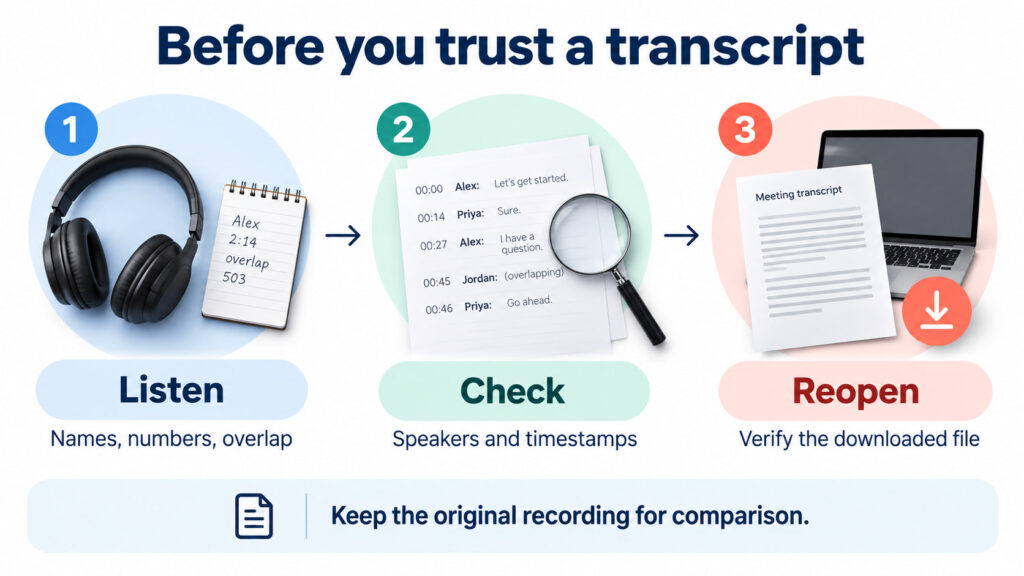
For a browser starting point, use the audio to text converter with a permitted sample. If the export does not fit your destination, resolve that before a full-length job. Keep the original recording: an audio to text converter provides a draft to verify, not evidence that every sentence is correct.
Choose an audio to text converter for your actual deliverable
The following scenarios are planning examples, not measured product tests. Use them to turn the comparison into a shortlist. An audio to text converter should fit the recording you have, the review you can perform and the file you must deliver.
Long lectures: check the entire recording, not just the upload
Imagine a 75-minute lecture saved as one MP3. Before selecting an audio to text converter, record its duration and file size separately. A file can fit a service's upload-size cap while exceeding its free duration allowance. For example, TurboScribe's documented 30-minute free per-file limit would not cover this recording as one job.
Next, decide whether preserving one continuous timeline matters. If lecture notes must reference the original recording, splitting creates an extra coordination task: record where each part begins and retain the original file. Do not assume an audio to text converter will automatically reconstruct a timeline from separate uploads.
For Audio Converter AI, inspect the displayed upload limit and the allowance for the selected model before submitting the lecture. For another browser service, make the same check against its current account screen. Local Whisper is a different option when you can manage installation and processing resources. None of these choices should be treated as an unconditional free entitlement for a 75-minute recording.
Finally, check coverage at the beginning, middle and end. Search for important course terms and replay unclear explanations. Choose the audio to text converter that supports a manageable review process, rather than judging only how quickly a file can be selected.
Interviews: decide how you will verify speaker attribution
Imagine an interview with a host and two guests. Test an excerpt containing a speaker change, a name and overlapping speech. The useful audio to text converter question is not simply whether a speaker feature exists, but whether you can check who said the statement you intend to quote.
Before processing, prepare a short reference list of verified participant names and specialist terms. Afterward, compare speaker transitions against the audio. Where attribution is uncertain, mark it for review instead of guessing from the sentence's meaning. An audio to text converter does not replace that editorial responsibility.
Keep a small review log: the recording time, the uncertain wording, the proposed correction and whether you checked it. For a published quotation, replay the complete surrounding exchange. This is a manual review practice, not a claim that every audio to text converter includes a dedicated quote-checking feature.
Prefer the option whose sample result requires corrections you can reliably make. A polished-looking paragraph is not enough if the speaker attribution remains unresolved.
Exports: work backward from the receiving application
Before committing to an audio to text converter, name the final destination: a notes document, an editor's review file or a subtitle workflow. Ask the recipient which format they accept and whether timestamps or speaker labels are required. This prevents discovering an incompatible output after processing the entire recording.
Audioconvert.ai documents several export formats, but that list alone does not verify your account's access or the quality of a downloaded file. Apply the same standard to every audio to text converter: generate a permitted sample, download the intended format and open it in the actual receiving application.
Check whether the text is complete, names remain readable and required timing information is retained. If something is missing, inspect export settings before rerunning transcription. Changing the audio to text converter may not solve a mismatch between the chosen output and the recipient's requirements.
Your final audio to text converter selection should pass three checks: the recording fits the allowance, important statements can be verified and the exported file works where it will be used. Keep those checks with your project so the next recording starts with a clear process.
FAQ
Which free audio to text converter should I choose for a long recording?
Check both duration and file size. TurboScribe's documented free cap is 30 minutes per file; a smaller file size does not remove that limit. For other services, verify current account allowances before uploading. Local Whisper is an alternative when you can manage installation and processing resources.
Can an audio to text converter produce podcast show notes?
Start with a checked transcript, then write a summary and chapter notes as a separate editorial step. A transcript, episode description and podcast-feed transcript are different deliverables. Verify guest names and any timestamps you publish; do not assume a summary preserves every relevant statement.
Does a speaker switch guarantee correct speaker names?
No. Review speaker changes against the recording and add verified names manually where needed. Overlapping voices require particular attention. The existence of a switch establishes a selectable feature, not its accuracy on your interview.
What should I check before uploading everything?
Confirm the file cap, duration cap, remaining allowance and required output format. Then test a representative excerpt in the audio to text converter. Choose the workflow whose result you can check and reuse, not the broadest promise on a pricing banner.