


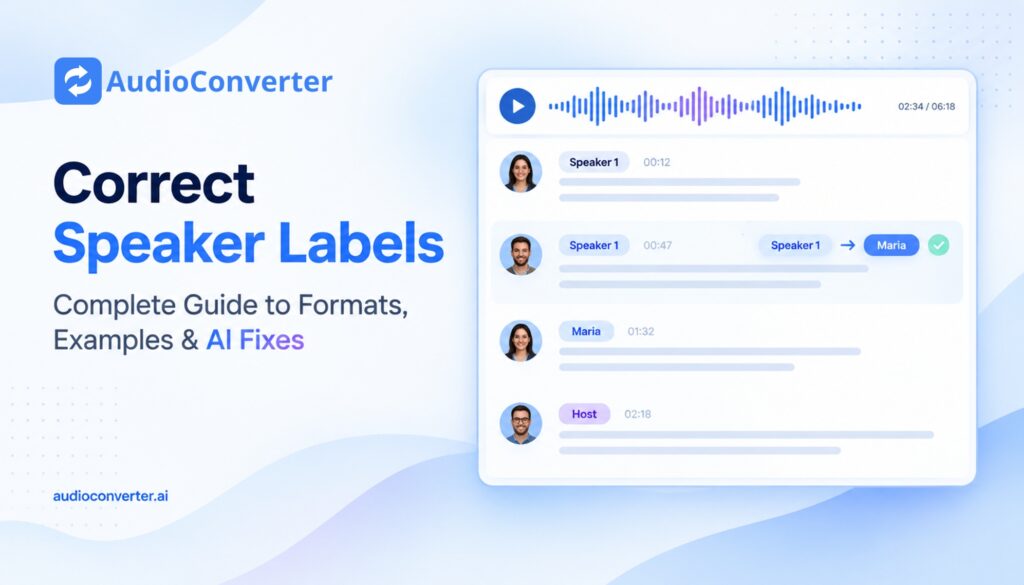
The correct generic speaker label is usually Speaker 1:—capitalize “Speaker,” add a space before the number, and place a colon immediately after it.
However, correct formatting is only the first step. A reliable speaker label must also assign the words to the right voice and use the correct name, role, or anonymous identifier.
This guide explains which speaker label format to use, how AI labels go wrong, and how to correct them.
Which Speaker Label Is Correct?
For a standard text transcript, use:
Speaker 1: Welcome to the interview. Speaker 2: Thank you for inviting me.
Follow these basic rules:
- Capitalize “Speaker.”
- Add a space before the number.
- Place a colon immediately after the number.
- Add one space before the dialogue.
- Use the same format throughout the transcript.
Therefore, Speaker 1: is generally preferable to Speaker1:, speaker 1: or Speaker 1 -.
A project-specific style guide should take priority when it requires another format.
Correct Speaker Label Examples
| Format | Recommended? | Best use |
| Speaker 1: | Yes | Speaker identity is unknown |
| Speaker1: | Usually no | Missing a space |
| Speaker 1 - | Usually no | A colon is more commonly used |
| Maria: | Yes | Identity has been confirmed |
| Interviewer: | Yes | The speaker’s role matters |
| Participant 01: | Yes | Research or anonymized interviews |
| P01: | Yes | Qualitative coding |
| (Narrator) | Context-dependent | Captions and subtitles |
<v Maria> | Yes in WebVTT | Machine-readable voice annotation |
The CastingWords transcription style guide recommends adding a label whenever the speaker changes and using a name or descriptive role when the speaker can be identified.
What Makes a Speaker Label Correct?
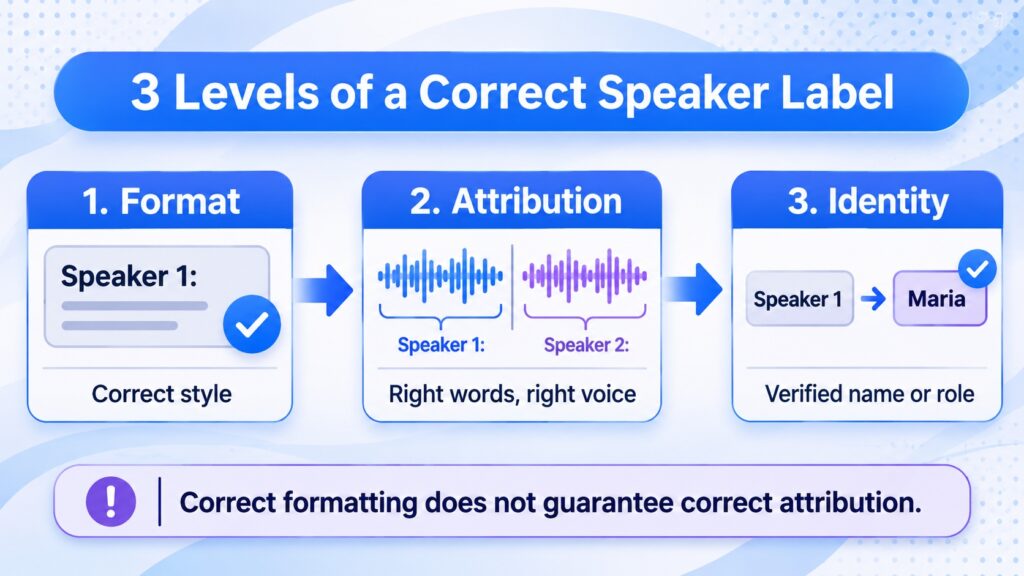
A correct speaker label has three dimensions.
| Dimension | Meaning | Example error |
| Format correctness | The label follows the required style | Speaker1 instead of Speaker 1: |
| Attribution correctness | The words belong to the labeled voice | Maria’s answer is assigned to Alex |
| Identity correctness | The voice is connected to the right person | Speaker 2 is incorrectly renamed Maria |
A correctly formatted label can still identify the wrong speaker.
This is why changing Speaker 1 to a real name does not automatically fix an AI-generated transcript. The underlying dialogue must also belong to that person.
Speaker Labels vs. Speaker Diarization
Speaker diarization determines who spoke when. It separates a recording into different voice groups.
A speaker label is the visible identifier assigned to each voice group, such as Speaker 1, Maria, Host or Participant 03.
AI may accurately separate two voices without knowing their names. For that reason, Speaker 1 and Speaker 2 should only be replaced with names after their identities have been confirmed.
Which Speaker Label Format Should You Use?
| Use case | Recommended format |
| Unknown speakers | Speaker 1: / Speaker 2: |
| Internal meeting | Maria: / Daniel: |
| Interview | Interviewer: / Interviewee: |
| Podcast | Host: / Guest: |
| Focus group | Participant 01: / Participant 02: |
| Qualitative research | P01: / P02: |
| Customer service call | Agent: / Customer: |
| Legal transcript | Follow the required legal style guide |
| Video captions | Name, role, position or off-screen identifier |
| WebVTT | <v Speaker Name> |
Use Names When Identity Is Confirmed
Names make a transcript easier to read:
Maria: Should we move the launch date? Daniel: I think we need one more week.
Do not guess a name based only on the sound of a voice. Use a neutral label when identity is uncertain.
Use Roles When the Function Matters
Role-based labels are useful for interviews, podcasts and customer calls:
Interviewer: What changed after the launch? Participant: We received more support requests.
Use Participant IDs to Protect Privacy
Research transcripts often use identifiers such as P01 or Participant 01.
Keep the document connecting participant IDs to real identities separate from the transcript used for coding, sharing or publication.
Use Different Rules for Captions
Captioning conventions can differ from text transcripts. The DCMP Captioning Key allows speaker placement, names, roles and other identifiers depending on what viewers can see.
A caption may use:
(Narrator) The storm reached the coast after midnight.
A text transcript may present the same line as:
Narrator: The storm reached the coast after midnight.
Five Common AI Speaker Label Errors
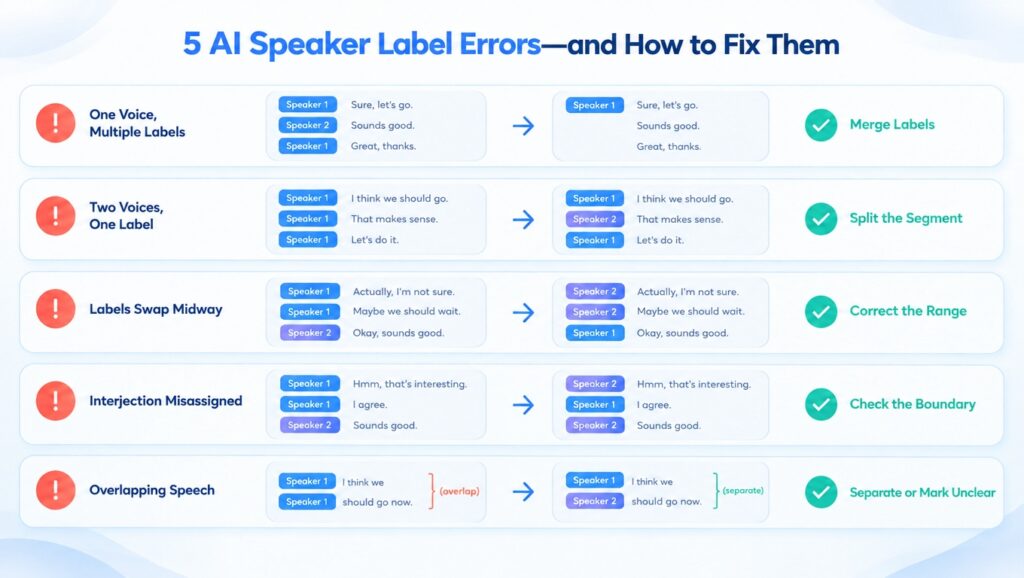
1. One Person Is Split Into Multiple Labels
The same person appears as Speaker 1 in one section and Speaker 3 later.
This can happen when microphone distance, volume, background noise or recording quality changes.
Fix: Confirm that both labels belong to the same voice, then merge them under one name.
2. Two People Are Merged Into One Label
AI assigns two different people to Speaker 1.
Fix: Split the affected segment at the real voice change and assign each part separately. A global rename cannot fix this error.
3. Labels Swap During the Transcript
Maria and Daniel are labeled correctly at first, but their labels switch later.
Fix: Correct only the affected range. Do not use a global find-and-replace unless the label is wrong everywhere.
4. Short Interjections Go to the Wrong Person
Words such as “yes,” “right” and “mm-hmm” may be assigned to the main speaker instead of the person who said them.
Fix: Check the audio around rapid speaker changes and correct meaningful interjections individually.
5. Overlapping Speech Is Assigned to One Person
When two people speak at the same time, AI may combine their words or capture only the dominant voice.
Fix: Separate both statements when they are understandable and relevant. Mark unclear speech instead of guessing.
How to Correct Speaker Labels
Step 1: Build a Speaker Map
Connect each current label to a confirmed identity or role.
| Current label | Identity | Evidence |
| Speaker 1 | Maria | Introduces herself at 00:12 |
| Speaker 2 | Daniel | Responds when Maria says his name |
| Speaker 3 | Unknown | Identity is not confirmed |
Useful evidence includes introductions, direct questions, participant records and consistent conversation roles.
Step 2: Rename Confirmed Speakers
Change a generic label to a real name only after checking several appearances from different parts of the recording.
This helps prevent a global rename from spreading an existing label error.
Step 3: Merge Duplicate Labels
If Speaker 1 and Speaker 4 consistently belong to the same person, assign both to one name.
Listen to multiple examples before merging them.
Step 4: Split Mixed-Speaker Segments
Before correction
Speaker 1: Did the customer approve it? Yes, they approved it yesterday.
After correction
Maria: Did the customer approve it? Daniel: Yes, they approved it yesterday.
This is an illustrative example. Place the split where the voice actually changes.
Step 5: Correct Isolated Errors
If only one sentence or interjection has the wrong label, edit that segment instead of changing the label globally.
Listen to several seconds before and after the suspected boundary.
Step 6: Check the Exported File
Open the final TXT, DOCX, SRT, VTT, CSV or JSON file. Make sure the labels remain correct after export.
7-Point Speaker Label Quality Check
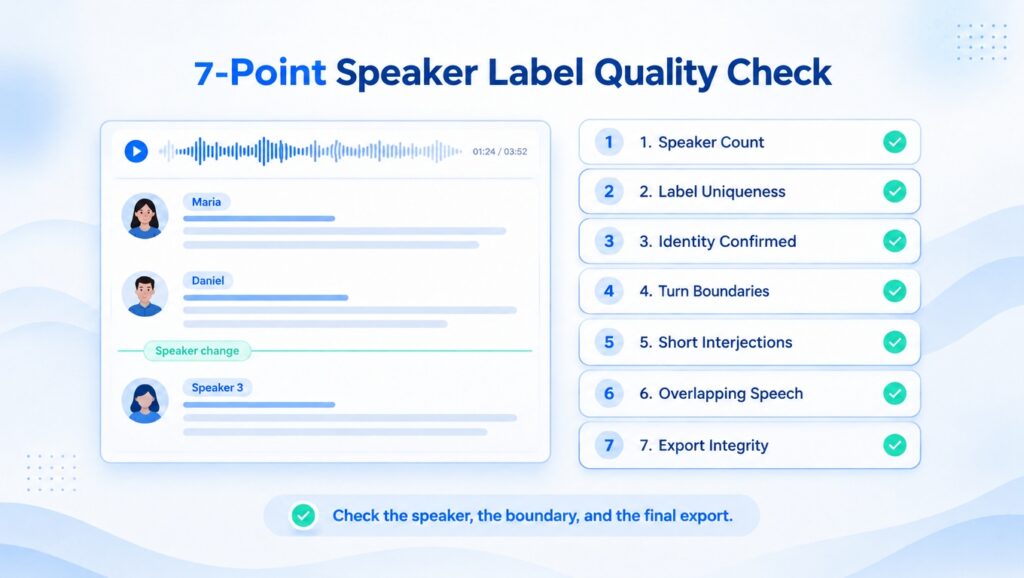
| Check | What to verify |
| 1. Speaker count | The number of labels matches the meaningful participants |
| 2. Label uniqueness | Each person uses one consistent label |
| 3. Identity | Every real name is supported by reliable evidence |
| 4. Turn boundaries | Labels change where the voice changes |
| 5. Interjections | Important short responses belong to the right speaker |
| 6. Overlaps | Simultaneous speech is separated or marked clearly |
| 7. Export | The downloaded file preserves the intended labels |
Pay special attention to labels that appear only once. They may represent a brief participant, an incorrect detection or one person being split into multiple labels.
Speaker Labels in Different File Formats
| Format | How speaker labels are handled |
| TXT | Displayed as ordinary text |
| DOCX | Displayed as text, sometimes with styling |
| SRT | Usually included inside the visible subtitle cue |
| WebVTT | Can use text or a voice span |
| CSV | May use a separate speaker column |
| JSON | Can store the speaker as a structured field |
The W3C WebVTT specification supports voice spans:
00:00.000 → 00:03.000
<v Maria> Welcome to the interview.
SRT does not provide the same standardized voice-span structure. Speaker names are commonly added to the visible subtitle text, but the exact implementation varies.
How to Prevent Incorrect Speaker Labels
You can reduce speaker-label errors by:
- Using a separate microphone or track for each participant.
- Asking everyone to introduce themselves clearly.
- Reducing overlapping speech.
- Keeping microphone distance consistent.
- Providing an accurate speaker count when the tool supports it.
- Preserving separate audio tracks instead of mixing them together.
These steps do not guarantee perfect attribution, but they make different voices easier to separate and verify.
Frequently Asked Questions
Is Speaker 1: the Correct Speaker Label?
Speaker 1: is the most common generic format when a person’s identity is unknown. It uses a capital “S,” a space before the number and a colon after the number. Follow a project-specific style guide when it requires a different format.
Is It Speaker1: or Speaker 1:?
Speaker 1: is generally correct because it includes a space between the word and number. Add a colon immediately after the number and one space before the dialogue.
How Do I Label an Unknown Speaker?
Use Speaker 1, Unknown Speaker or Participant 01. Numbered labels work well when several unidentified people appear. Do not assign a real name unless the identity can be verified.
Can AI Identify Speakers by Name?
Speaker diarization can distinguish different voices without knowing their identities. AI may extract names from introductions, but names should still be confirmed before quotes or transcripts are published.
Should Every Paragraph Have a Speaker Label?
Add a label whenever the speaker changes. If one person’s uninterrupted speech is divided into several paragraphs, the label does not usually need to be repeated unless the style guide requires it.
How Should Research Participants Be Labeled?
Use anonymous identifiers such as P01 or Participant 01 when privacy matters. Apply the same identifier throughout the transcript and store the identity key separately.
Final Takeaway
For most text transcripts, Speaker 1: is the correct generic speaker label format. But formatting alone is not enough.
A reliable speaker label must:
- Follow the appropriate format.
- Point to the correct speech.
- Use a confirmed name, role or anonymous ID.
- Remain consistent throughout the transcript.
- Appear correctly in the exported file.
Need to turn a recording into editable text? Use Audio Converter AI to transcribe audio to text, then apply the seven-point checklist above to review and correct the speaker labels before sharing, quoting, or analyzing the transcript.