


A transcript can look clean and still put the wrong name beside the wrong quote. If you need to know how to transcribe a video, begin with the result you actually need: a searchable record, publication-ready quotations, captions, or a subtitle draft. That choice determines how closely you should check speaker names, timestamps, punctuation, and timing.
A practical guide to how to transcribe a video starts with Audio Converter AI and five parts: check the source, choose the right input method, generate a first draft, review it against the recording, and export it for the next task. The generated text is a draft. Names, figures, speaker changes, and unclear passages still need a human decision.
Decide what the transcript must do
Choosing how to transcribe a video starts with the deliverable. A student may want searchable notes. A journalist may need accurate quotations. A creator may need subtitles that remain readable on screen. A support team may need a record that lets them return to the exact moment when a customer described a problem.
Before learning how to transcribe a video, define the deliverable. For notes, clean paragraphs and headings may matter more than second-by-second timing. For quotations, the wording and speaker identity carry more weight. For captions, cue timing and line length become part of the job. This one decision prevents an aimless editing session.
Understanding how to transcribe a video means separating transcripts from subtitle files. A transcript records speech as text. Subtitle formats such as SRT and VTT also attach text to time ranges. If you need captions, plan time for a second pass that checks reading speed, cue breaks, and synchronization in the finished video.
Check the video before you upload it
A reliable method for how to transcribe a video begins with the source. Before you upload anything, play the beginning, middle, and end of the file. Make sure the sound continues, the correct track is audible, and the duration matches the recording you intended to use.
Good advice on how to transcribe a video starts with careful listening. Pay attention to low volume, echo, clipping, music over speech, cross-talk, and people speaking far from the microphone. These conditions do not automatically make transcription impossible, but they change the amount of review the draft will need. A realistic workflow starts with the audio, because the pictures cannot repair missing words.
A safe process for how to transcribe a video keeps the original file. If you create a smaller copy for upload, use a normal media conversion and play the result before sending it. Renaming a file extension does not change the underlying video or audio stream. In a dependable transcription process, the original remains available if a compressed copy introduces a new problem.
Responsible guidance on how to transcribe a video includes permission checks. Interviews, meetings, classes, medical discussions, and legal material can contain personal or confidential information. Before uploading sensitive material, review the service's current terms and privacy policy and follow the rules that apply to the recording.
Choose a file upload or a public link
For local media, how to transcribe a video is usually simplest with the original file. The current Audio Converter AI page lists common video and audio formats, including MP4, MOV, AVI, MKV, WebM, MP3, WAV, M4A, AIFF, Opus, FLAC, and 3GPP. Its upload notice also shows a maximum size of 3 GB, although account and plan conditions can still apply. That makes a local file the simplest place to start for a first transcription job.
When considering how to transcribe a video from a link, confirm that the service can reach it. Private pages, expiring links, region restrictions, sign-in walls, or blocked downloads may prevent access. If the link fails, confirm that it opens in a private browser window and that you are allowed to process it.
A responsible method for how to transcribe a video treats access and permission as separate checks. The media being viewable does not establish that you have permission to copy or republish its words. Public availability and permission are different questions.
How to transcribe a video in five steps
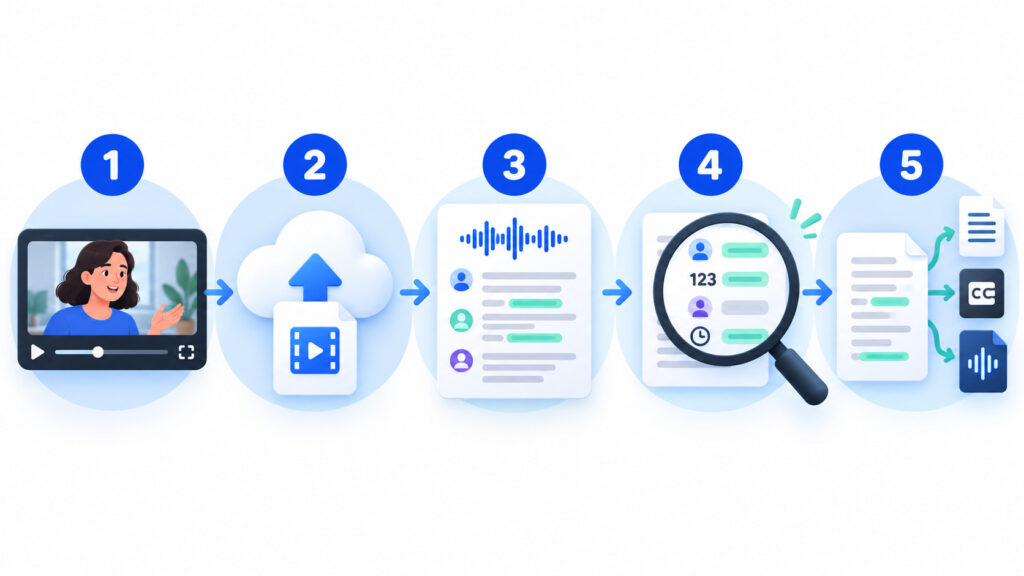
1. Prepare the source and a short test
A strong test of how to transcribe a video uses the clearest source and a representative section. Include at least one speaker change, one name, and any difficult background sound. A short test will not predict the entire file, but it can reveal a wrong language setting or an unusable audio track before you commit to the full file.
When deciding how to transcribe a video, prepare a short reference list: speaker names, organization names, acronyms, product terms, locations, and numbers you expect to hear. This list gives you something concrete to search for later. It also makes the review faster because you are reviewing important details instead of rereading every ordinary sentence with the same intensity.
2. Upload the file or add the link
To learn how to transcribe a video, open the video transcription tool and choose the local file or compatible public link. Before starting, confirm that you selected the source you intended to use. This simple check prevents the most avoidable error: reviewing a transcript from the wrong recording.
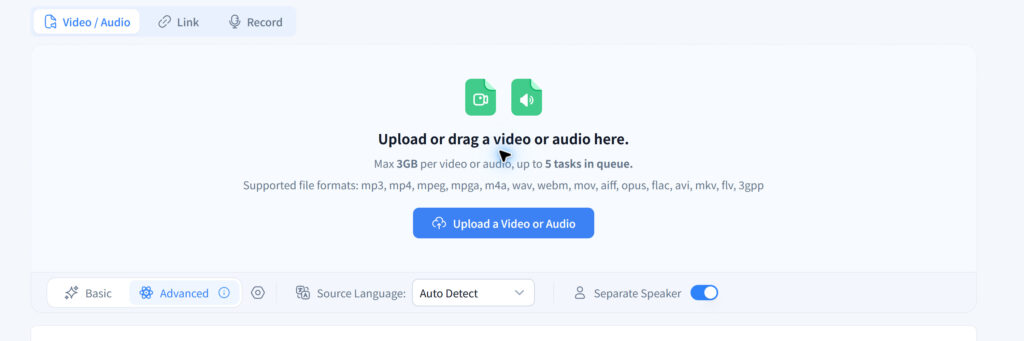
The current product copy describes automatic language detection and speaker labeling. Use the language that matches the recording when you know it. Use speaker separation when distinct voices matter, but expect to review the labels. Features can help organize a first draft; they do not remove the verification stage from how to transcribe a video.
3. Generate the first draft
When learning how to transcribe a video, let the transcription job finish before judging individual lines. A first draft can look rough because punctuation and speaker labels affect how the text scans. The useful question is whether the recording is represented from start to finish. Check completeness before style.
Checking how to transcribe a video starts with the first, middle, and last portions of the result. Then jump to one point near the middle. If a large section is missing, repeating, or in the wrong language, fix the source or settings before detailed editing. This checkpoint prevents hours of repair on a bad run.
4. Review in focused passes
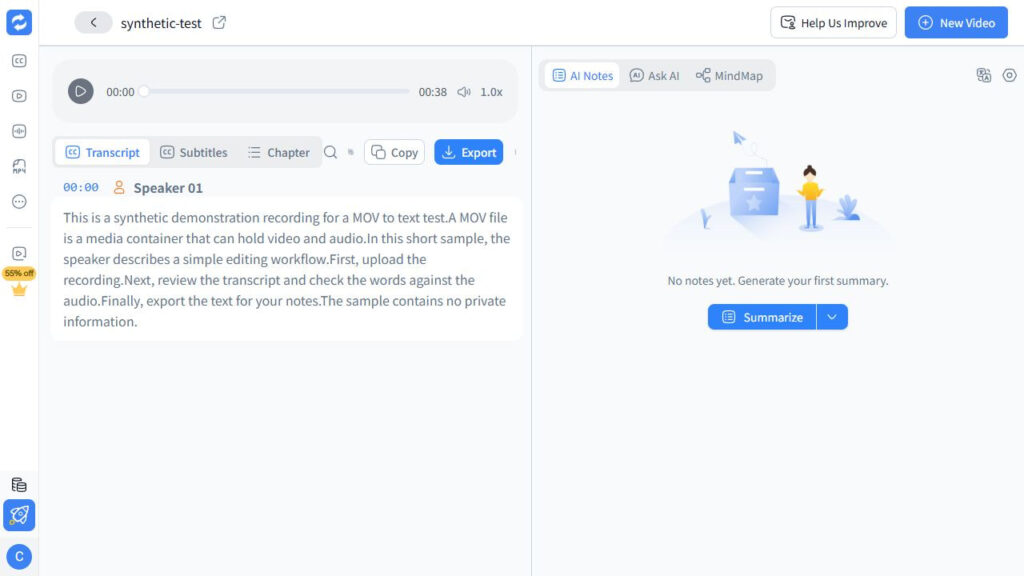
When reviewing how to transcribe a video, start with coverage. Follow the recording at several points and confirm that speech has not vanished around pauses, music, or speaker changes. Mark uncertain sections instead of guessing. When the audio itself is unclear, preserve that uncertainty instead of inventing a clean sentence.
The next check in how to transcribe a video covers names and terms. Search for every item in your reference list, including spelling variants. Replay those moments and correct the text only when the recording supports the change. This pass turns raw text into something useful for interviews, research, and business records.
A separate check in how to transcribe a video covers numbers. Check dates, prices, percentages, measurements, addresses, version numbers, and phone numbers. A transcript can remain readable while changing the meaning of one figure.
Speaker review is central to how to transcribe a video with multiple voices. Listen at each handoff, especially when voices sound similar or people interrupt one another. Rename generic labels consistently, but do not assign a speaker when the recording does not make the identity clear. Good transcription practice values an honest “speaker unclear” note over a confident mistake.
The final editing pass in how to transcribe a video focuses on readability. Add paragraph breaks, remove obvious false starts when the deliverable allows it, and preserve wording when exact quotation matters. Avoid polishing a speaker's meaning into something they did not say. Editing should make the record easier to use without rewriting the event.
5. Export for the next task
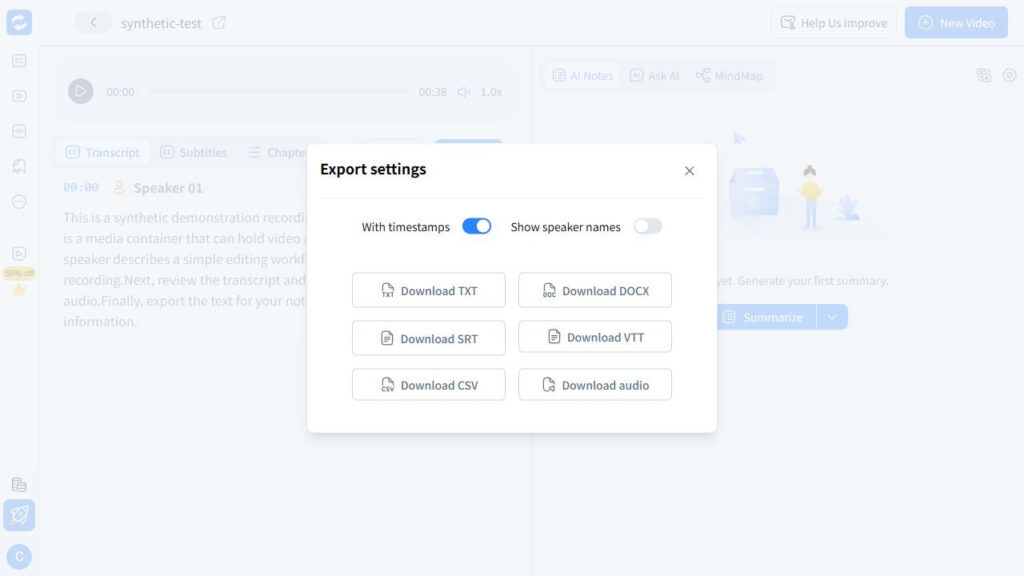
Export choice is part of how to transcribe a video for a specific use. Choose TXT when you need plain text for notes, search, or a document editor. Choose SRT or VTT when you need timed subtitle cues. The current product page lists those three output types. Selecting the right export is the last production decision, because the destination determines what you must inspect next.
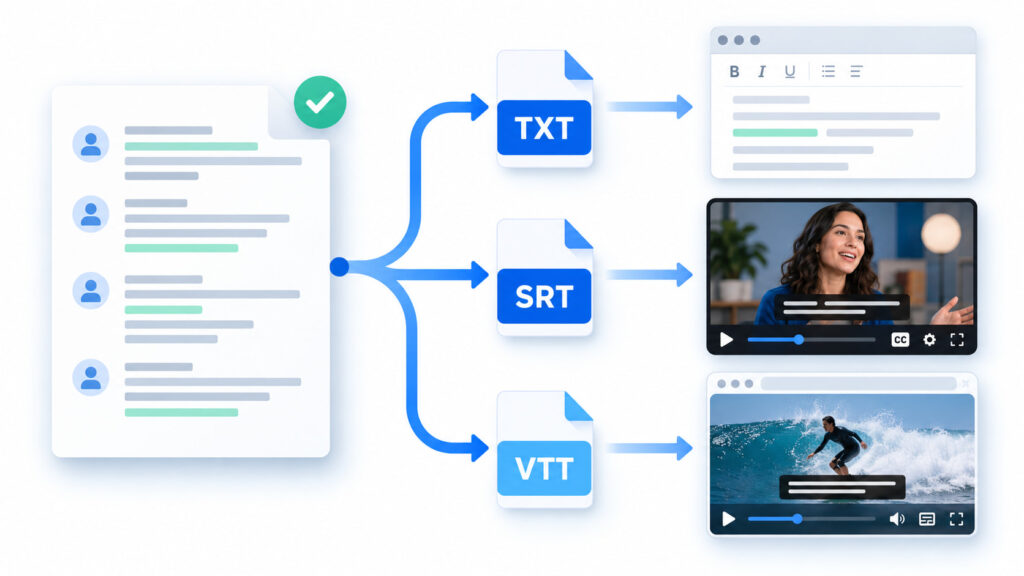
The last check in how to transcribe a video is opening the downloaded file. Check the first lines, a middle section, and the end. For timed files, load the captions into the editor or player you actually use. A complete workflow checks the artifact that leaves the browser, not only the text shown on the result screen.
A transcript quality checklist
A repeatable checklist for how to transcribe a video comes after the first draft. It replaces a vague request to “proofread” with six checks an editor can repeat.
| Check | What to inspect | What to do when it fails |
|---|---|---|
| Coverage in how to transcribe a video | Beginning, middle, end, and transitions around silence or music | Recheck the source and rerun before line editing |
| Names in how to transcribe a video | People, brands, places, technical terms | Replay the moment and compare with an approved spelling |
| Numbers | Dates, amounts, percentages, versions, contact details | Verify each value against the recording or another authorized source |
| Speakers | Every change of voice, overlap, and interruption | Relabel only when identity is supported; otherwise mark it unclear |
| Timestamps | Links between text and the matching moment | Spot-check early, middle, and late cues |
| Export | Encoding, line breaks, missing sections, cue timing | Re-export or choose a format that fits the next tool |
For a short clip, how to transcribe a video can include listening from start to finish. For a long recording, combine targeted passes with samples from the beginning, middle, and end. This is a practical compromise for long recordings, but high-stakes quotations and decisions still deserve direct verification.
Fix common transcription problems
The transcript is in the wrong language
When learning how to transcribe a video, stop editing if the result uses the wrong language. Select the source language when that control is available and run the file again. Correcting every line by hand is rarely a sensible response to a global setting error.
Mixed-language audio makes how to transcribe a video more demanding. Automatic detection may handle one dominant language better than brief switches. Mark the change points, check names and borrowed terms carefully, and avoid promising that every language combination will behave the same. That keeps the transcript grounded in the actual recording.
Speaker labels are unreliable
Speaker labels help organize how to transcribe a video for interviews and meetings. Similar voices, short interjections, and overlapping speech can confuse the labels. With several speakers, treat each change as something to verify rather than a finished attribution.
A conservative approach to how to transcribe a video keeps labels neutral until identities are confirmed. For publication, check quotations against the audio after renaming. That small audit step is more valuable than elaborate formatting.
Timestamps drift or point to the wrong moment
For captions, how to transcribe a video also requires matching the transcript to the final cut. If the video changed after transcription, regenerate the subtitle draft from the final cut or retime it in your caption editor.
A timing check for how to transcribe a video compares early, middle, and late cues. If the words no longer match the scene, correct the cues in the caption editor and check those three points again. Transcription and subtitle finishing are connected tasks, but timing repair belongs in the caption stage.
Background noise hides words
When noise affects how to transcribe a video, return to the best available source. A second recording, separate microphone track, or uncompressed export may contain clearer speech. When noise remains, mark doubtful words and retain the timestamps. A careful transcription guide does not turn inaudible audio into invented certainty.
When testing how to transcribe a video with a cleaned copy, compare it with the original run. Keep the cleaned version only if it reduces the time needed to verify the words.
The upload fails
When learning how to transcribe a video, treat a failed upload as a cue to confirm that the local file plays completely. Check the actual format rather than changing the extension by hand. If the file exceeds the service's current limits, create a smaller working copy or split it at natural boundaries. Keep the original untouched throughout the job.
When learning how to transcribe a video from a public link, try the authorized local source if the link fails. Private, expiring, or restricted links may be unreachable even when they open in your signed-in browser. Switching input routes is often faster than repeatedly submitting the same link during transcription.
Match the review to the use case
For interviews, how to transcribe a video means prioritizing speaker identity, quotations, names, and published statements. Keep timestamps with important lines so another editor can return to the source. Treat the transcript as evidence, not merely content to summarize.
For lectures and webinars, how to transcribe a video means preserving headings, definitions, examples, and slide references. Add section markers where the topic changes. For study, the goal is a searchable set of notes that still lets the learner find the original explanation.
For meetings, how to transcribe a video means verifying decisions, owners, dates, and action items. A polished paragraph can still be wrong about who agreed to do what. For operational records, consequence-bearing details deserve the closest replay.
For captions, how to transcribe a video extends to synchronization, line breaks, reading speed, sound cues, and speaker identification. A clean transcript is only the source material. Caption work ends when the timed text works with the video, not when an SRT file exists.
Keep a simple audit trail
A clear audit trail for how to transcribe a video keeps the original media, untouched export, and edited version. Record the service, date, language setting, and any important corrections. This does not need to be complicated. It gives a second editor the same source, draft, and correction history.
In any guide on how to transcribe a video for publication, keep a timestamp for every selected passage. If you correct a specialized term, note the approved spelling source. The audit trail separates a supported correction from an editor's guess and gives the transcript a defensible finish.
Start with the source, finish with the deliverable
The most useful answer to how to transcribe a video is not “press upload.” Check the recording, choose file or link input, generate a draft, review coverage and consequential details in separate passes, then inspect the exported TXT, SRT, or VTT file in the tool where it will be used.
One rule for how to transcribe a video makes the process easier to repeat: save the source, the untouched draft, and the reviewed export as separate files.
To apply this guide on how to transcribe a video, convert the video to editable text and keep the recording beside you during review. A fast first draft saves time only when names, numbers, speakers, and timestamps survive the final check.