


Choosing among the best audio to text tools depends on what happens after the transcript is created. A student may need searchable lecture notes. A podcaster may need a transcript that becomes show notes and captions. A reporter may need speaker labels, timestamps, and a review process. A team may need live meeting notes instead of a file upload.
The best audio to text tools turn recorded speech into editable text, but they do not solve the same problem. Some focus on uploaded audio. Others center on live meetings, transcript-based editing, multilingual production, or human review. Comparing them by one accuracy number hides the workflow differences that matter most. A useful shortlist of the best audio to text tools starts with the recording and ends with the final deliverable.
This guide compares six best audio to text tools for 2026. The list covers browser-based transcription, meeting capture, media editing, multilingual production, and human-reviewed transcripts. Audio Converter AI is included as the general-purpose option for converting common audio and video files into editable text. The goal is to make the best audio to text tools easier to compare by use case.
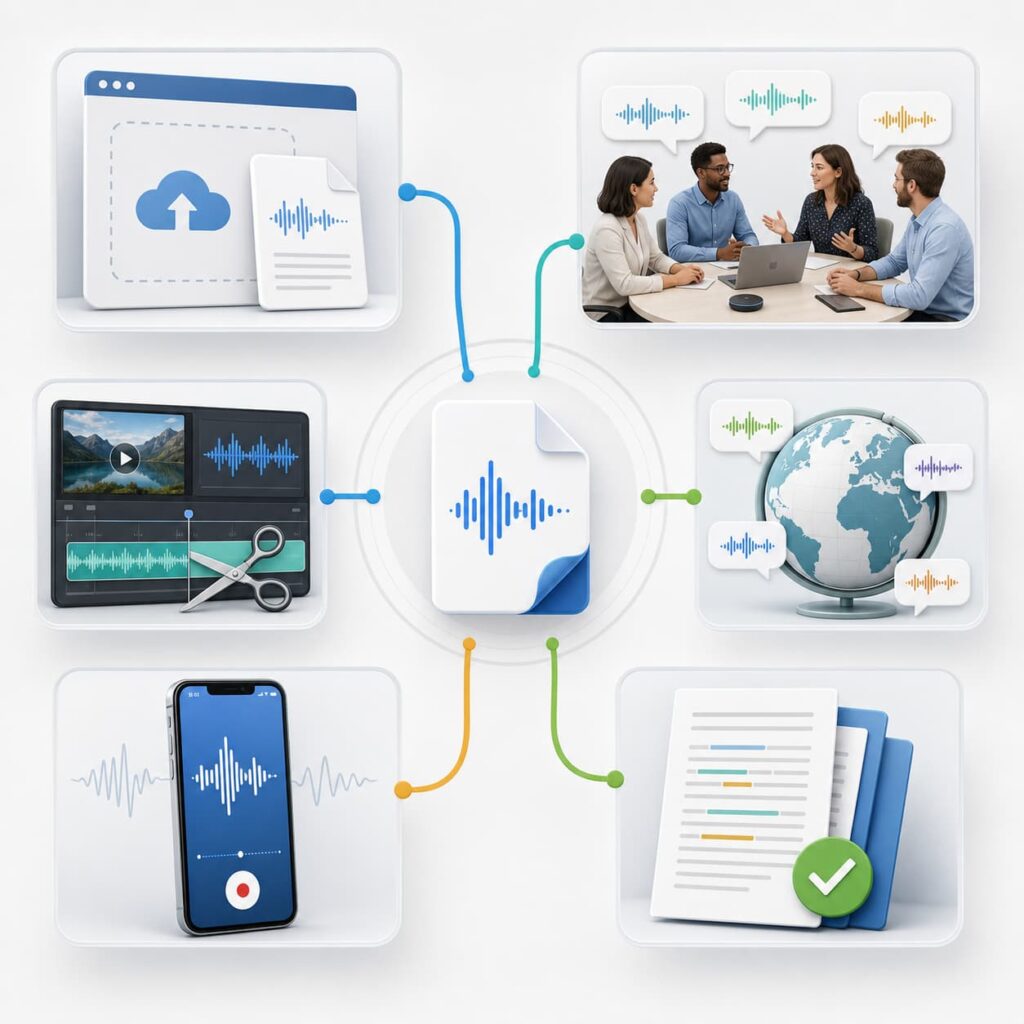
The short answer is simple. Use a browser converter for flexible file uploads, a meeting notetaker for live conversations, a media editor for transcript-based production, and a human service when the final transcript needs expert review. The rest of the article explains where each option fits.
This division makes the best audio to text tools easier to choose before you compare every feature.
How We Evaluated the Best Audio to Text Tools
The best audio to text tools were evaluated by workflow fit rather than by a single unsupported accuracy score. Public product pages and current plan information were checked before writing. Prices and limits can change, so this comparison describes product positioning and verified capabilities instead of presenting temporary promotions as permanent facts. This approach keeps the best audio to text tools useful for readers with different recording types.
Accuracy starts with the recording
Audio quality affects every transcription system. Clear speech, stable volume, limited background noise, and separate speakers usually produce cleaner text. Music, crosstalk, strong accents, echo, and distant microphones create more cleanup work.
The best audio to text tools should therefore be judged with the source in mind. A meeting recorder may perform well on a live conversation but feel unnecessary for a downloaded lecture. A human-reviewed service may make sense for a legal interview but cost too much for daily voice notes. The best audio to text tools are not interchangeable when the source quality changes.
For a fair comparison, the best audio to text tools should be tested against the same type of recording and the same expected output.
Workflow fit matters more than feature count
Some users want a transcript and nothing else. Others need summaries, captions, translation, searchable archives, or text-based audio editing. The best audio to text tools make the next step obvious instead of adding features that do not help the job. A focused comparison of the best audio to text tools should show this difference clearly.
That is why the best audio to text tools need clear use-case labels.
This comparison looks at five workflow questions:
- Can the tool accept uploaded audio, live recordings, or both?
- Does it identify speakers or preserve useful timestamps?
- Can you edit, search, summarize, translate, or caption the result?
- Does it support the formats and languages your files require?
- Is the pricing model suitable for occasional, recurring, or high-volume work?
These questions help readers compare the best audio to text tools without confusing a meeting assistant with a file converter.
Export and review determine the real value
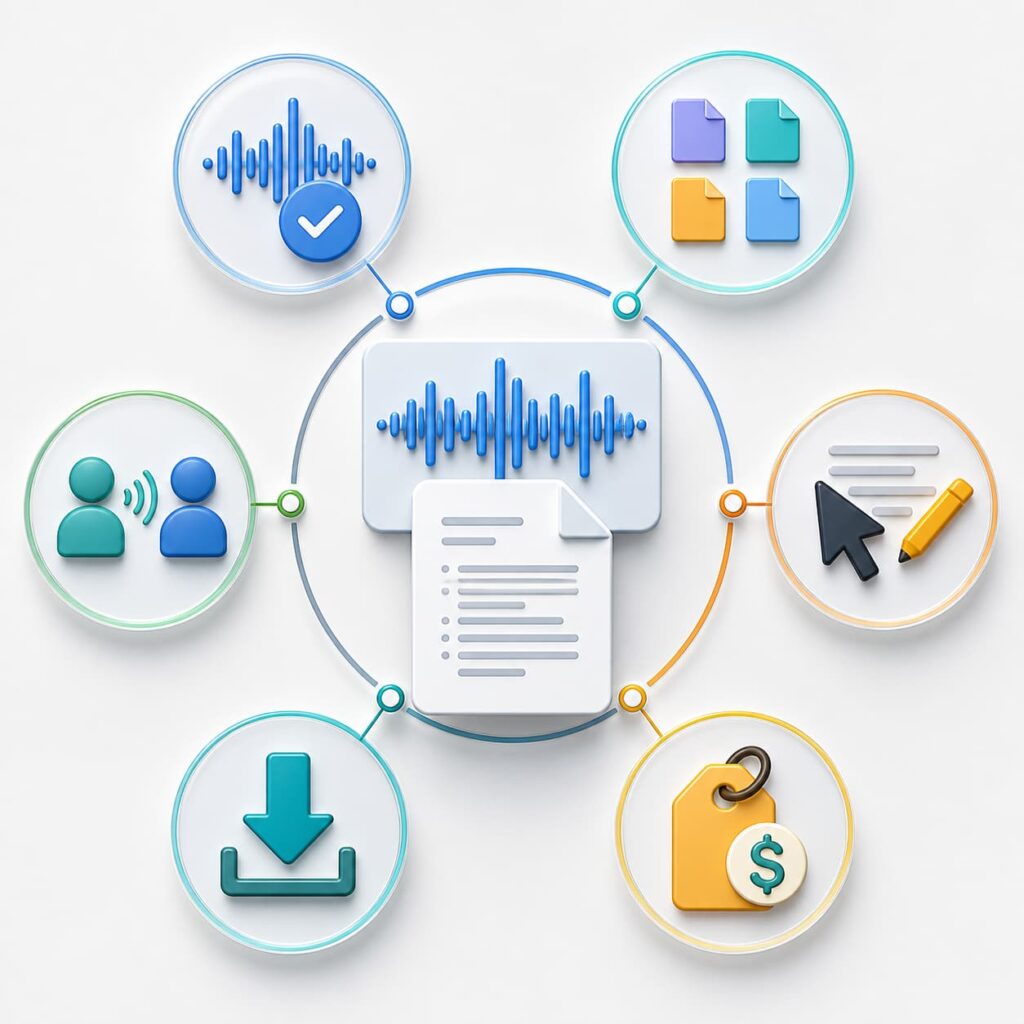
A transcript trapped in a dashboard is less useful than text you can edit and reuse. Check whether the tool supports the file or document formats your workflow needs. Also check whether the output includes timestamps, speaker labels, captions, or a clean reading version. These details separate practical best audio to text tools from tools that only create a first draft.
Review requirements matter just as much. A rough transcript can support personal notes. Published subtitles, research records, and regulated work need a deliberate accuracy review. The best audio to text tools make review easier, but none can remove the need to check names, numbers, technical terms, and unclear passages.
The best audio to text tools expose the output you need without forcing a separate conversion step. Confirm the export format before processing a long recording.
Best Audio to Text Tools for Uploaded Audio
Uploaded-file tools are the most direct choice when you already have an MP3, WAV, M4A, or another recording. This group includes a general browser converter, a multilingual production platform, and a human transcription service. They are different products, so the rankings reflect use case rather than a universal winner.
1 Audio Converter AI: Best for Flexible Browser-Based Conversion
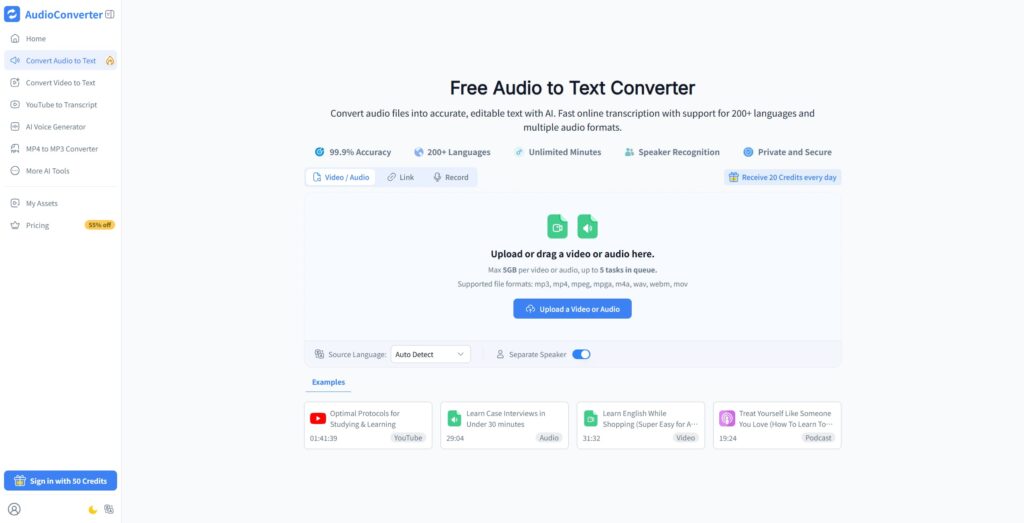
Audio Converter AI is a strong first choice among the best audio to text tools when you want to upload audio or video and receive editable text without building a meeting workflow. Its official audio-to-text page lists support for 200+ languages, speaker recognition, common audio and video formats, and TXT or SRT downloads. That makes it one of the best audio to text tools for a broad mix of saved recordings.
What makes it stand out:
The workflow is broad. You can upload or drag a file, select a source language, enable separate speakers, and start transcription from a browser interface. The published page lists MP3, MP4, MPEG, MPGA, M4A, WAV, WebM, and MOV support, with a maximum file size of 5GB and up to five queued tasks.
Key strengths:
- Browser-based upload flow for audio and video files
- Support for common creator, meeting, lecture, and podcast formats
- Auto-detect language option and separate-speaker setting
- 200+ languages listed on the official product page
- Editable text output with TXT and SRT download options
- Daily credits shown on the product interface for ongoing testing
For routine uploads, the best audio to text tools should keep the path from file selection to usable text short.
Best for:
Audio Converter AI fits students, creators, researchers, and teams that need a flexible file-first workflow. It is especially useful when the recording is already saved and you want to move from audio to searchable text, captions, or a reusable draft. For those users, the best audio to text tools are the ones that keep upload, transcription, review, and export close together.
For saved recordings, the best audio to text tools reduce the number of manual handoffs.
The limitation is familiar across the best audio to text tools. A generated transcript is a draft, not proof that every name or number is correct. Review difficult sections before publishing or using the text for a high-stakes decision. Even the best audio to text tools need a human check on unclear audio.
2 HappyScribe: Best for Multilingual Production and Human Review
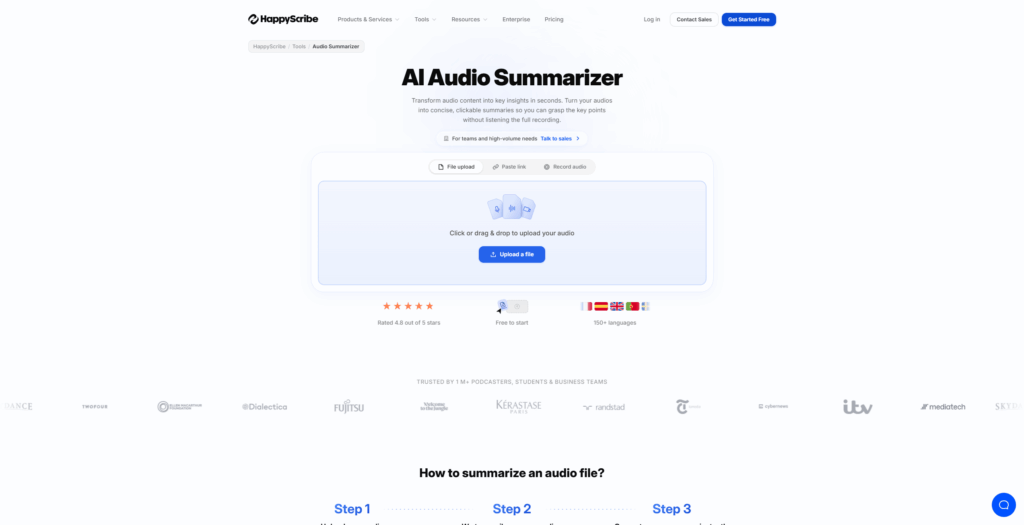
HappyScribe belongs among the best audio to text tools for teams that need more than a fast machine transcript. Its official service page offers both AI-powered and human-made transcription for audio and video. The page also lists AI transcription in more than 150 languages and human transcription in more than 60 languages.
What makes it stand out:
The choice between AI speed and human review is built into the service model. That makes HappyScribe useful for interviews, research recordings, subtitles, educational content, and multilingual media workflows where a transcript may move directly toward publication.
Key strengths:
- AI and human transcription options on one platform
- Audio and video transcription
- Interactive editor with playback, search, speaker labels, and timestamps
- Translation and export options for documents and subtitle formats
- Collaboration features for comments, highlights, and controlled sharing
- Glossaries and style guides for recurring terminology
Best for:
Choose HappyScribe when language coverage, editorial review, or subtitle delivery matters more than a minimal upload interface. It is a stronger fit for production teams and researchers than for someone who only needs a quick private transcript.
This is where the best audio to text tools should make review quality visible.
Among the best audio to text tools, HappyScribe is a useful option when one project may need both automated speed and expert review.
The trade-off is process complexity. Human review costs more and can take longer than automatic transcription. Users should select the service level based on the importance of the final text rather than assuming every recording needs the premium path. Among the best audio to text tools, HappyScribe is strongest when the review path matters.
3 Rev: Best for Human-Reviewed Accuracy
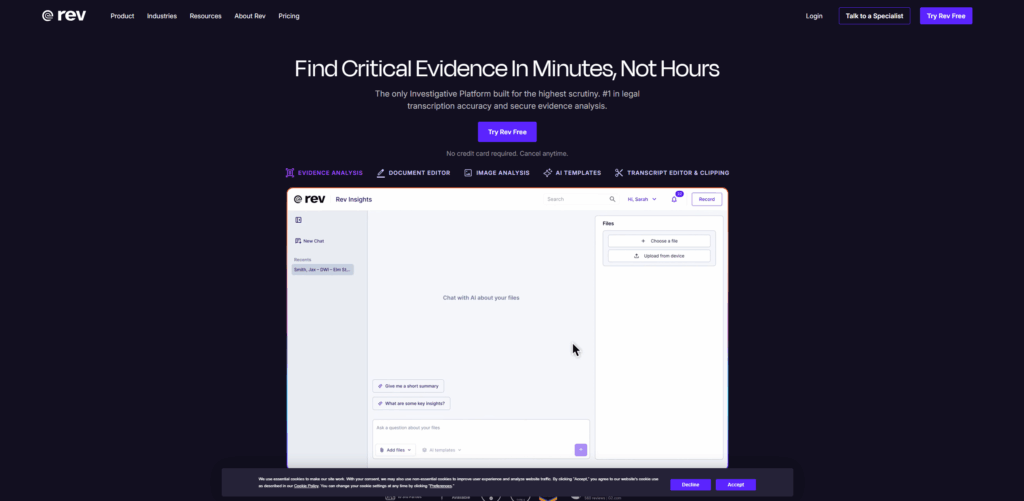
Rev is one of the best audio to text tools when accuracy and professional review are the main priorities. Its current transcription service separates human transcription from AI transcription. The official page lists human transcripts with 99% accuracy, timestamps, and delivery in 12 hours or less, while its AI option is designed to produce audio and video transcripts in minutes. This makes Rev a distinct choice within the best audio to text tools rather than a general meeting app.
What makes it stand out:
Rev gives users a clear choice between lower-cost automatic output and a human-reviewed service. The human option is designed for difficult audio, professional records, legal work, and projects where a second-pass review is worth the added cost.
Key strengths:
- Human transcription with timestamps and expert review
- AI transcription for faster audio and video drafts
- Interactive editor for reviewing transcripts
- Mobile recording support and Dropbox integration listed on the service page
- Separate service paths for general, premium, and legal transcription needs
Best for:
Rev fits journalists, legal teams, researchers, and producers who need a stronger accuracy process than a basic AI draft. It is also useful when the client expects formatted delivery or a transcript that can stand up to careful review. Those users may value the best audio to text tools for review controls more than the lowest per-minute cost.
Professional buyers should compare the best audio to text tools by review responsibility, not only by speed.
The limitation is price and turnaround. Pay-per-minute human transcription can be inefficient for a large archive of routine recordings. For everyday notes, an automatic option among the best audio to text tools may deliver enough value with a faster workflow. Use Rev when accuracy risk justifies the extra service layer.
That makes Rev one of the best audio to text tools for records that require a defined review process.
Best Audio to Text Tools for Meetings and Creator Workflows
Meeting and creator tools often include transcription as part of a larger workspace. They may record live conversations, generate summaries, connect with collaboration tools, or let you edit media through the transcript. These options can be excellent, but they are not always the simplest way to convert a finished audio file. The best audio to text tools in this group earn their place through what they do after capture.
The best audio to text tools for meetings should also make it easy to find decisions after the conversation ends.
4 Otter: Best for Live Meetings and Shared Notes
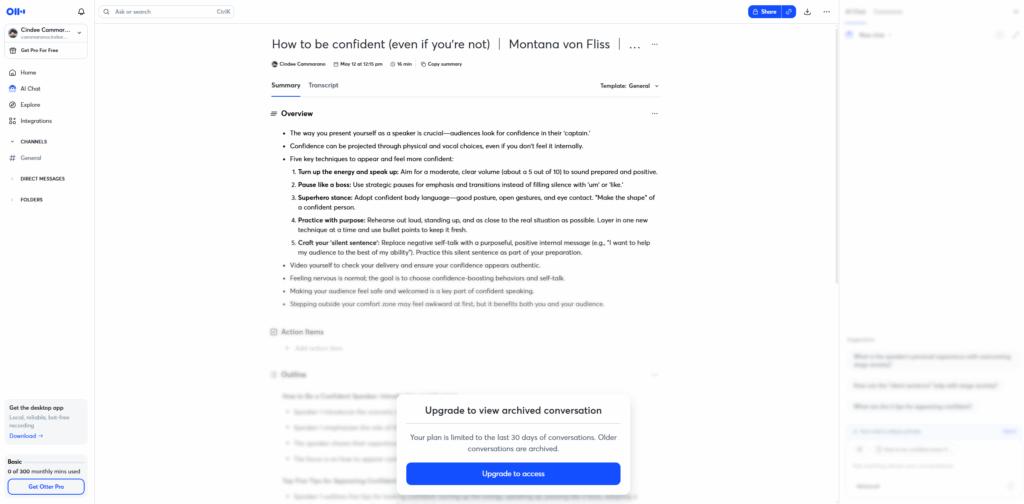
Otter is among the best audio to text tools for meetings, interviews, lectures, and team conversations. Its official site centers on live transcription, speaker recognition, searchable meeting knowledge, summaries, action items, and integrations with tools such as Zoom, Google Meet, Slack, and Notion. It is one of the best audio to text tools when the recording begins inside a meeting.
What makes it stand out:
Otter treats the transcript as a shared record of a conversation. The product supports several capture paths, including an AI notetaker, bot-free desktop recording, Chrome, and mobile capture. It also describes workflows for education and media, not only business meetings.
Key strengths:
- Live transcription and speaker recognition
- Searchable meeting transcripts and summaries
- Automatically captured decisions and action items
- Audio and video file import on eligible plans
- Collaboration, channels, and integrations for team knowledge
- Free entry plan and paid team plans listed on the current site
Best for:
Otter is a good choice when the source is a live meeting or class discussion and the transcript needs to become shared notes. Teams that already work in Zoom, Google Meet, Slack, or Notion may benefit from its connected workflow. In that situation, the best audio to text tools should reduce follow-up work as well as typing.
Meeting-centered best audio to text tools are valuable when several people need the same record.
Otter earns its place among the best audio to text tools because the transcript remains connected to team action.
The limitation is focus. If you only have a long MP3 and want a clean downloadable transcript, a file-first converter can involve fewer steps. Otter becomes more valuable when capture, summaries, follow-up, and collaboration matter together. That distinction keeps the best audio to text tools aligned with the source.
5 Descript: Best for Editing Audio and Video by Text
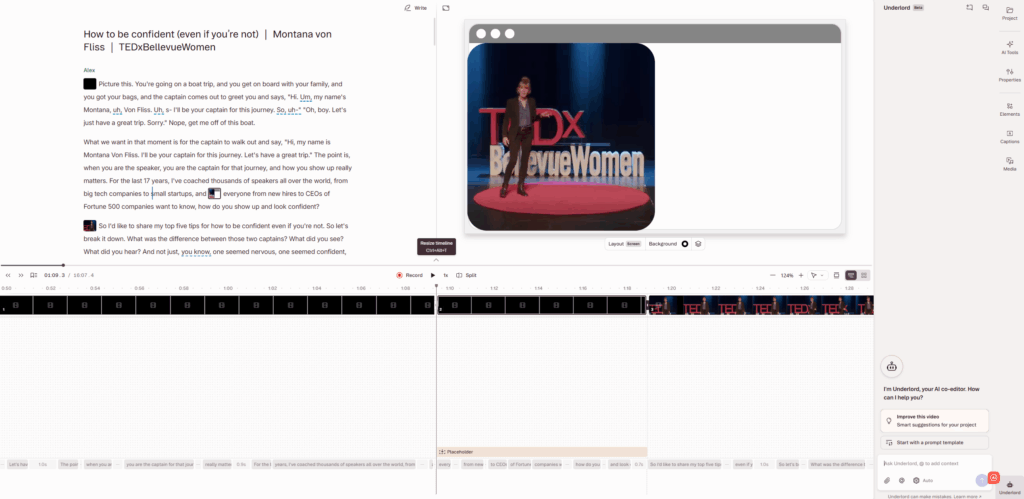
Descript is one of the best audio to text tools for creators who want to edit the original media through a transcript. Its official transcription page describes automatic transcription, text-based audio and video editing, captions, translation, and support across dozens of languages. The best audio to text tools for creators need to connect text changes with the media timeline.
What makes it stand out:
The transcript is part of the editing timeline. You can delete, copy, or move words in the transcript and apply those changes to the audio or video. That makes Descript different from tools that mainly deliver a text file after processing.
Key strengths:
- Automatic transcription for audio and video
- Text-based editing for spoken content
- Caption creation and translation workflows
- Podcast and video production features
- AI tools for cleanup and voice-related editing
- Free plan for trying transcription and editing with limits
Best for:
Descript fits podcasters, video editors, marketers, and educators who need to turn one recording into a polished production. It is especially useful when removing a sentence, cutting a pause, or rearranging a spoken section is part of the job. It is a leading example of the best audio to text tools for post-production.
The limitation is scope. A full media workspace can feel heavy if your only goal is to download plain text. Among the best audio to text tools, Descript earns its place through post-transcription editing rather than through a minimal converter experience. Choose it when editing is part of the deliverable.
Creators often judge the best audio to text tools by how quickly a transcript becomes a finished clip or episode.
6 Notta: Best for Mobile Capture and Meeting Notes
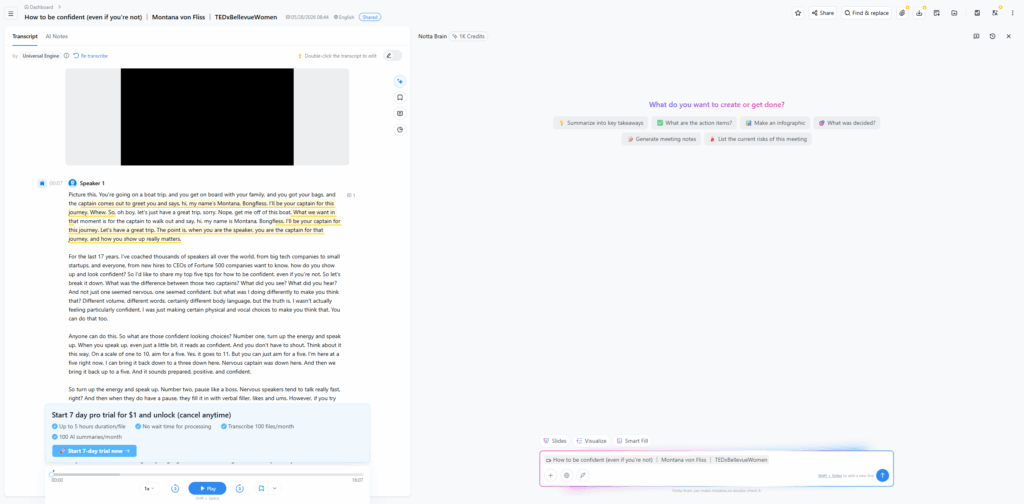
Notta is among the best audio to text tools for users who move between live meetings, imported files, mobile devices, and searchable notes. Its official site describes an AI meeting notetaker for meetings, interviews, and lectures, with real-time transcription, bilingual transcription, on-device transcription options, summaries, and integrations. This makes Notta one of the best audio to text tools for mobile-first capture.
What makes it stand out:
Notta combines recording, transcription, summaries, and follow-up content in one workspace. The current product page lists support for 58 transcription languages, imported files, online and in-person meetings, and a free allowance with full transcription.
Key strengths:
- Live and imported-file transcription workflows
- Mobile, desktop, browser, and meeting capture options
- Bilingual transcription and translation features
- Searchable meeting knowledge and AI-generated deliverables
- Integrations with Google Drive, Notion, Slack, Salesforce, Zoom, Teams, and Google Meet
- Free plan with a stated monthly transcription allowance
Best for:
Notta suits users who record on the move and want the transcript to become notes, summaries, or visual deliverables. It is a strong meeting-centered alternative when a plain audio converter feels too narrow. The best audio to text tools for this audience should support capture and organization in the same place.
The limitation is the same one that applies to many meeting-focused tools. If you have no need for live capture, workspace collaboration, or summaries, you may prefer one of the simpler best audio to text tools for uploaded files. Use Notta when its surrounding workspace saves more time than a basic upload page.
For mobile users, the best audio to text tools should work across capture, transcription, and review.
Quick Comparison at a Glance
The table below summarizes the practical differences between these six best audio to text tools. It is a selection guide, not a claim that one service wins every benchmark. For a quick starting point, compare the best audio to text tools by your input and output first.
| Tool | Best for | Main input | Standout capability | Pricing approach |
| Audio Converter AI | Flexible file conversion | Audio and video uploads | 200+ languages, speaker recognition, TXT and SRT output | Free credits and paid usage options shown on product pages |
| HappyScribe | Multilingual production | Audio, video, and links | AI plus human transcription, editor, translation | AI and human service tiers |
| Rev | Human-reviewed accuracy | Audio and video files | Human transcription with timestamps and review | Per-minute AI and human services |
| Otter | Live meetings and shared notes | Live capture, audio, and video files | Live transcripts, summaries, action items, integrations | Free and paid team plans |
| Descript | Transcript-based editing | Audio and video projects | Edit media by changing transcript text | Free and paid media-workspace plans |
| Notta | Mobile meetings and notes | Live meetings and imported files | Bilingual transcription, summaries, and integrations | Free allowance and paid plans |
This table makes the best audio to text tools easier to shortlist before a full feature review.
How to read the comparison
Start with the input type. If you already have an MP3 or WAV, prioritize upload flow, format support, speaker settings, and exports. If you need to capture a live discussion, prioritize recording, calendar or meeting integrations, and searchable notes. This first filter removes many best audio to text tools that are not designed for your source.
Then look at the output. Plain text is enough for a private reference. Timestamps and speaker labels matter for interviews. Captions matter for video. Human review matters when mistakes create legal, editorial, or compliance risk.
The best audio to text tools are the ones that remove the most work from your actual next step. A smaller feature list can be an advantage when it keeps the process fast and understandable. That is why the best audio to text tools in this list are assigned to specific jobs.
How to Choose the Right Audio to Text Tool
There is no universal winner among the best audio to text tools. Use the following decision rules to narrow the list before you create an account or upload a large archive. The right best audio to text tools should match the work you repeat most often.
The best audio to text tools for a weekly podcast may be the wrong choice for a confidential interview. Compare the best audio to text tools against the risk and frequency of your own work.
Choose by recording source
Choose a file-first converter when your audio is already recorded. This path works well for lectures, interviews, podcasts, voice memos, webinars, and downloaded media. Audio Converter AI is designed for this broad upload workflow. The best audio to text tools for saved files should make upload and export easy to understand.
Choose a meeting notetaker when you need live capture, summaries, action items, and team sharing. Otter and Notta are more useful when the conversation itself is the center of the workflow. These best audio to text tools are less focused on one-off file conversion.
Choose a media workspace when the transcript will control audio or video edits. Descript is designed for that transition from spoken words to production changes. Among the best audio to text tools, it has the clearest connection between transcript text and media editing.
Choose by review requirements
For personal notes, a fast automatic transcript may be enough. For public content, review names, numbers, quotes, and terms before publication. For legal, sensitive, or client-facing work, consider a service with human review and clear data handling information. The best audio to text tools support the review standard you can realistically maintain. Review effort is part of how the best audio to text tools should be compared.
Never treat a marketing accuracy percentage as a guarantee for your specific recording. Test representative files with the speakers, accents, noise, and terminology you actually handle. A small test is more useful than assuming all best audio to text tools perform identically.
Choose by output format
TXT works for notes and search. SRT or VTT works for captions. A timestamped editor works for interviews and video production. Speaker labels help when multiple people talk. Translation is useful when a transcript supports a multilingual audience. The best audio to text tools expose the output format before a long job begins.
The best audio to text tools expose the output you need without forcing a separate conversion step. Confirm the export format before processing a long recording.
Choose by data sensitivity
Review the provider's privacy, retention, access, and deletion information before uploading confidential audio. A meeting recording may contain personal data, customer information, unreleased plans, or protected research material. Privacy controls should be part of your best audio to text tools checklist.
Treat privacy as a selection criterion for the best audio to text tools, not as a detail to review after uploading sensitive recordings. The best audio to text tools should make data handling information easy to locate.
Use a tool whose controls match the sensitivity of the file. Keep a human review step for sensitive content and avoid making a high-stakes decision from an unverified transcript.
FAQ
What is the best audio to text tool in 2026?
The best choice depends on the workflow. Audio Converter AI is a strong general option for uploaded audio and video, Otter and Notta fit live meetings, Descript fits transcript-based editing, HappyScribe fits multilingual and human-reviewed work, and Rev fits accuracy-focused professional transcription. Together, these best audio to text tools cover the most common recording tasks. Use the best audio to text tools shortlist to test the recording you actually process.
How do I convert an MP3 to text?
Upload the MP3 to a file-first transcription service, select the language, enable speaker separation when needed, and start processing. Review the transcript, correct names and technical terms, then export the text or caption file. The best audio to text tools make these steps available in one workflow.
Are audio to text tools accurate enough for interviews?
They can create useful interview drafts when the recording is clear, but you should review the result. Check speaker labels, names, numbers, overlapping speech, and sections with background noise. Choose human transcription when the interview will be published or used as a formal record. The best audio to text tools still depend on careful source preparation.
What audio formats can I use for transcription?
Common formats include MP3, WAV, M4A, and other container types supported by the selected service. Check the specific upload page before starting. The best audio to text tools list supported formats clearly and explain file-size or duration limits. Do not assume that one provider's limits apply to every file converter.
Can audio to text tools identify different speakers?
Many transcription platforms offer speaker recognition or speaker labels, but the results depend on recording quality and how much people overlap. Enable the setting when available, then review the labels against the audio before sharing the transcript. Speaker handling is a key comparison point among the best audio to text tools.
What is the difference between AI and human transcription?
AI transcription creates text quickly and scales well for routine recordings. Human transcription adds expert review and is better suited to difficult audio, legal content, or publication-ready work. Some services offer both paths so you can match review effort to the risk of errors. The best audio to text tools let you choose the review level that fits the recording.
Can I use audio to text tools for podcasts and videos?
Yes. A transcript can support show notes, captions, searchable archives, quotes, and content repurposing. Choose a file upload tool for the transcript, a media editor when you need to cut the recording by editing text, or a subtitle-focused workflow when captions are the final output.
Should I choose a free audio to text tool?
Start with a free plan or daily allowance if you are testing a workflow. Compare the limits, export options, language coverage, privacy terms, and review effort. A free tool is useful when it handles your real file without adding cleanup work that costs more time than a paid plan. The best audio to text tools are judged by total workflow time, not only the subscription price.
Conclusion
The best audio to text tools are defined by workflow fit, not by a universal ranking. Audio Converter AI is a practical general-purpose choice for uploaded files. HappyScribe adds multilingual and human-review paths. Rev emphasizes professional accuracy. Otter and Notta focus on meetings and searchable notes. Descript connects transcription directly to audio and video editing.
Before choosing, test a representative recording and decide what the transcript must become. If you need searchable text, prioritize clean output and exports. If you need a published asset, prioritize review and captions. If you need team knowledge, prioritize capture, summaries, and integrations.
The right tool turns a recording into usable information with fewer manual steps. Start with your source, output, review standard, and privacy needs, then choose the best audio to text tools that match the work. A clear fit is more valuable than a crowded feature list.