


In 2025, the ability to transcribe voice to text has evolved from a convenience into a necessity. As audio content explodes across podcasts, online courses, business meetings, and recorded interviews, the demand for tools that can transcribe voice to text instantly and precisely has never been higher.
Modern AI transcription works like having a skilled assistant who listens and writes for you. When you need to transcribe voice to text, you simply speak and it converts every word into clean, organized text. Upload any recording, and it transforms into notes, summaries, subtitles, or professional documentation. It's remarkably fast and cuts production time in half compared to traditional manual methods—making it easier than ever to transcribe voice to text efficiently across any project or workflow.
Why AI‑Powered Transcription Has Become Essential
Picture this: you've just finished a two-hour meeting with your phone recording every detail. Without AI assistance, manually typing that conversation could consume 3–4 hours of exhausting work. Modern tools that transcribe voice to text can deliver a complete draft in mere minutes, leaving you to simply refine the final version.
The advantages extend far beyond speed:
- Accessibility & Searchability: When you transcribe voice to text, audio files become fully editable and searchable—ideal for archiving lectures, preserving interviews, or documenting meetings for future reference.
- Multilingual Capabilities: Today's leading platforms support dozens of languages and accent variations, enabling seamless global collaboration and multilingual content production.
- Versatile Output Formats: Whether you need plain text, subtitle files (SRT/VTT), meeting summaries, or blog-ready drafts, modern tools adapt to your workflow requirements.
Given these capabilities, using a quality service to transcribe voice to text isn't optional—it's a fundamental productivity enhancement.
Before diving into the comprehensive list of transcription tools, let's examine the platform generating significant industry attention—ElevenLabs. While initially celebrated for revolutionary AI voice synthesis, the company now positions itself at the forefront of speech recognition technology.
ElevenLabs Review — How Good Is It at Transcribing Voice to Text in 2025?
ElevenLabs earned its reputation through breakthrough voice generation technology. Now, its expansion into transcription has positioned it among the most discussed solutions for those looking to transcribe voice to text online.
But does it truly deliver premium performance? Is it the optimal choice for users who need to transcribe voice to text reliably in 2025?
Let’s break it down.
ElevenLabs Strengths — Natural, Contextual, Human-Like Transcription
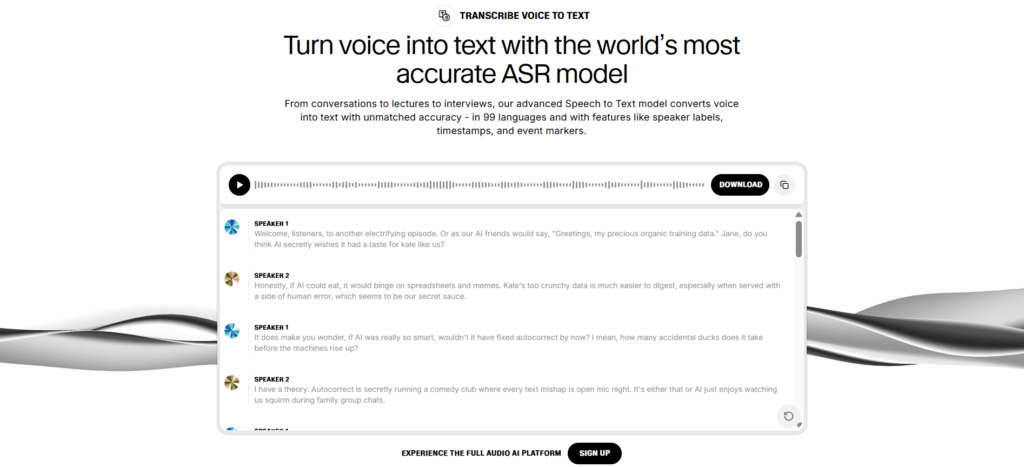
ElevenLabs distinguishes itself by doing more than simple audio decoding—it comprehends context. While most platforms that transcribe voice to text focus purely on word-matching precision, ElevenLabs captures tone, rhythm, and emotional nuance, making it particularly effective with conversational or narrative recordings when you need to transcribe voice to text naturally.
Why It Stands Out
- Contextual Intelligence: Produces transcriptions that read like human-edited summaries rather than raw dictation when you transcribe voice to text
- Accent & Expression Handling: Excels with diverse speakers and expressive vocal patterns
- Processing Speed: Frequently completes transcription faster than real-time playback
- Intelligent Formatting: Delivers clean punctuation and structure, minimizing post-editing requirements
- Ecosystem Integration: Perfect for creators already leveraging its voice synthesis, dubbing, or text-to-speech capabilities
ElevenLabs Limitations — Great Engine, Light Workflow
Despite exceptional speech recognition capabilities when you transcribe voice to text, ElevenLabs hasn't yet developed into a comprehensive transcription platform.
Where It Falls Short
- Limited text editing and cleanup tools
- No batch upload for teams handling high-volume content
- Fewer export formats compared to specialized platforms
- Price may be high for casual users needing simple transcripts
Best for
- Podcast producers who regularly transcribe voice to text for show notes
- YouTube creators needing video transcriptions
- Educators developing narrated course materials
- Content creators already integrated into the ElevenLabs ecosystem
Not ideal for
- Students requiring free tools to transcribe voice to text for academic work
- Teams needing real-time meeting transcription
- Organizations processing large file volumes
- Enterprises requiring advanced workflow automation
ElevenLabs delivers one of the most refined experiences available to transcribe voice to text in 2025—particularly for expressive, narrative-driven audio content. While it won't replace enterprise-grade workflows or industrial-scale batch processing, it occupies an ideal position for creators, educators, and podcasters who prioritize accuracy, processing speed, and user experience when they need to transcribe voice to text efficiently.
Best AI Tools to Transcribe Voice to Text in 2025 – Top Alternatives
Beyond ElevenLabs, numerous AI-powered platforms offer robust capabilities to transcribe voice to text in 2025. Each tool below is evaluated across three consistent criteria: a comprehensive overview of the platform, its key strengths and differentiators, and the ideal user profiles who will benefit most from its capabilities.
Audio Converter AI — Streamlined Transcription Without Complications
Overview
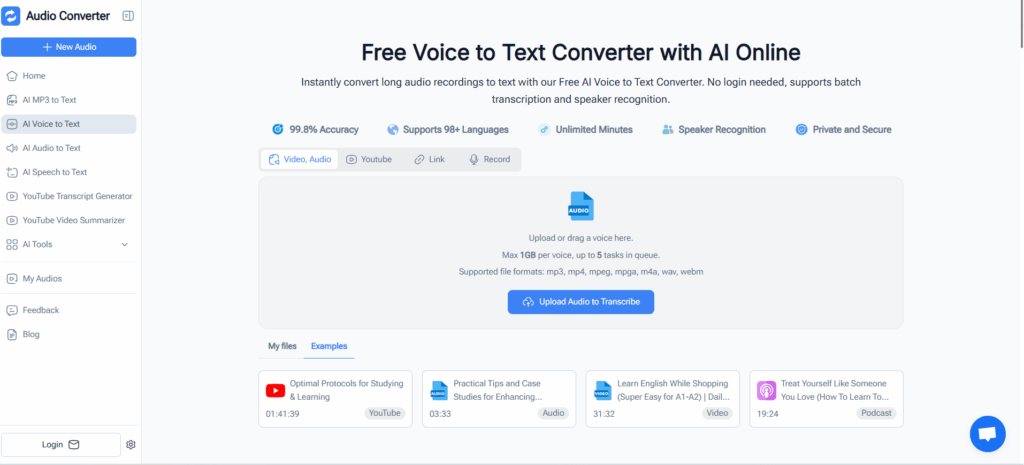
A lightweight web-based solution built for users who want to quickly transcribe voice to text by uploading audio or video files without navigating complicated setup procedures. Features a straightforward upload-to-transcript process requiring no account creation for basic functionality, with broad format compatibility that processes common file types (MP3, WAV, M4A) and delivers transcripts rapidly. Additionally, the platform offers direct online recording capabilities, allowing users to record audio in real-time and immediately transcribe voice to text online on demand—perfect for capturing spontaneous ideas, voice memos, or quick notes.
Strengths
- Speed & Accessibility: Perfect for quick jobs—one-off podcasts, brief interviews, or lecture excerpts requiring fast turnaround
- Low Entry Barriers: Minimal or zero cost with virtually no learning curve for new users
- Instant Results: Simple workflow eliminates setup time and technical complexity
- Online Recording Feature: Built-in recording capability enables direct voice capture and instant transcription without external recording tools
Best For
Individual users, students, and independent creators seeking a straightforward "upload and receive transcript" solution to transcribe voice to text without significant investment or time commitment—especially valuable for occasional transcription needs, voice memo capture, quick note-taking sessions, or situations where immediate recording and transcription are needed without pre-recorded files.
NoteGPT — Comprehensive Transcription with Batch Processing Power
Overview
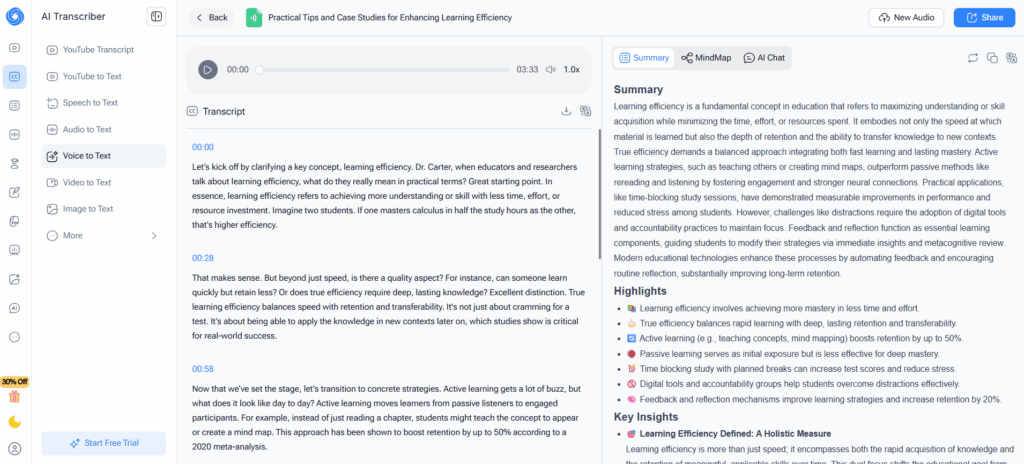
NoteGPT positions itself as a versatile transcription service accepting both audio and video files—including large formats—with batch processing capabilities ideal for extended recordings like lectures, webinars, interviews, or podcast series. The platform accommodates hour-long recordings without compression or splitting requirements, processes multiple files simultaneously to transcribe voice to text in bulk, and generates fully editable transcripts suitable for note-taking, content repurposing, or comprehensive documentation.
Strengths
- Large File Support: Handles extensive recordings that would overwhelm simpler tools
- Batch Processing: Queue multiple files to transcribe voice to text efficiently—invaluable for content libraries
- Balanced Approach: More flexible than minimal tools while remaining accessible for non-technical users
- Educational Focus: Particularly useful for academic content creators, researchers, or anyone managing extensive recording collections
Best For
Students, educators, content creators, and podcasters handling lengthy audio/video files who need a reliable method to transcribe voice to text without complex configuration—especially suited for those managing regular content production or educational material that requires organized, editable transcripts.
Notta — Enterprise-Ready Real-Time Transcription Suite
Overview
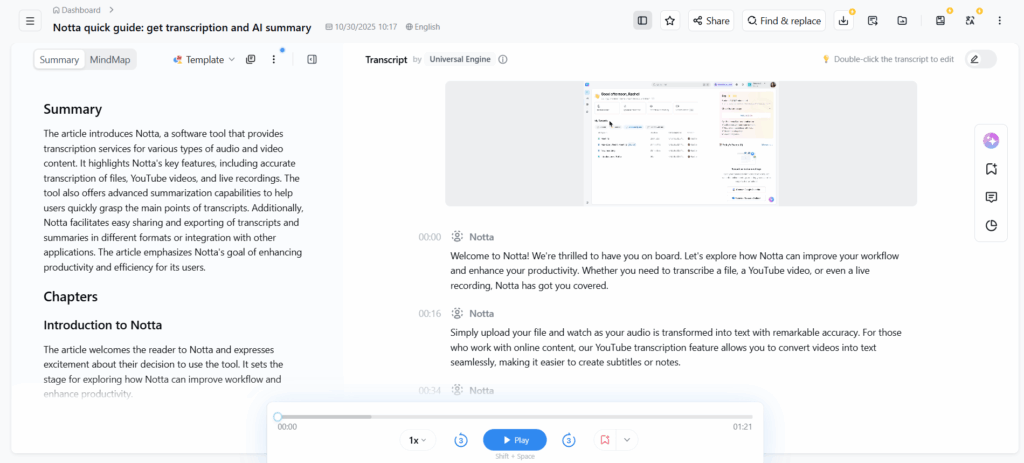
Notta delivers real-time transcription, extensive language support, advanced editing/export features, and collaboration-optimized workflows—representing a significant step up for users demanding reliability and comprehensive functionality when they transcribe voice to text. The platform provides live voice-to-text conversion during meetings, lectures, or events, supports numerous languages and accents with speaker recognition capabilities, and offers multiple format options (TXT, DOCX, SRT, VTT) with editing, annotation, and sharing capabilities to transcribe voice to text professionally.
Strengths
- Real-Time Capability: See text appear as participants speak during live sessions when you need to transcribe voice to text instantly
- Professional-Grade Reliability: Robust enough for business meetings, interviews, global collaboration, and international content production
- Extended Use Cases: Beyond raw transcription—creates subtitles, documentation, summaries, and searchable archives
- Collaboration Features: Team-friendly workflows with sharing and annotation capabilities
- Multilingual Intelligence: Handles diverse languages and accents effectively
Best For
Professionals, educators, global teams, and content creators working with multilingual or multi-speaker audio who require a comprehensive, reliable solution to transcribe voice to text with advanced functionality—particularly valuable for organizations conducting frequent meetings, international collaborations, or producing content that requires professional-grade accuracy and export flexibility.
Transkriptor — Flexible Format Support for Diverse Media Workflows
Overview
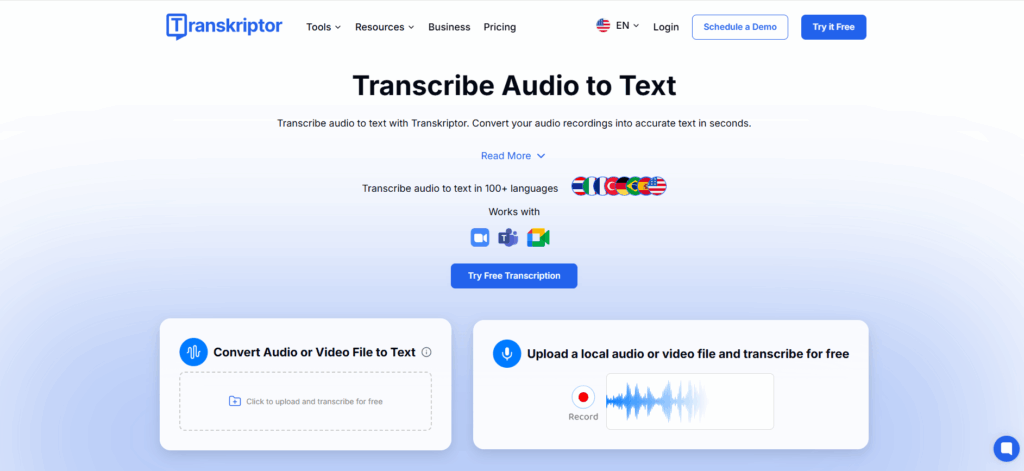
An emerging yet increasingly popular transcription alternative, Transkriptor positions itself as a versatile AI-powered tool emphasizing broad compatibility and simplicity—often marketed as a viable alternative to mainstream services for users who regularly transcribe voice to text. The platform supports wide-ranging audio and video formats—MP3, MP4, WAV, MOV, FLAC, AVI, and numerous others—while delivering output in TXT, SRT, Word, and PDF formats, enabling seamless integration whether you need to transcribe voice to text for transcripts, subtitles, or formatted documents.
Strengths
- Extensive Format Library: Handles diverse media sources without conversion requirements—valuable for creators working across multiple platforms who need to transcribe voice to text from various sources
- Multiple Export Options: Flexible output formats adapt to different use cases from subtitles to documentation
- Budget-Friendly Access: More affordable than full-featured enterprise platforms while maintaining solid transcription quality
- Balanced Proposition: Combines format versatility and reliable accuracy without premium-tier subscription commitments
- Cross-Project Utility: Excellent for mixed media types—interviews, video podcasts, vlogs, documentary footage
Best For
Independent creators, media producers, small teams, and freelancers working with varied audio/video formats who need flexible export options when they transcribe voice to text across different project types—particularly suited for those managing diverse content portfolios or working with clients who deliver recordings in multiple formats.
Speechmatics — Enterprise-Grade Precision for Demanding Environments
Overview
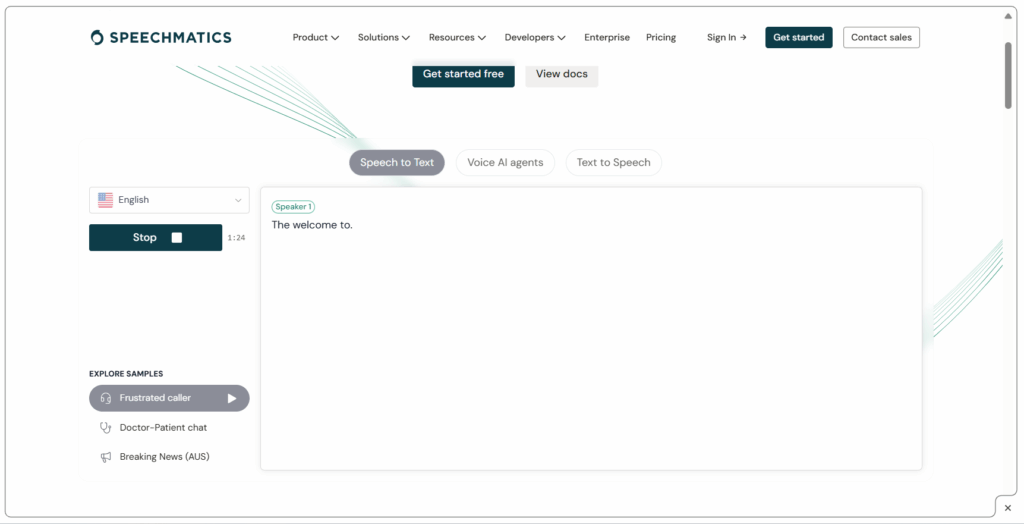
For users with elevated requirements—challenging acoustic environments, technical terminology, specialized vocabulary, or stringent data privacy mandates—enterprise-grade transcription services like Speechmatics (and comparable large-scale ASR platforms) have become increasingly favored in 2025 to transcribe voice to text at the highest standards. These solutions prove especially valuable for businesses, call centers, research institutions, and industry-specific workflows requiring maximum precision. The platform offers sophisticated noise reduction and robust speech recognition handling challenging audio conditions, extensive language and dialect support, and enterprise-grade security with API integration for automated, high-volume workflows to transcribe voice to text at scale.
Strengths
- Maximum Accuracy & Reliability: Essential for legal, medical, research, or business-critical content where precision is non-negotiable when you transcribe voice to text
- Advanced Noise Management: Handles background interference, distinct accents, and overlapping speakers effectively
- Industrial Scalability: Processes high volumes, large files, and bulk transcription operations ideal for organizations with substantial workloads
- Global Language Coverage: Supports multinational teams or multilingual operational environments
- Security & Compliance: Meets strict data protection requirements for regulated industries
- API & Automation: Enables seamless integration into existing business workflows
Best For
Enterprises, research institutions, businesses, and creators with demanding quality standards, strict privacy requirements, or large-scale audio/video workloads who need to transcribe voice to text with maximum precision, security, and industrial-grade robustness—particularly suited for organizations in regulated industries (legal, medical, financial) or those processing sensitive information requiring audit trails and compliance documentation.
Which Tool Should You Choose to Transcribe Voice to Text?
Selecting the right platform to transcribe voice to text depends on your specific requirements, workflow complexity, and content type. Here's a practical decision guide based on common scenarios:
| Your Need / Scenario | Recommended Tool(s) |
| Quick, occasional transcription (single lecture, short podcast, voice memos) | Audio Converter AI, NoteGPT |
| Long-form audio/video (extended lectures, interviews, webinars, large files) | Audio Converter AI, NoteGPT, Transkriptor, Notta |
| Real-time meetings and live events | Notta, Speechmatics (enterprise solutions) |
| Media production and multilingual content (podcasts, videos, subtitles) | Audio Converter AI, Transkriptor, Notta, enterprise ASR platforms |
| High-accuracy specialized environments (noisy settings, legal, medical, technical) | Speechmatics (enterprise-grade ASR) |
| Direct recording with immediate transcription (voice memos, spontaneous ideas, interviews) | Audio Converter AI |
| Multilingual projects (global teams, international content) | Audio Converter AI, Notta, Speechmatics |
Pro Tips for Getting the Best Results When You Transcribe Voice to Text
Optimize Your Source Audio
Record with quality equipment and minimize background noise—even the most advanced tools that transcribe voice to text perform best with clear input. Position microphones properly and choose quiet recording environments whenever possible.
Match Tools to Tasks
Use lightweight, free platforms for quick, one-time jobs; invest in robust solutions when you regularly transcribe voice to text for professional work, high-volume content, or business-critical documentation.
Always Review and Refine
Even leading AI transcription services make occasional errors, particularly with proper names, technical jargon, industry terminology, or overlapping speakers. Budget time for proofreading to ensure accuracy.
Leverage Format Flexibility
Take advantage of multiple export options—SRT/VTT for video subtitles, DOCX for article drafts, TXT for meeting notes, or PDF for formal documentation. Choose formats that integrate smoothly with your existing workflow.
Utilize Multilingual Capabilities
If your work involves multiple languages or diverse accents, select platforms with comprehensive language support and accent recognition to transcribe voice to text accurately across global content.
Conclusion
Modern AI transcription tools have transformed how we handle audio content. In 2025, the ability to transcribe voice to text quickly and accurately is no longer a luxury—it's a practical necessity for students, creators, professionals, and enterprises alike.
For simple tasks, tools like Audio Converter AI and NoteGPT deliver fast, straightforward transcription. For complex needs—multilingual content, noisy environments, or enterprise workflows—platforms like Notta, Transkriptor, and Speechmatics provide the advanced capabilities required.
There's no single "best" tool to transcribe voice to text. The right choice depends on your audio type, volume, language requirements, and workflow goals. But whichever platform you choose, embracing AI-powered transcription can dramatically reduce your workload, boost productivity, and unlock new possibilities for managing and repurposing voice content efficiently.