


You have an MP3 file and need the words inside it. Use convert mp3 to lyrics when the words are trapped in a demo, voice memo, creator audio, cover draft, or language-learning clip. Typing every line by ear takes too long, and generic lyric databases often miss the exact version you have.
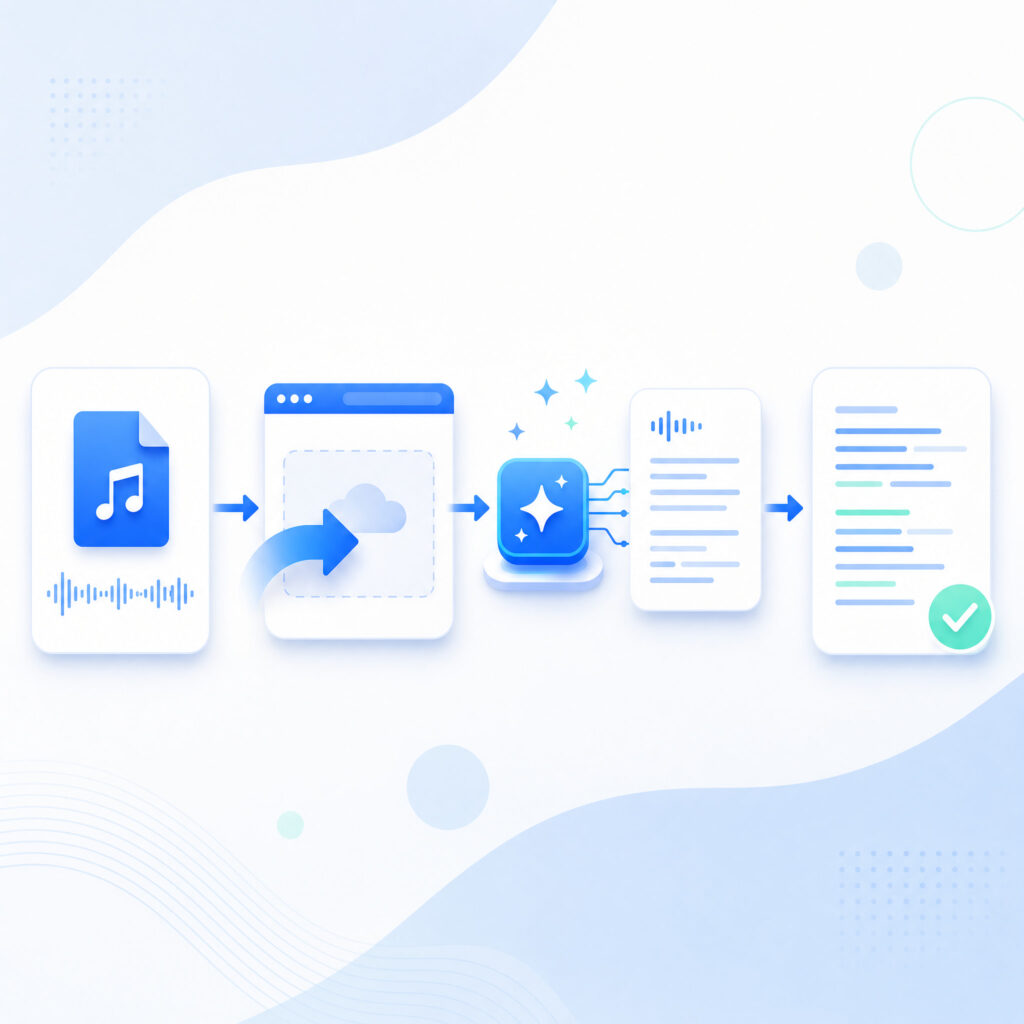
The fastest way to convert MP3 to lyrics is to use AI transcription, then clean the draft against the audio. The workflow is simple: start with the cleanest file, upload it, choose the right transcription settings, then format the lyrics into readable lines.
Convert MP3 to lyrics is not the same job as transcribing a meeting. Songs include instruments, background vocals, reverb, accents, fast delivery, and repeated hooks. A good convert MP3 to lyrics workflow treats the audio like music first and text second.
This guide shows a practical four-step process. It also explains the settings, cleanup rules, use cases, and mistakes that decide whether your convert MP3 to lyrics result is usable or frustrating.
This workflow is best for:
- Preparing clean text before subtitles, descriptions, or internal review
- Turning original song demos into editable lyric drafts
- Creating transcript-based captions for music clips and short videos
- Pulling words from rehearsal recordings, voice memos, and rough takes
- Building private study notes from audio you have permission to use
Why MP3 Lyrics Are Hard to Extract
Songs Are Not Clean Speech
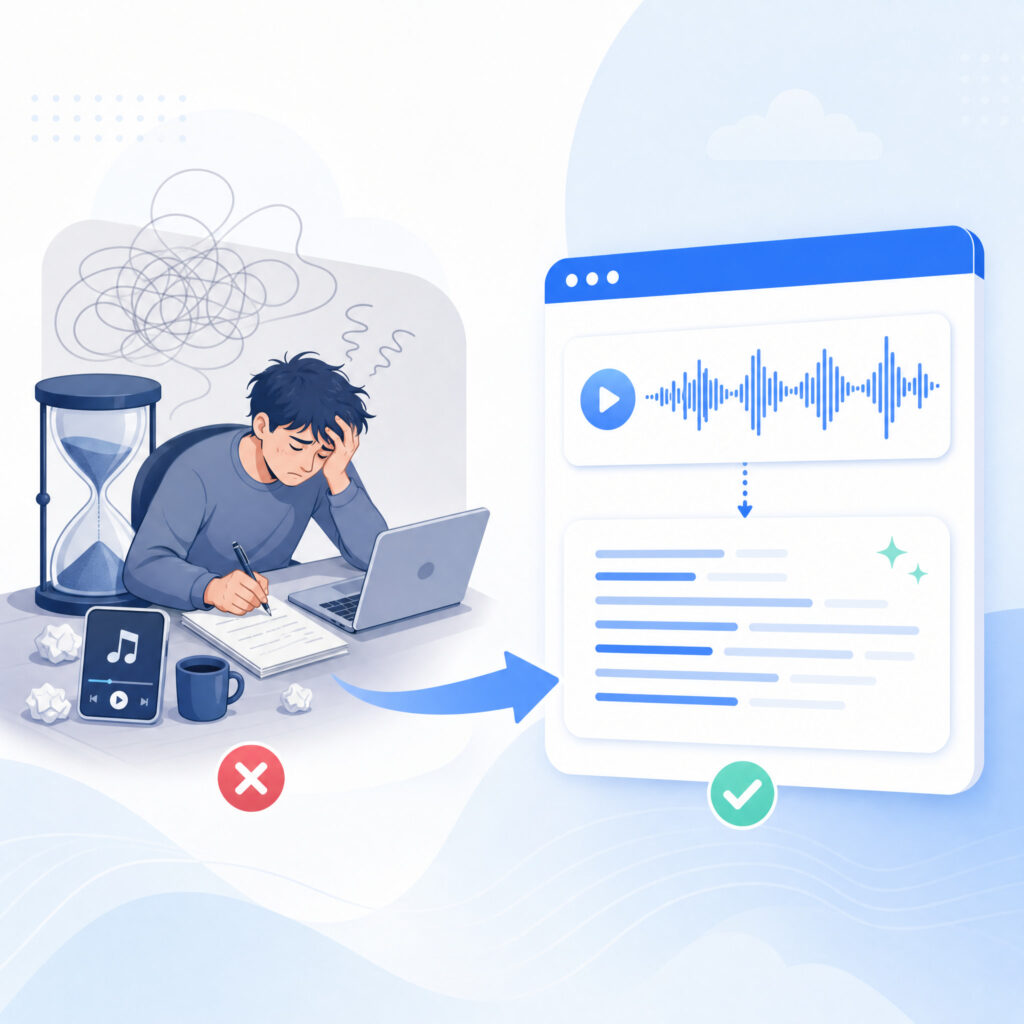
Speech transcription tools expect clear talking. Songs are different. Vocals stretch words, hide consonants, repeat phrases, and compete with instruments. That is why a normal transcript can miss lines that sound obvious to a listener.
Convert MP3 to lyrics works better when the tool can focus on the vocal track. If the voice is buried under drums, guitars, synths, or crowd noise, the first draft will need more manual cleanup.
You do not need perfect audio, but you do need realistic expectations. Convert MP3 to lyrics should produce a draft you can edit, not a guaranteed final lyric sheet from every file.
Lyric Databases Often Do Not Match Your Version
Published lyric pages can help with popular songs, but they often fail for covers, live takes, alternate mixes, demos, and unreleased tracks. The words online may match the studio release, not the MP3 you are actually using.
Convert MP3 to lyrics solves that mismatch by listening to your own file. This matters when a singer changes a line, repeats a chorus differently, adds an ad-lib, or skips a verse.
For musicians, teachers, and karaoke organizers, accuracy to the exact recording matters more than matching a generic lyric database.
Copyright Still Matters
Lyrics can be protected by copyright. Converting a song into text for private study is different from publishing a full lyric sheet online. Rights vary by song, country, use case, and license.
Use convert MP3 to lyrics for your own songs, original demos, public-domain material, private notes, and internal review. Be careful before publishing lyrics from copyrighted music you do not own.
This article is workflow guidance, not legal advice. If you plan to publish lyrics commercially, check the rights first.
The 4-Step Workflow to Convert MP3 to Lyrics
Step 1: Start With the Cleanest MP3
Start with the best source file you have. A higher-bitrate MP3 usually gives the transcription model more vocal detail than a compressed copy pulled from a low-quality recording.
Convert MP3 to lyrics works best when the vocal is clear, centered, and louder than the background music. Studio demos, acoustic takes, isolated vocal exports, and clean live board recordings usually perform better than noisy phone recordings.
Before uploading, listen to the track once. Mark sections with heavy noise, applause, overlapping voices, or fast delivery. Those sections will likely need extra review after you convert MP3 to lyrics.
If you have multiple versions, choose the one with the cleanest vocal, not the loudest master. Loudness does not equal clarity. Convert MP3 to lyrics depends on intelligible words, not volume alone.
Before you upload, check:
- The file is the final version you want to transcribe
- The vocal is clearer than the background music
- The language is known before you start
- The file name helps you identify the song or draft later
Step 2: Upload the File to a Transcription Tool
Upload the MP3 into a browser-based transcription tool. The tool analyzes the audio and creates a first text draft. That first draft gives you a working base instead of a blank page.
Use convert mp3 to lyrics when you want a same-site tool path for turning MP3 audio into text. Keep the article workflow focused on the file, the settings, and the cleanup pass.
After upload, wait for the transcript before making judgment. Some tools process short songs in minutes, but timing depends on file length, quality, model load, and any vocal cleanup step.
Convert MP3 to lyrics is fastest when you avoid unnecessary retries. Upload the right file once, set the language carefully, and preview the transcript before exporting.
Step 3: Choose Language and Vocal Settings
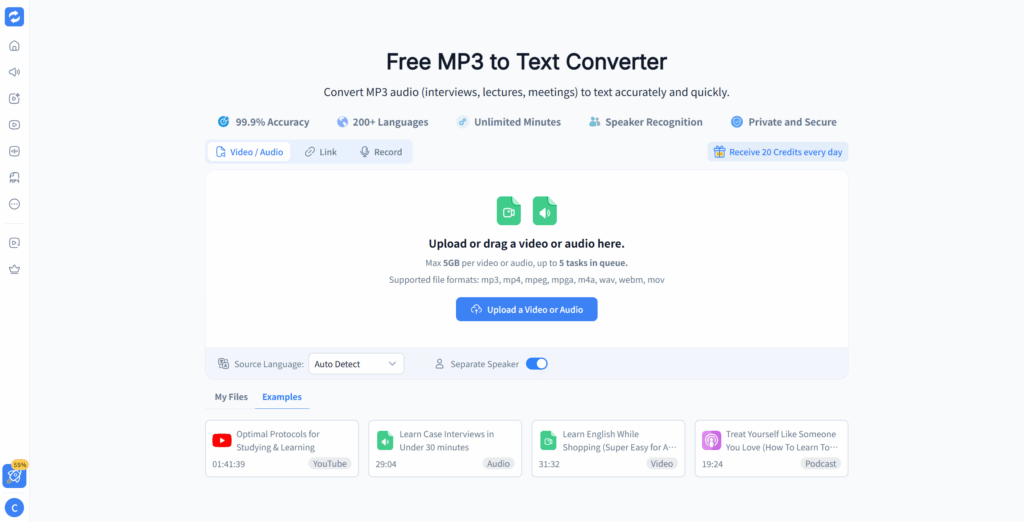
Set the song language manually when the tool allows it. Auto-detect can fail on short hooks, mixed-language tracks, heavy accents, and sections with long instrumental openings.
Convert MP3 to lyrics also improves when vocals are separated from background music. If the tool includes vocal separation, enable it for full mixes. If you already have an acapella or vocal stem, use that file instead.
Some transcription tools focus on meetings and interviews. Those can work for simple songs, but they often struggle with melody and rhythm. A better convert MP3 to lyrics setup uses settings that expect music, not just spoken dialogue.
For bilingual songs, transcribe the main language first. Then review mixed-language lines manually. Convert MP3 to lyrics can handle multiple languages better when you guide the model instead of relying on automatic guesses.
Step 4: Clean, Format, and Verify the Lyrics
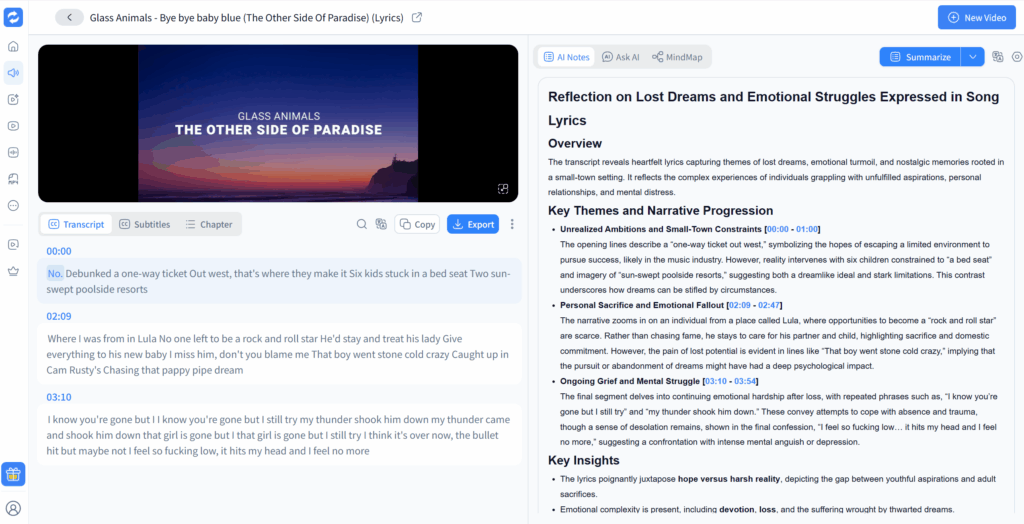
Treat the first transcript as a draft. Play the song and compare each section. Correct missed words, repeated phrases, ad-libs, and lines that the model guessed from context.
Convert MP3 to lyrics becomes useful only after formatting. Break lines where the singer pauses. Add verse, chorus, bridge, and intro labels. Remove timestamps unless you need them for karaoke or subtitle work.
Read the finished lyrics while the song plays. If a line is hard to sing along with, revise the line break. The final convert MP3 to lyrics output should be easy to follow, not just technically accurate.
For karaoke, timestamps matter. For lyric videos, line length matters. For songwriting notes, section labels matter. Choose the format that matches your use case.
For a cleaner output, format the draft into:
Settings That Improve Lyrics Accuracy
Use Manual Language Selection
Language selection is one of the simplest accuracy fixes. A tool that guesses the wrong language will misread vowels, names, slang, and repeated hooks.
Convert MP3 to lyrics works better when the model starts with the correct language. If the song is in Spanish, set Spanish. If it is in English with a few Japanese phrases, start with English and review the mixed lines manually.
Do not let a long instrumental intro decide the language. Upload the file, choose the language, and then generate.
Separate Vocals When Music Is Loud
Vocal separation removes or lowers the instruments so the model can hear the singer more clearly. It is not perfect, but it often turns a messy lyric draft into something editable.
Convert MP3 to lyrics benefits most from vocal separation when the mix is dense. Rock, EDM, live recordings, and heavily produced pop tracks usually need it more than acoustic songs.
If separation creates artifacts, compare both transcripts. Sometimes the full mix preserves a word that the separated vocal damages. A careful convert MP3 to lyrics workflow checks the result instead of trusting one pass blindly.
Use the Highest Quality Source
Source quality controls the ceiling. A transcription model cannot recover words that are lost inside distortion, clipping, crowd noise, or extreme compression.
Use the highest-quality MP3 you own. If you have WAV or FLAC, use that when the tool accepts it. Convert MP3 to lyrics from a better file usually needs less cleanup.
Avoid screen recordings and reposted audio when possible. Every conversion can remove detail from the vocal.
Review Fast and Repeated Sections Carefully
Fast lines, harmonies, layered vocals, and repeated choruses create most lyric errors. A model may skip a repeated phrase or copy one chorus into another even when the singer changed a word.
Convert MP3 to lyrics requires a second pass on those sections. Slow playback during review. Check names, slang, numbers, and emotional ad-libs. Those details often matter more than the obvious chorus.
Use this settings table as a starting point:
| Setting | Why It Matters | Recommended Starting Point |
| Language | Wrong language causes avoidable lyric errors | Set manually before generating |
| Vocal separation | Instruments can hide consonants and soft words | Enable for full mixes |
| Source quality | Bad audio limits every transcript | Use the cleanest file available |
| Playback review | AI drafts still need verification | Review while listening line by line |
| Formatting | Lyrics need readable line breaks | Add verse, chorus, and bridge labels |
When Should You Convert MP3 to Lyrics?
Original Songs and Demos
Songwriters often record ideas before writing final lyrics. A melody arrives first, then the words change during performance. Convert MP3 to lyrics helps capture what you actually sang, not what you thought you wrote.
This is useful after writing sessions, rehearsals, and voice memo demos. You can turn rough recordings into editable lyric drafts, then revise the song from real words on the page.
For collaborators, convert MP3 to lyrics creates a shared reference. Producers, vocalists, and co-writers can comment on lines without replaying the whole demo every time.
Creator Covers and Alternate Versions
Covers rarely match the original lyric page perfectly. Singers change phrasing, repeat hooks, skip sections, or add new lines. Convert MP3 to lyrics gives you the actual version performed.
This matters for YouTube descriptions, lyric videos, Shorts captions, performance notes, and rehearsal materials. If the arrangement changes, the transcript should change too.
Use convert MP3 to lyrics after the final take, not before. Early drafts can create cleanup work if the performance changes later.
Study Notes and Language Practice
Songs help learners hear rhythm, pronunciation, vocabulary, and informal phrasing. Convert MP3 to lyrics turns audio into a study sheet that students can mark, translate, and repeat.
Teachers can prepare line-by-line exercises from audio they have rights to use. Learners can create private notes for listening practice. The important part is pairing the text with repeated listening.
For classes, review the transcript before sharing it. Convert MP3 to lyrics can miss slang, contractions, and fast transitions, especially in music with strong production.
Short Videos and Caption Drafts
Creators often need short lyric lines for captions, descriptions, subtitles, and social clips. Public lyric pages rarely match a rough demo, cover version, remix, or behind-the-scenes recording.
Convert MP3 to lyrics helps create a working text draft before editing. Add timestamps if the output will become captions. Keep line lengths short enough for viewers to follow on mobile.
For video publishing, test the text with the actual audio before exporting. A small timing error can feel much larger when the caption appears on screen.
Why Audio Converter AI Fits This Workflow
It Runs in the Browser
Audio Converter AI fits a convert MP3 to lyrics workflow because it does not require a desktop install. You open the tool, upload the file, and generate a transcript from the browser.
Use convert mp3 to lyrics when you want to test the process with one song before building a repeatable workflow. A browser path keeps the test simple.
Browser access matters for musicians and teachers who move between devices. You can work from a laptop at home, a school computer, or a studio machine without setting up a separate app.
It Gives Daily Free Credits
Daily free credits make small lyric jobs easier to test. You can convert one short recording, inspect the draft, and decide whether the workflow fits your files before paying for heavier use.
Convert MP3 to lyrics is often a trial-and-review task. You may test one song, adjust the source file, then try again with a cleaner version. Free credits reduce the friction of that first experiment.
For frequent transcription, prepare files before uploading. Clean naming, clear source files, and careful settings help every credit produce a better lyric draft.
Daily free credits are most useful for small, repeatable tasks:
- One demo lyric draft
- One rehearsal recording
- One short music clip
- One language-learning audio file
- One caption draft for a creator video
It Supports MP3 Transcription Use Cases
The practical need is straightforward: turn an MP3 into text. Audio Converter AI gives users a direct path for that job through its MP3 transcription workflow.
Use convert mp3 to lyrics when the lyrics are inside an audio file rather than a text document. The output still needs review, but it gives you a draft fast.
This is useful for songs, demos, rehearsal recordings, spoken intros, podcast music segments, and audio notes that contain lyric ideas. Convert MP3 to lyrics becomes more valuable when typing by ear would take too long.
It Keeps the Workflow Simple
Many lyric projects fail because the setup feels heavier than the task. Installing software, creating accounts, and learning complex editors can make a short song feel like a production project.
Convert MP3 to lyrics should stay simple. Upload, transcribe, review, format, and export. Audio Converter AI fits that rhythm because the tool does not force a long setup before the first result.
For teams, the same simple process helps. A songwriter can upload a demo, a teacher can clean the draft, and an editor can format the final text without changing the basic workflow.
Common Mistakes When You Convert MP3 to Lyrics
Expecting Perfect Output From Noisy Audio
Noisy audio creates weak lyric drafts. Crowd sound, room echo, distortion, and loud instruments can hide words from the model.
Convert MP3 to lyrics with the cleanest source first. If the transcript looks chaotic, do not keep regenerating the same bad file. Find a better copy, isolate the vocal, or slow down for manual review.
This saves time. A cleaner file can remove dozens of corrections from the final pass.
Using Speech Settings for a Song
Meeting transcription and song transcription are related, but they are not identical. Sung vowels, rhythm, harmonies, and repeated hooks can confuse settings designed for interviews.
Convert MP3 to lyrics with music-aware choices whenever the tool offers them. Set the language manually, use vocal separation when needed, and review repeated sections carefully.
If a tool only offers general transcription, you can still use it. Just treat the result as a rough draft and plan more cleanup.
Skipping the Formatting Pass
A transcript is not automatically a lyric sheet. A wall of text may contain the right words, but it is hard to sing, teach, subtitle, or publish.
Convert MP3 to lyrics should end with structure. Add line breaks, section names, repeated chorus labels, and optional timestamps. The format should match the final use.
For lyric videos, keep lines short. For songwriting notes, keep sections clear. For karaoke, keep timing visible.
Publishing Lyrics Without Checking Rights
Rights matter when lyrics leave your private workspace. Transcribing a copyrighted song does not automatically give you permission to publish the full text.
Convert MP3 to lyrics safely by focusing public use on your own songs, licensed material, or public-domain works. For private study, keep the transcript private. For commercial publishing, verify the rights before posting.
This caution protects creators. It also keeps the workflow focused on useful, responsible transcription.
A Cleanup Checklist for Better Lyrics
Check Every Section Against the Audio
Do not rely on the first transcript alone. Play the song and review the lyrics from start to finish. Mark uncertain words instead of guessing.
Convert MP3 to lyrics becomes accurate through review. AI gives the first draft. Your ears make the final version reliable.
Pay special attention to the first line of each section. Openings often set the rhyme, rhythm, and meaning for the rest of the verse.
Format Repeated Choruses Carefully
Repeated choruses look simple, but they often contain small changes. A singer may add a word, stretch a line, or change the final phrase before the bridge.
Convert MP3 to lyrics with repeated sections by checking each chorus once. If the chorus is identical, label it clearly. If it changes, write the changed version.
This prevents the most common lyric-sheet problem: one copied chorus that does not match the actual recording.
Decide Whether You Need Timestamps
Not every project needs timestamps. A songwriter may only need clean text. A teacher may need line numbers. A karaoke host may need timecodes.
Convert MP3 to lyrics first, then decide the export format. Do not clutter the text with timestamps unless the final use requires them.
When timestamps are useful, keep them consistent. A clean timestamp style makes the lyrics easier to edit later.
FAQ
How do I convert MP3 to lyrics?
Convert MP3 to lyrics by uploading the audio to a transcription tool, setting the language, enabling vocal separation when needed, and reviewing the draft against the song. The final step is formatting the text into lyric lines.
Can I convert MP3 to lyrics for free?
Yes. You can convert MP3 to lyrics for free with tools that offer daily credits or free transcription limits. Free usage usually works best for short songs, demos, and tests before a larger batch.
How accurate is AI when I convert MP3 to lyrics?
Accuracy depends on vocal clarity, source quality, language settings, and background music. Convert MP3 to lyrics from a clean vocal track can produce a strong draft, while noisy full mixes need more cleanup.
Can I convert MP3 to lyrics from a live recording?
Yes, but live recordings are harder. Crowd noise, room echo, and imperfect mic placement can reduce accuracy. Convert MP3 to lyrics from the cleanest live source you have, then review uncertain sections manually.
Can AI separate vocals before transcription?
Some tools can separate vocals or work better when you upload an isolated vocal. Convert MP3 to lyrics with vocal separation when the instruments are loud or the mix is dense.
Is it legal to convert MP3 to lyrics?
Private transcription for study, practice, or internal notes is usually lower risk than publishing. Convert MP3 to lyrics responsibly by checking rights before posting full copyrighted lyrics online.
What is the best format after I convert MP3 to lyrics?
Plain text works for notes and editing. Line-by-line formatting works for singers. Timestamped text works for karaoke and subtitles. Convert MP3 to lyrics with the final use in mind.
What tool should I try first?
Start with a browser-based MP3 transcription workflow. Use convert mp3 to lyrics on one real file, then review the draft against the song before processing a larger batch.
Conclusion
Convert MP3 to lyrics is fastest when you treat AI as the first draft, not the final authority. Start with the cleanest audio, upload the file, set the language and vocal options, then verify the text line by line.
The workflow helps songwriters, cover artists, teachers, learners, karaoke hosts, and creators who need lyrics from a specific recording. Convert MP3 to lyrics gives you the words from your file, not a generic lyric page that may not match.
Start with one song. Use convert mp3 to lyrics, clean the draft, add section labels, and save the final text. Once the first file is done, the next convert MP3 to lyrics project feels much faster.