

A long PDF can feel like a backpack full of bricks: useful, but heavy to carry through a busy day. That is why more people now want to convert pdf to audio instead of reading every page on a screen.
The shift is easy to understand. Edison Research says 79% of Americans age 12+ listen to online audio monthly, which shows just how normal audio-first habits have become. At the same time, CooperVision highlights rising digital eye strain in the U.S., with heavy daily device use and many users reporting discomfort linked to screen time.
So when users search convert pdf to audio, convert pdf to audio online, or pdf to audio converter, they are usually not looking for a novelty tool. They are looking for a more flexible way to study, review reports, listen during a commute, or turn reading into something they can fit into real life.
In this guide, you will learn how to convert pdf to audio, what features matter most, and which tools stand out in 2026.
Why More People Convert PDF to Audio in 2026
More users now convert pdf to audio because listening solves a very practical problem: there is often more content to read than time or energy to read it.
Study without being stuck at your desk
Students often convert pdf to audio to review class notes, slides, and reading packets while commuting or doing chores. When you convert pdf to audio, a static document becomes easier to revisit in shorter sessions. That is especially helpful when the source file is dense, long, or visually tiring.
Turn work documents into listening content
Professionals also convert pdf to audio to get through reports, proposals, training materials, and meeting prep more efficiently. If you need to review a long document but do not have time to sit down and read every page, it makes sense to convert pdf to audio and listen during lower-focus moments.
Make PDFs more accessible
Another reason people convert pdf to audio is accessibility. PDF listening tools help users who prefer audio, deal with eye strain, or simply retain information better by hearing it. Browser-based options such as Audio Converter AI also make it easier to convert pdf to audio online without installing extra software, which fits the way many people now study, work, and listen on the go.
How to Convert PDF to Audio Step by Step
If you have never tried to convert pdf to audio, the process is simpler than many people expect. Most online tools now follow the same basic workflow.
Step 1: Upload the PDF
Start with a pdf to audio converter that supports PDF files directly. Most tools let you upload from your computer, and some support additional formats like DOCX, PPT, images, or webpages.
Step 2: Check whether the PDF is text-based
To convert pdf to audio accurately, the tool needs clean text extraction. If the file is scanned or image-based, OCR quality will affect the result. This matters a lot for textbooks, reports, and older PDFs.
Step 3: Choose the right voice
A big reason people now convert pdf to audio is voice quality. Natural AI voices make long listening sessions much easier. If the voice sounds too robotic, even correct text can be tiring.
Step 4: Adjust speed and playback style
A good pdf audio reader should let you change playback speed. Faster playback works for review. Slower playback is better when the PDF is technical or unfamiliar.
Step 5: Listen online or export the audio
Some users only want browser playback. Others want to download the result for offline listening. If your goal is to convert pdf to audio book style content or keep files for repeat listening, export options matter more.
Once you know how to convert pdf to audio, the next step is choosing the right tool. In practice, the biggest differences usually come down to voice quality, PDF handling, ease of use, and whether you want simple online listening or downloadable audio.
Top 6 Best Tools to Convert PDF to Audio in 2026
Below are six tools worth considering if you want to convert pdf to audio. Each one has a different strength, so the best choice depends on how you plan to use it.
1. Audio Converter AI - Best for Fast Browser-Based PDF to Audio Conversion
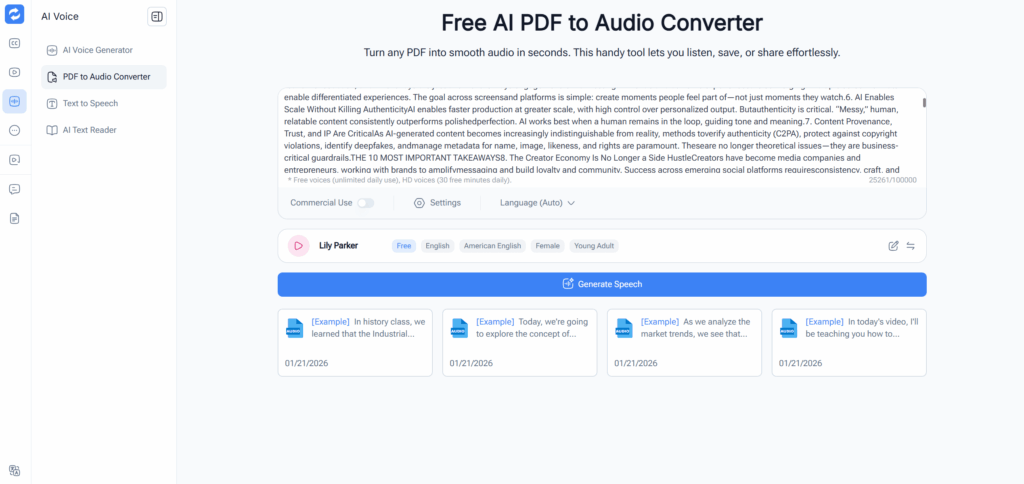
Audio Converter AI is a strong fit for users who want to convert pdf to audio with minimal friction. Its PDF to Audio Converter sits within a broader AI Voice toolset that also includes Text to Speech and AI Text Reader features, making it easy to move between reading and listening tasks in one browser-based workflow.
What makes it stand out is simplicity. For users searching convert pdf to audio online, speed and ease often matter more than deep customization. Audio Converter AI feels built for that exact use case.
Why it stands out:
- Dedicated PDF to Audio Converter flow
- Browser-based and easy to access
- Natural AI voice positioning
- Good fit for study notes, reports, and everyday PDFs
- Strong match for users who want a lightweight pdf to audio converter
2. Speechify - Best for Polished Listening Across Devices
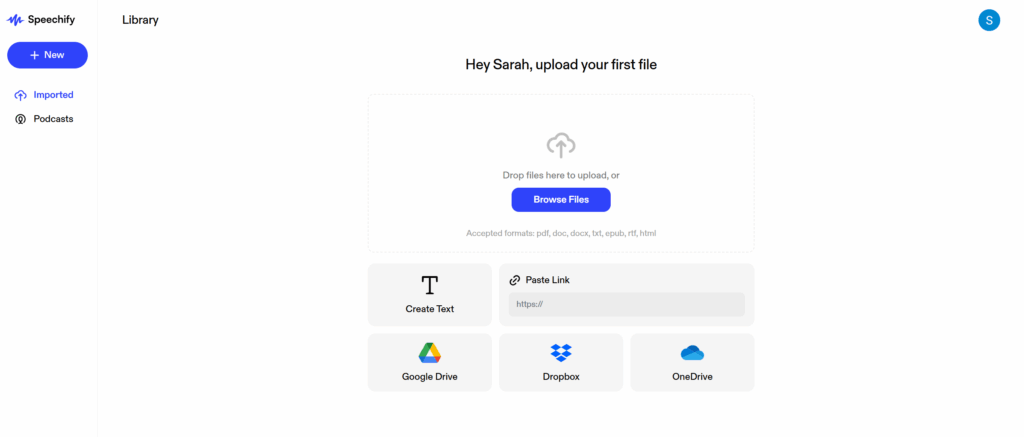
Speechify is one of the most recognizable names for users who want to read pdf aloud or use a premium pdf audio reader. Its official pages position the product around books, PDFs, web pages, text highlighting, speed control, and cross-device listening, while its app listings emphasize broad language support and lifelike voices.
Its main difference is polish. Speechify feels less like a quick converter and more like a full listening ecosystem for everyday reading.
Why it stands out:
- Strong mobile and cross-device experience
- Text highlighting while listening
- Speed controls for fast review
- Widely recognized brand in AI reading
- Good for users who convert pdf to audio regularly, not just once in a while
3. NaturalReader - Best for Accessibility and Multi-Format Flexibility
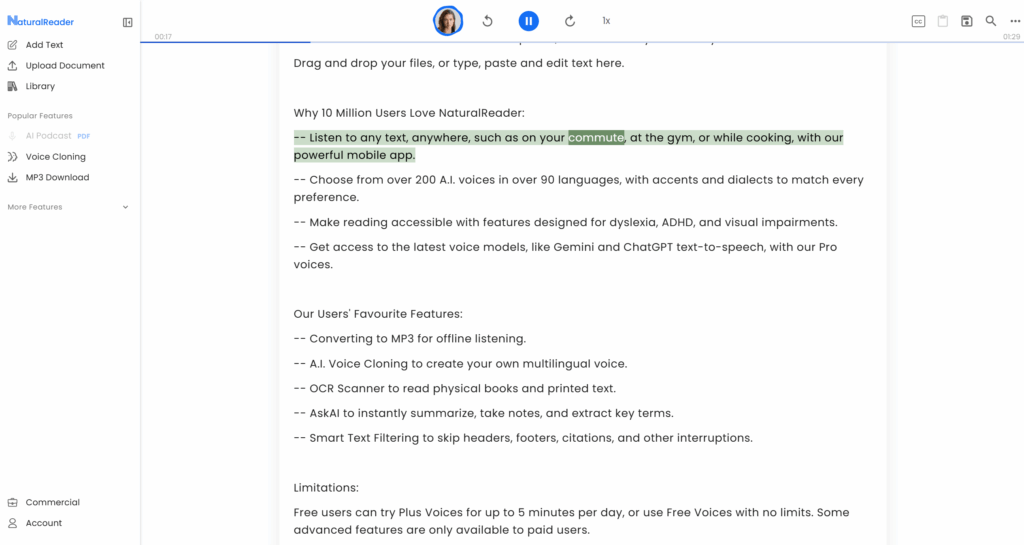
NaturalReader is a good option for people who want to convert pdf to audio and also handle images, webpages, physical books, and other document types. Its official site says it can turn text, PDFs, images, webpages, and physical books into natural-sounding audio, and its broader product pages highlight OCR support and AI voices.
Its biggest advantage is flexibility. If your workflow includes more than PDFs, NaturalReader gives you a wider content lane.
Why it stands out:
- Supports PDF, image, webpage, and physical book input
- Strong accessibility positioning
- OCR-related support for harder documents
- Useful for mixed-format study and reading workflows
- A flexible choice for users comparing convert pdf to audio free and premium options
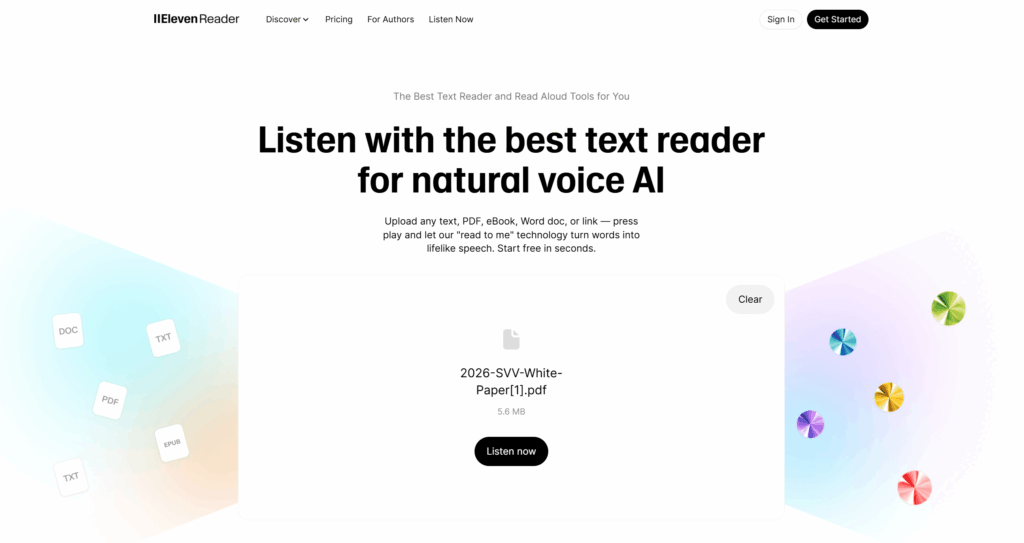
4. ElevenReader by ElevenLabs - Best for Realistic AI Voice Quality
ElevenReader is a strong pick if your priority is voice realism when you convert pdf to audio. ElevenLabs says its reader app supports PDFs, eBooks, articles, and newsletters, and its product messaging is heavily centered on high-quality AI narration.
The difference here is voice feel. If you want the result to sound less like a utility and more like a true listening product, ElevenReader is one of the best fits.
Why it stands out:
- Very strong reputation for realistic AI voices
- Built around mobile listening
- Supports PDFs and other reading formats
- Better fit for long-form listening sessions
- Useful when you want to convert pdf to audio book style content
5. NoteGPT - Best for Learning-Focused PDF to Audio Workflows
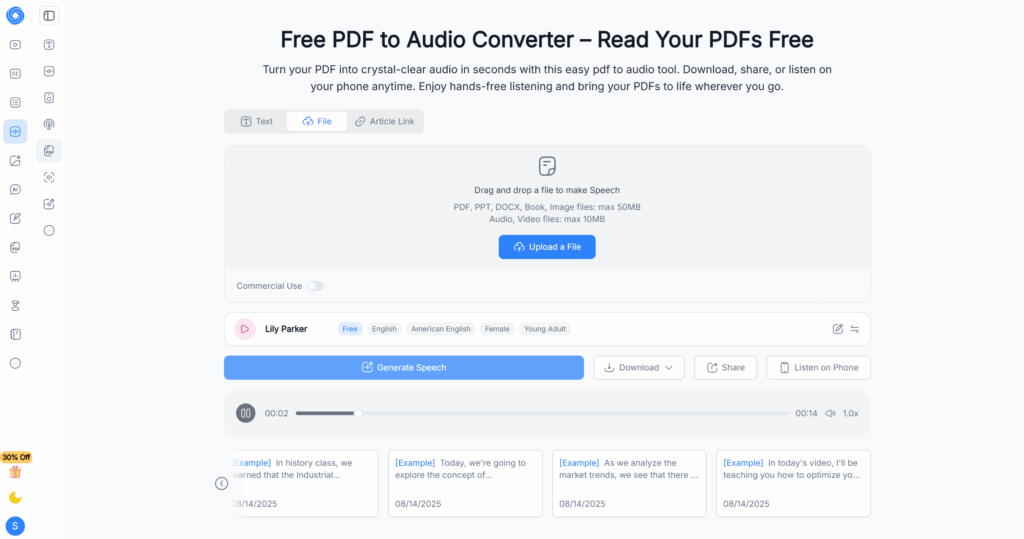
NoteGPT adds a useful angle to the convert pdf to audio space because it is positioned not just as a reader, but as part of a broader AI learning workflow. Its PDF to Audio page says users can turn PDFs into audio, then download, share, or listen on mobile, and NoteGPT’s wider platform is built around learning, summarizing, and study support.
That makes NoteGPT different from tools that focus only on playback. It feels especially relevant for students and knowledge workers who want listening plus study utility.
Why it stands out:
- Strong learning and study-oriented product positioning
- Supports sharing and mobile-friendly listening
- Good fit for notes, summaries, and educational PDFs
- More than a basic pdf to audio converter
- Useful for users who want to convert pdf to audio and keep the result inside a broader study workflow
6. TTSReader - Best for Simple Free Listening and Downloadable Output
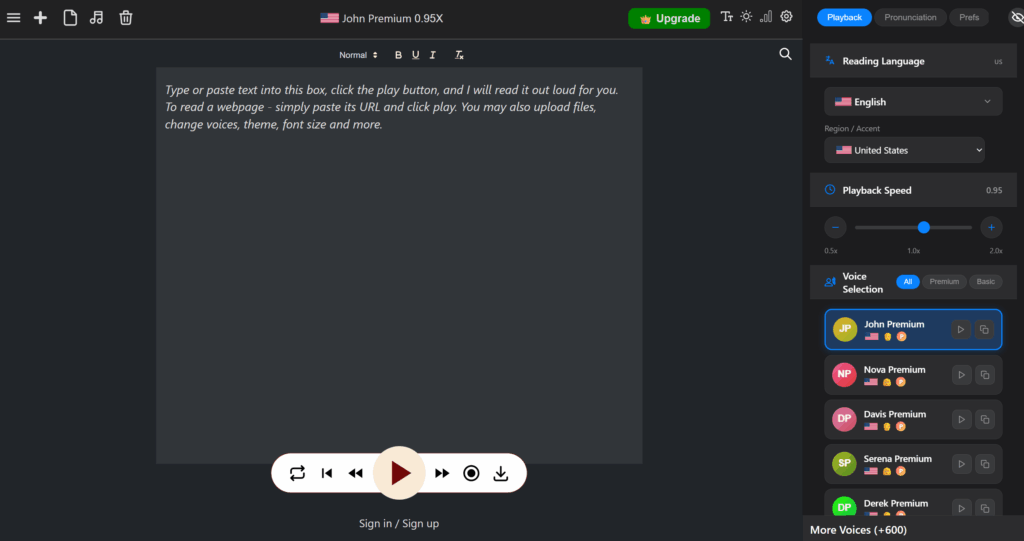
TTSReader is a practical option for users who want to convert pdf to audio without much setup. Its site says it can read text, documents, books, and webpages aloud online, supports PDF uploads, and can generate downloadable audio. It also highlights a podcast-style channel feature for generated speech.
Its biggest strength is simplicity with export-friendly use. It is not the most premium-feeling tool, but it is easy to test and useful for quick listening.
Why it stands out:
- Straightforward online workflow
- Supports downloadable audio
- Easy entry point for free use
- Interesting podcast-style distribution angle
- Worth considering if you want to convert pdf to audio podcast style files
Quick Comparison Table
| Tool | Best For | Main Differentiator | Browser-Based | Download-Friendly |
| Audio Converter AI | Fast everyday use | Lightweight dedicated PDF-to-audio workflow | Yes | Yes |
| Speechify | Daily premium listening | Polished cross-device reading experience | Yes | Limited by plan/use case |
| NaturalReader | Accessibility and mixed formats | Broad input support including image and webpage | Yes | Yes |
| ElevenReader | Voice realism | Highly natural AI narration | App-first | More listening-first than export-first |
| NoteGPT | Study and learning use | PDF audio inside a broader AI learning workflow | Yes | Yes |
| TTSReader | Simple free use | Quick online listening with downloadable audio | Yes | Yes |
Frequently Asked Questions About How to Convert PDF to Audio
1. What is the easiest way to convert PDF to audio?
The easiest way to convert pdf to audio is to use an online tool that lets you upload a file, choose a voice, and start listening in a few clicks. For most users, this is the fastest way to turn a PDF into spoken audio without a complicated setup.
2. Can I convert PDF to audio online for free?
Yes, you can convert pdf to audio online for free with some tools, although free access may come with limits on file size, voice options, or usage volume. Audio Converter AI and NoteGPT are both relevant options for users who want to try a browser-based pdf to audio converter with low friction.
3. What is the best PDF to audio converter for students?
The best pdf to audio converter for students is one that makes long reading materials easier to review. Students often need to listen to notes, slides, study guides, or academic PDFs more than once, so tools that fit into a broader learning workflow, such as NoteGPT, can be especially useful.
4. Can I convert PDF to audio book style files?
Yes, many users convert pdf to audio so they can listen to ebooks, reports, and study materials in a more natural way. If you want to convert pdf to audio book style content, tools with smoother AI voices are usually better for longer listening sessions.
5. What is the difference between a PDF audio reader and a PDF to audio converter?
A pdf audio reader is mainly designed for instant playback, while a pdf to audio converter is more focused on turning a file into reusable audio. Some tools now do both, so the main difference is whether you only want to read pdf aloud or also save the result for later listening.
6. Which tool should I use for quick PDF to audio conversion?
If speed and simplicity matter most, Audio Converter AI is a strong choice for quick convert pdf to audio tasks. It fits users who want a direct online workflow without extra steps or a heavier reading platform.
Conclusion
As more people look for flexible ways to learn and consume information, the decision to convert pdf to audio makes more sense than ever. A PDF no longer has to stay locked to a screen or tied to a single reading session. Once you convert pdf to audio, it becomes easier to fit that content into the small gaps of everyday life.
This is why demand for convert pdf to audio online tools continues to grow. Users are not just looking for a technical conversion. They want a practical way to keep up with long documents, reduce reading friction, and make dense content feel more manageable.
For that kind of everyday use, Audio Converter AI is a practical option. It is an online tool that requires no installation or download, is simple to use, and supports long-text reading, making it especially useful for turning longer PDFs into audio that is easier to follow over time.
Ultimately, the value of convert pdf to audio is not only about changing format. It is about making information more flexible, more accessible, and easier to carry into real life.