


Manually transcribing audio is exhausting. You struggle to identify multiple speakers in meetings, rewind repeatedly to catch heavy accents, and lose focus after hours of listening. These pain points make traditional transcription a time-consuming burden.
Modern AI has solved these problems. Today, you can convert speech to text free using intelligent tools that automatically recognize speakers, understand diverse accents, and process hours of audio in minutes. Whether transcribing meetings, lectures, or podcasts, speech to text free solutions deliver professional results without the manual effort.
This guide shows you how to convert speech to text free online with AI tools and reviews the best speech to text free platforms available in 2025.
Why Speech to Text Free Tools Are Essential in 2025
The explosive growth of audio and video content has made speech to text free online tools indispensable for modern workflows. Meetings, webinars, podcasts, and educational videos generate massive amounts of spoken content that remains difficult to search, analyze, or repurpose without transcription.
Using speech to text free technology enables you to:
- Convert audio recordings into searchable, editable text documents
- Generate accurate meeting notes and action items automatically
- Create professional captions and subtitles for video content
- Enhance accessibility for hearing-impaired audiences
- Transform audio content into blog posts and articles
- Archive and organize spoken information efficiently
- Translate transcribed content into multiple languages
- Extract key insights and quotes from long recordings
Modern AI-powered speech to text free online tools now achieve remarkable accuracy rates, often exceeding 90% for clear audio. This performance rivals expensive professional transcription services while remaining completely accessible to everyone.
Understanding How Speech to Text Free Technology Works
Before diving into specific tools, it's helpful to understand the AI technology powering speech to text free conversion. These tools use advanced machine learning models trained on millions of hours of spoken language. The AI analyzes audio waveforms, identifies phonetic patterns, applies language models for context, and outputs accurate text transcriptions.
The latest speech to text free online platforms leverage:
- Deep neural networks for pattern recognition
- Natural language processing for context understanding
- Acoustic modeling to handle different voices and accents
- Language modeling to improve accuracy through context
- Speaker diarization to identify multiple speakers in conversations
This sophisticated technology makes speech to text free tools remarkably powerful, especially considering they require no specialized hardware or technical expertise.
How to Convert Speech to Text Free Online with AI: Complete Step-by-Step Guide
Step 1: Prepare Your Audio or Video Source
Start by ensuring your audio file is in optimal condition. The quality of your source material directly impacts speech to text free accuracy. Save your file in a widely supported format such as MP3, WAV, M4A, or MP4.
For best results when using speech to text free online tools:
- Record in a quiet environment with minimal background noise
- Use quality microphones when capturing original audio
- Ensure speakers articulate clearly at a moderate pace
- Keep audio levels consistent throughout the recording
- Avoid overlapping speech when possible
Step 2: Select the Right Speech to Text Free Tool
Choosing the appropriate speech to text free platform depends on your specific requirements. Consider factors like file length, whether you need real-time transcription, language support, and desired accuracy level. The tools reviewed in this guide each excel in different scenarios.
Step 3: Upload Your File or Start Recording
Most speech to text free online tools support both file uploads and live recording. Upload your pre-recorded audio or use your device's microphone for real-time dictation. The AI will immediately begin processing your speech.
Step 4: Monitor the Transcription Process
Watch as the speech to text free tool converts your audio into text. Many platforms display transcription progress in real-time, allowing you to verify accuracy as it processes.
Step 5: Review and Edit the Output
While modern speech to text free technology is impressively accurate, always review the transcript. Correct any misheard words, add proper punctuation if needed, and format the text according to your requirements.
Step 6: Export and Use Your Transcription
Download your completed transcript in your preferred format. Most speech to text free online tools support TXT, DOCX, PDF, and SRT subtitle formats. You can now use this text for documentation, content creation, accessibility, or archival purposes.
Top 5 Speech to Text Free Tools: Detailed Comparison
1. Audio Converter AI – Best for Long-Form Professional Transcription
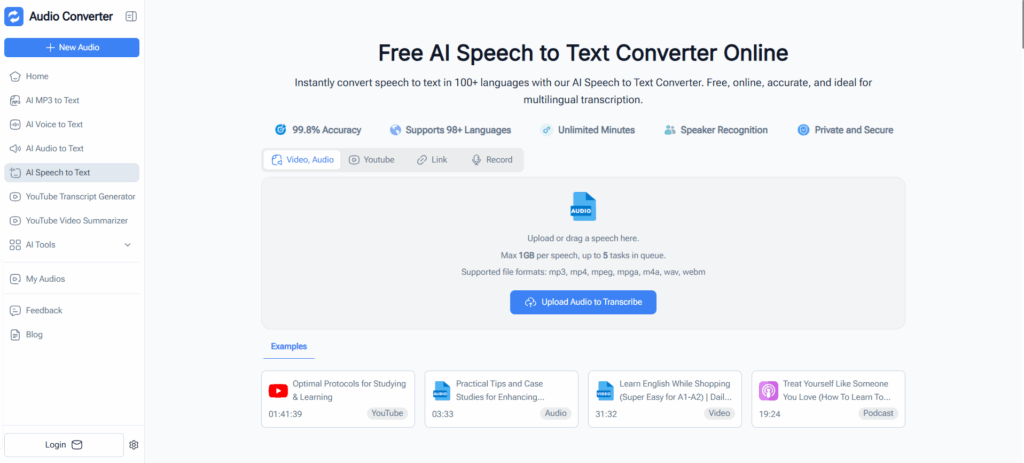
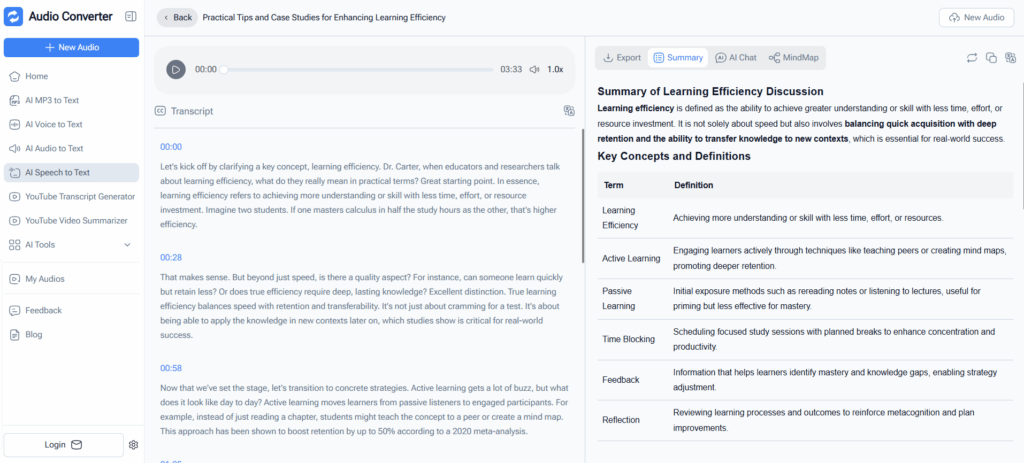
Audio Converter AI stands out as a powerful speech to text free solution designed specifically for handling lengthy audio files with professional-grade accuracy. This browser-based platform processes recordings entirely client-side, ensuring privacy while delivering exceptional results. It also supports online recording for immediate transcription needs.
Key Features:
- Advanced AI-powered speech to text free online conversion
- Supports large files up to several hours in length
- Compatible with MP3, WAV, M4A, MP4, and other common formats
- Multilingual speech recognition covering 50+ languages
- High accuracy even with accents and technical terminology
- Downloadable transcripts in multiple formats
Best For:
Business meetings, academic lectures, research interviews, podcast episodes, and long-form audio content requiring professional documentation.
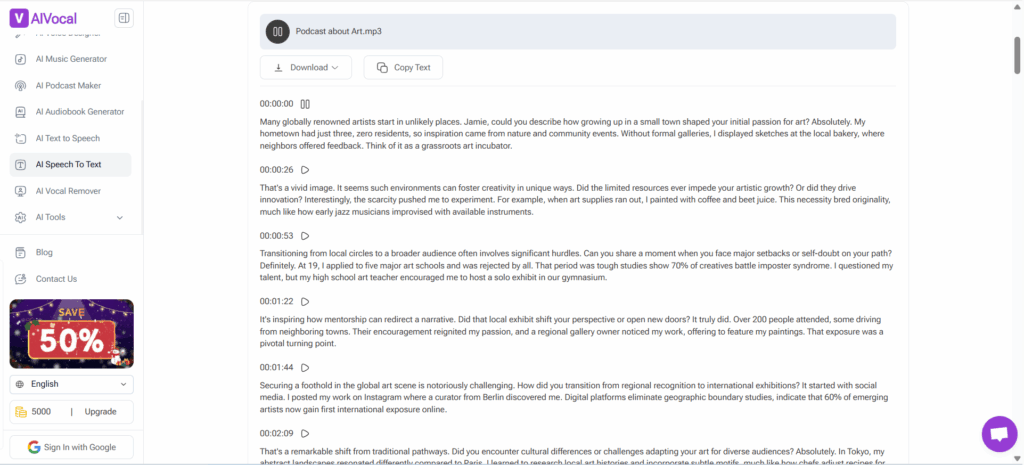
2. AIVocal – Best for Multi-Speaker Audio and Accurate Transcription
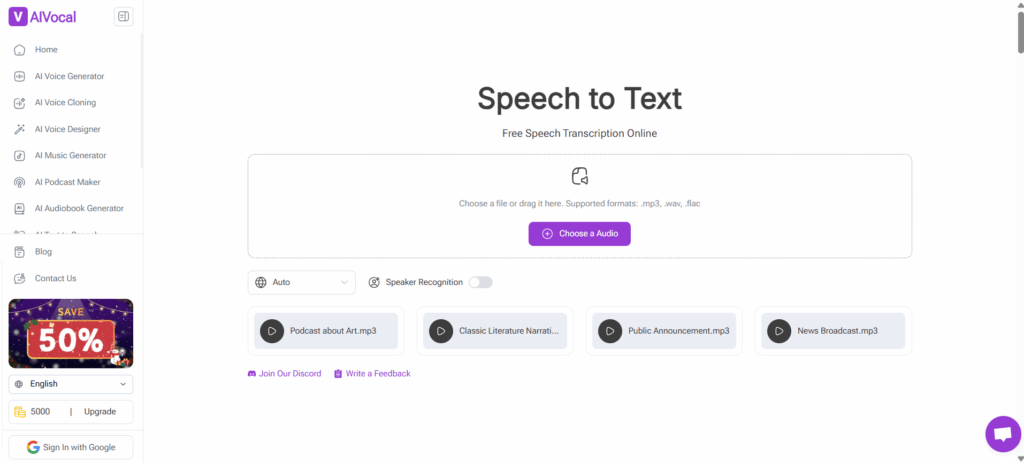
AIVocal offers a versatile speech to text free platform that excels at handling complex audio files with multiple speakers. Its advanced speaker identification technology makes it particularly valuable for transcribing conversations, interviews, and group discussions with professional accuracy.
Key Features:
- Advanced speech to text free online conversion for multi-speaker content
- Automatic speaker separation and labeling
- High-accuracy transcription engine
- Support for multiple languages and dialects
- Clean, organized transcript formatting with speaker tags
- Handles overlapping speech and background noise effectively
Best For:
Panel discussions, customer service calls, focus groups, multi-person interviews, and any scenario involving multiple speakers.
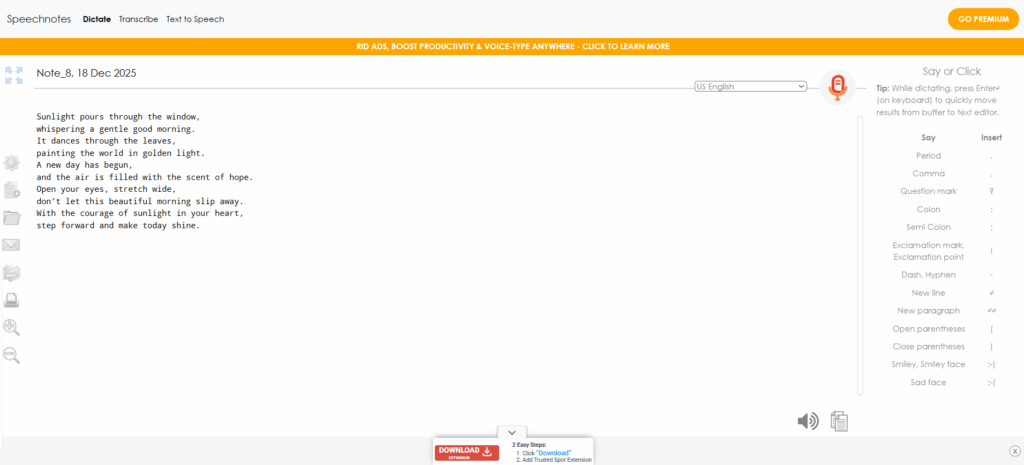
3. Speechnotes – Best for Live Dictation and Quick Note-Taking
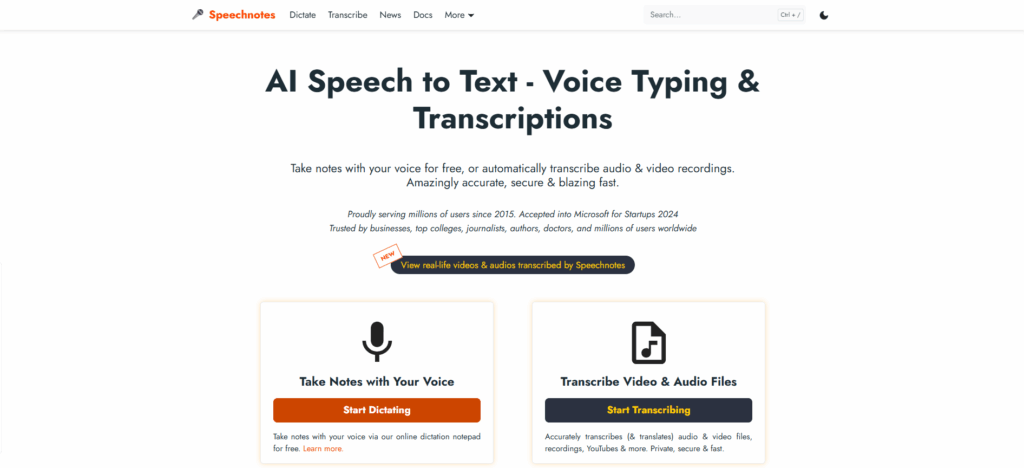
Speechnotes specializes in instant speech to text free conversion for real-time dictation. This lightweight browser tool turns spoken words into text as you speak, making it perfect for writing, brainstorming, and quick documentation.
Key Features:
- Immediate speech to text free online dictation
- Automatic punctuation insertion
- Voice commands for formatting
- No software installation needed
- Works directly in web browsers
- Distraction-free writing interface
Best For:
Composing emails, drafting documents, taking meeting notes on the fly, creating content outlines, and instant voice-to-text conversion.
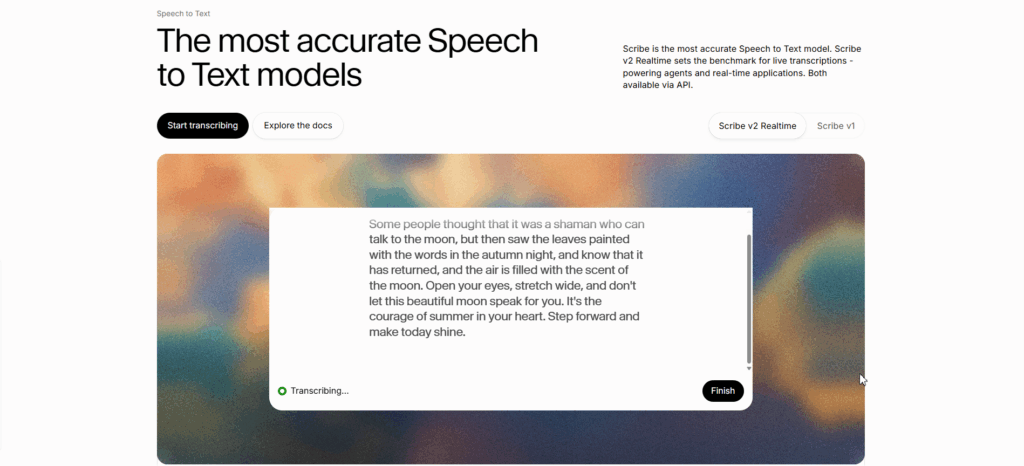
4. ElevenLabs – Best for High-Accuracy AI Speech Recognition
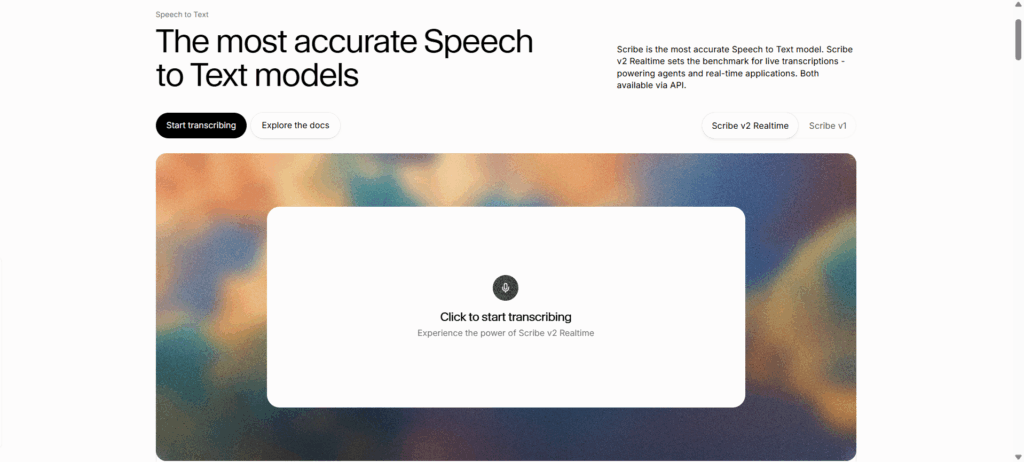
ElevenLabs brings cutting-edge AI models to speech to text free transcription, emphasizing accuracy and clean output. Known primarily for voice synthesis, their speech recognition technology applies the same attention to quality.
Key Features:
- State-of-the-art AI for speech to text free online conversion
- Exceptional accuracy with natural conversational speech
- Handles diverse accents and speaking styles
- Multiple language support with native-level understanding
- Well-formatted, structured transcript output
Best For:
Content creators, journalists, researchers, and professionals who need maximum accuracy and minimal transcription errors.
5. RecCloud – Best for Quick and Simple Online Transcription
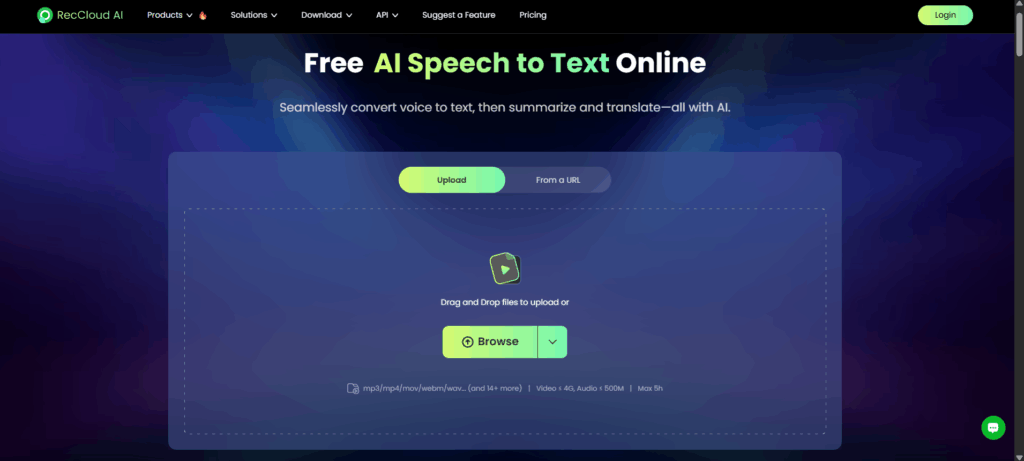
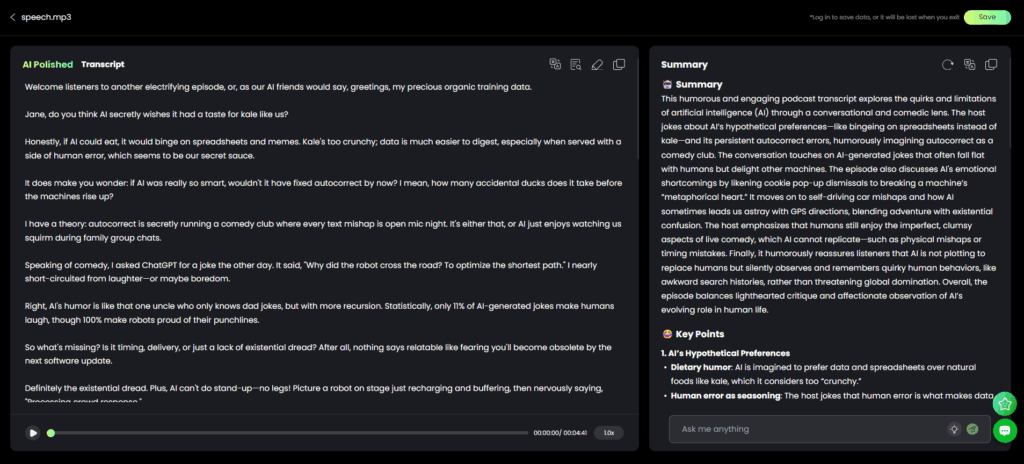
RecCloud provides a streamlined speech to text free experience with an intuitive interface focused on speed and ease of use. It's designed for users who want fast results without complexity.
Key Features:
- Straightforward speech to text free online conversion process
- Support for all common audio and video formats
- Fast processing turnaround times
- User-friendly interface requiring no learning curve
- Mobile-friendly design
Best For:
Students transcribing lectures, content creators working with short clips, and anyone needing basic transcription without advanced features.
Choosing Your Ideal Speech to Text Free Solution
Selecting the right speech to text free tool depends on matching features to your specific workflow:
- For long professional recordings: Audio Converter AI handles extensive files with professional accuracy
- For multi-speaker content: AIVocal's speaker identification excels with conversations and interviews
- For real-time dictation: Speechnotes provides instant speech to text free online conversion as you speak
- For maximum accuracy: ElevenLabs delivers the cleanest transcripts requiring minimal editing
- For quick basic transcription: RecCloud offers the simplest, fastest speech to text free experience
Understanding your primary use case ensures you choose the speech to text free online tool that delivers optimal results with minimum friction.
Advanced Tips to Maximize Speech to Text Free Accuracy
Getting the best results from any speech to text free tool requires attention to both input quality and proper tool configuration:
Audio Quality Optimization:
- Record in quiet environments free from echo and background noise
- Position microphones 6-12 inches from speakers for optimal pickup
- Use pop filters to reduce plosive sounds
- Maintain consistent audio levels throughout recordings
- Test audio quality before recording important content
Tool Configuration:
- Select the correct source language in your speech to text free online tool settings
- Enable punctuation automation when available
- Use speaker labels for multi-person recordings
- Adjust playback speed if reviewing while transcribing
- Utilize timestamp features for easy reference
Speaking Best Practices:
- Articulate clearly without exaggerating pronunciation
- Maintain a moderate, consistent speaking pace
- Pause briefly between distinct thoughts or topics
- Avoid filler words when possible ("um," "uh," "like")
- Spell out unusual names or technical terms when necessary
Post-Processing:
- Always review speech to text free output for accuracy
- Correct misheard words, especially names and technical terms
- Add paragraph breaks and formatting for readability
- Insert punctuation if the tool missed any
- Save original audio files as reference material
These practices significantly improve speech to text free online results, reducing editing time and increasing overall transcript quality.
How Different Industries Use Speech to Text Free Tools
Education:
Students and educators use speech to text free tools to transcribe lectures, create study materials, document research interviews, and improve accessibility for diverse learning needs.
Business:
Professionals rely on speech to text free online platforms for meeting documentation, client call transcription, report generation, and creating searchable archives of spoken communications.
Content Creation:
Creators use speech to text free technology to transcribe podcast episodes for blog content, generate video captions, draft scripts from brainstorming sessions, and repurpose audio content.
Healthcare:
Medical professionals employ speech to text free tools for patient note documentation, recording medical observations, and transcribing research data while maintaining workflow efficiency.
Legal:
Legal teams utilizespeech to text free online services for deposition transcription, documenting client consultations, and creating searchable case file archives.
Media and Journalism:
Reporters use speech to text free platforms to transcribe interviews, document field recordings, create article drafts from audio notes, and generate captions for multimedia content.
Frequently Asked Questions About Speech to Text Free Tools
How accurate is speech to text free technology?
Modern speech to text free tools achieve 85-95% accuracy with clear audio, rivaling professional transcription services. Accuracy depends on audio quality, speaker clarity, background noise levels, and accent familiarity.
Can I convert long recordings using speech to text free tools?
Yes. Tools like Audio Converter AI support lengthy recordings spanning several hours. Some speech to text free online platforms may have time limits, but many accommodate files of 1-3 hours without restrictions.
Do speech to text free tools support multiple languages?
Most modern speech to text free platforms support 20-100+ languages. Coverage varies by tool, with major languages like English, Spanish, French, German, and Chinese widely supported across all platforms.
Is my audio data secure when using online transcription tools?
Reputable speech to text free online services use encrypted connections and secure processing. Many tools process audio client-side in your browser, meaning files never leave your device. Always review privacy policies for specific platforms.
Can speech to text free tools identify different speakers?
Some speech to text free tools like AIVocal offer speaker diarization, automatically identifying and labeling different speakers in conversations. This feature availability varies by platform.
What audio formats work with speech to text free tools?
Most speech to text free online platforms support common formats including MP3, WAV, M4A, MP4, FLAC, OGG, and WMA. Some tools automatically convert unsupported formats during upload.
Can I use speech to text free tools for creating subtitles?
Yes. Many speech to text free platforms export transcripts in subtitle formats like SRT and VTT, making it easy to add captions to videos for accessibility and SEO benefits.
Conclusion
The evolution of AI has made professional-quality transcription accessible to everyone through speech to text free tools. These platforms eliminate the tedious manual work of typing out audio content, allowing you to focus on analysis, editing, and using your transcripts productively.
Whether you need to transcribe lengthy business meetings with Audio Converter AI, capture multi-speaker conversations using AIVocal, dictate documents in real-time with Speechnotes, achieve maximum accuracy through ElevenLabs, or handle quick transcriptions with RecCloud, there's a perfect speech to text free online solution for your needs.
The tools reviewed in this guide represent the best speech to text free options available in 2025, each excelling in specific use cases. By choosing the platform that matches your workflow and following best practices for audio preparation, you'll achieve professional transcription results without spending a cent.
Start using a speech to text free tool today and unlock the full potential of your audio content. Transform spoken words into searchable text, improve accessibility, boost productivity, and repurpose audio into valuable written resources—all with the power of free AI technology.